
 Sign in to Mod The Sims
 "Illumutations" - Transformable Shelf w/ Light
 "Illumutations" - Transformable Shelf w/ Light
MTS has all free content, all the time. Donate to help keep it running.
SCREENSHOTS
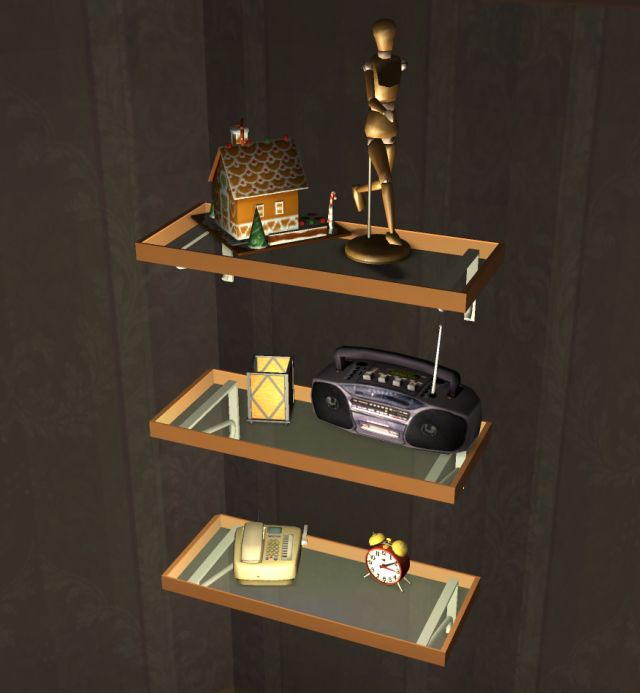

Full-Lit.jpg - width=640 height=693
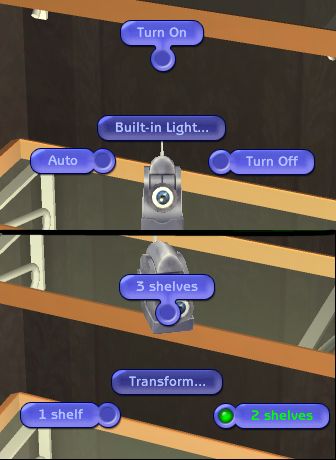
Menu.jpg - width=336 height=460
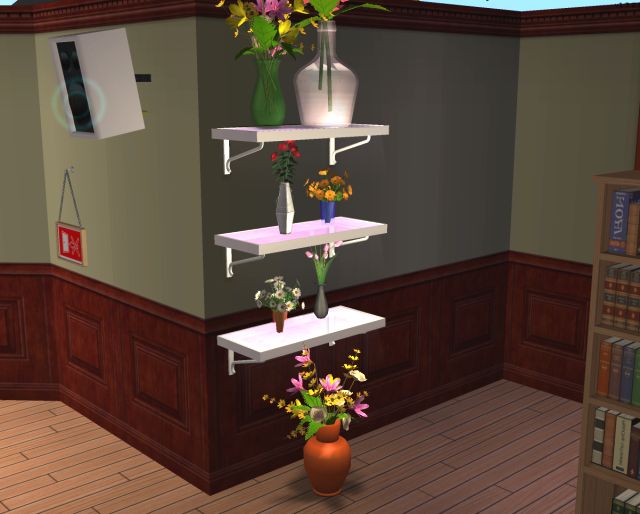
OFB_Flowers.jpg - width=640 height=514
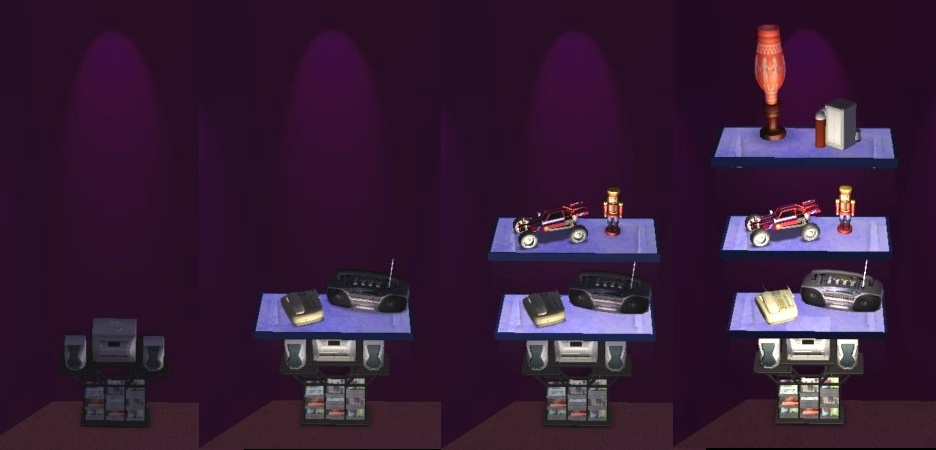
multi.jpg - width=936 height=450
MultiShelf_anim_opt.gif - width=243 height=449
Featured Upload!
This is a featured upload! It showcases the best talent and creativity available on MTS and in the community. 


Created by Numenor
Uploaded: 20th Mar 2006 at 1:07 AM
Updated: 3rd Jan 2009 at 10:51 AM - Confirmad compatibility with AL and M&G
Updated: 3rd Jan 2009 at 10:51 AM - Confirmad compatibility with AL and M&G
"Illumutations" - Transformable Multi-Model Shelf with Built-in Lights
by Numenor and Peter_Halland
by Numenor and Peter_Halland
Tired of wasting an entire table to place a single little flower vase, or a phone?
Illumutations is the answer to your prayers!
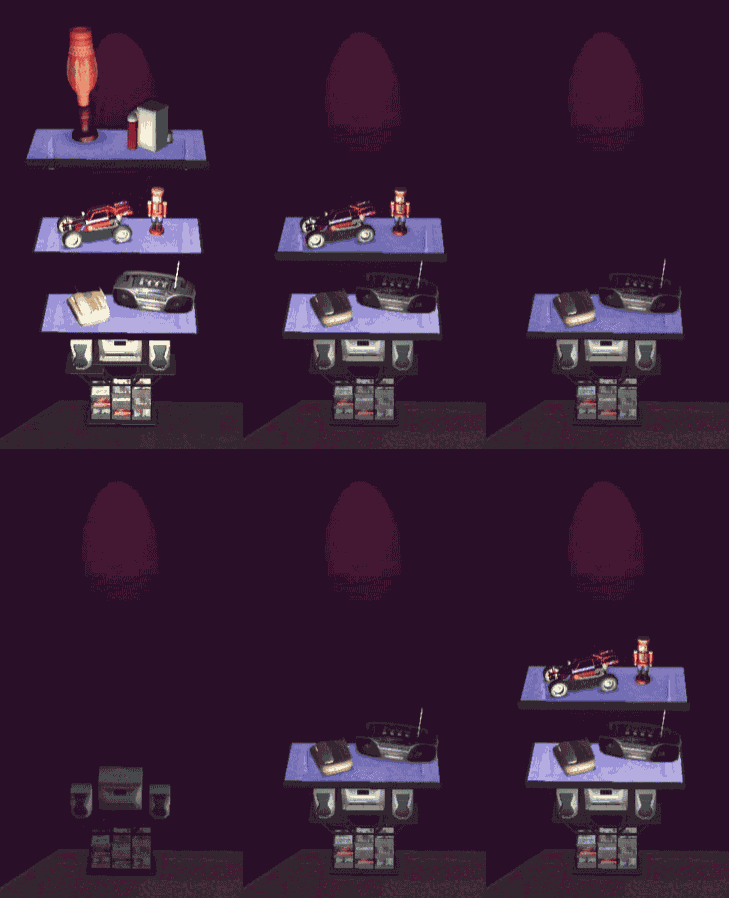
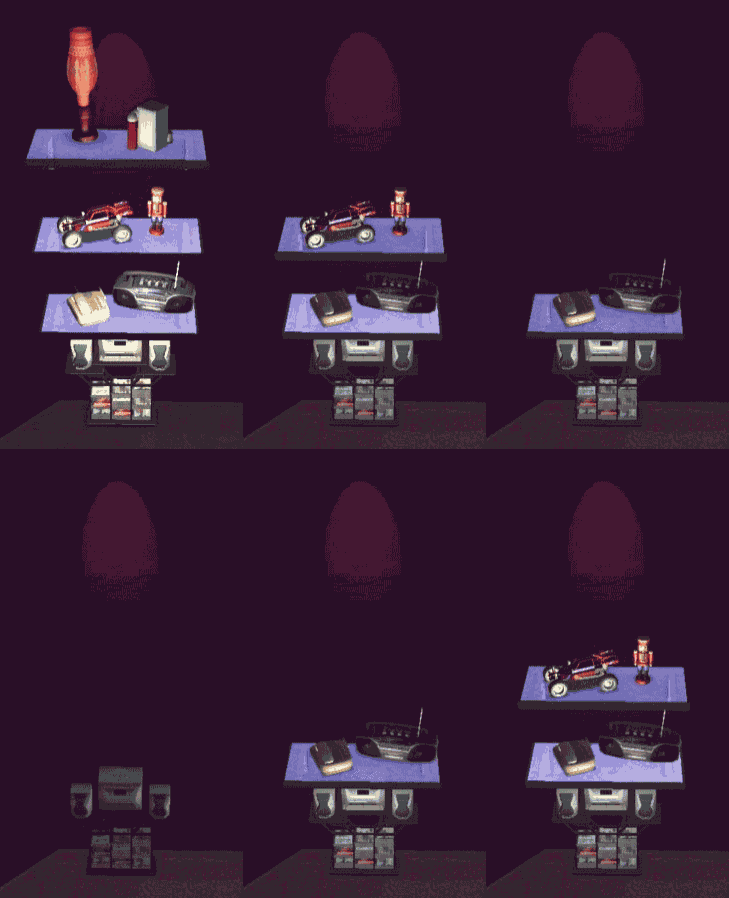
It's transformable: change its shape to 1, 2 or 3 shelves in a click! (The shelves must be empty!)
It's illuminated: each shelf has a built-in light that can be set to "always on", "always off" or "automatic"!
It's a space-saver: each "Illumutations" multishelf can host up to SIX objects!
It's usable: the sims can interact with the objects placed on the lowest level!
It's realistic: no one lines up perfectly the ornaments on the shelves... Each object placed on the shelves will have its own unique position and orientation!
It can be placed everywhere: under a window, over a floor stereo, even over a toilet!

It's recolourable: if the many beautiful recolours included in the package aren't enough for you, you can create your own! (Frame and glass are recolourable separately)
The "Illumutations" Multi-shelf works with any game configuration, from the base game to Mansion&Garden (i.e. all existing games).
You can find it in the catalog under "Surfaces / Misc" (available for Community lots, too).
OFB users please read: in order to ensure compatibility with the non-OFB games, this multi-shelf is NOT placed in catalog along with the Maxis shelves. Nevertheless, it CAN be used in your business lots, to display your objects for sale. There are only few limitations, that you should keep in mind:
- The Multi-shelf can host only small objects that are supposed to be placed on surfaces: objects (even if small) that are supposed to go only on the ground can't be placed on this shelf. For instance, you can place on it craftable flowers, but not a toy xylophone.
- The Multi-shelf can host Maxis and custom objects: there is no difference (no hack needed).
- When setting the price of the items, you can't click on the shelf, like you do with the OFB shelves, because this would put for sale the shelf itself

Poly Count - In its full configuration (3 shelves): 1550 Verts / 1928 Faces.
CREDITS:
- Mesh and textures by Peter_Halland
- Multimodel, lights and slots by Numenor
DO NOT CLONE - DO NOT REDISTRIBUITE - DO NOT INCLUDE IN UPLOADED LOTS
This is a new mesh, and means that it's a brand new self contained object that usually does not require a specific Pack (although this is possible depending on the type). It may have Recolours hosted on MTS - check below for more information.
| Filename | Size | Downloads | Date | |||||
|
Numenor-PeterHalland_Multishelf.rar
Size: 185.3 KB · Downloads: 62,217 · 20th Mar 2006 |
185.3 KB | 62,217 | 20th Mar 2006 | |||||
| For a detailed look at individual files, see the Information tab. | ||||||||
Key:
- - File was updated after upload was posted
Install Instructions
Basic Download and Install Instructions:
1. Download: Click the download link to save the .rar or .zip file(s) to your computer.
2. Extract the zip, rar, or 7z file.
3. Place in Downloads Folder: Cut and paste the .package file(s) into your Downloads folder:
1. Download: Click the download link to save the .rar or .zip file(s) to your computer.
2. Extract the zip, rar, or 7z file.
3. Place in Downloads Folder: Cut and paste the .package file(s) into your Downloads folder:
- Origin (Ultimate Collection): Users\(Current User Account)\Documents\EA Games\The Sims™ 2 Ultimate Collection\Downloads\
- Non-Origin, Windows Vista/7/8/10: Users\(Current User Account)\Documents\EA Games\The Sims 2\Downloads\
- Non-Origin, Windows XP: Documents and Settings\(Current User Account)\My Documents\EA Games\The Sims 2\Downloads\
- Mac: Users\(Current User Account)\Documents\EA Games\The Sims 2\Downloads
- Mac x64: /Library/Containers/com.aspyr.sims2.appstore/Data/Library/Application Support/Aspyr/The Sims 2/Downloads
- For a full, complete guide to downloading complete with pictures and more information, see: Game Help: Downloading for Fracking Idiots.
- Custom content not showing up in the game? See: Game Help: Getting Custom Content to Show Up.
- If you don't have a Downloads folder, just make one. See instructions at: Game Help: No Downloads Folder.
Recolours of this mesh
There are 4 recolours of this mesh on MTS:
Also Thanked - Users who thanked this download also thanked:
Packs Needed
None, this is Sims 2 base game compatible!
Other Information
Style:
– Contemporary
Room:
– Living
: Living Room
– Bedroom
– Nursery
– Study
: Study/Office
Maxis Flags:
– Not Applicable
Redistribution Policy and License Agreement
*** I RETIRED FROM MODDING ***
You may contact me via personal messages here at MTS, and I will reply, but I don't grant I can help you, as a long time has gone by since I created my mods.
This following policy applies to ALL my creations, unless otherwise stated on the download thread.
It's FORBIDDEN: to repost my stuff anywhere.
It's FORBIDDEN: to clone my creations.
It's ALLOWED: to create recolours for my objects (and post them on any site, including paysites), BUT you can't include the mesh in your recolour: you must give credits to me for the mesh, and provide a link to the mesh download thread.
It's ALLOWED: to include my creations in your lots, BUT the lots must be uploaded on free sites (except the Exchange), and you must provide credits and a link to the download thread.
You may contact me via personal messages here at MTS, and I will reply, but I don't grant I can help you, as a long time has gone by since I created my mods.
This following policy applies to ALL my creations, unless otherwise stated on the download thread.
It's FORBIDDEN: to repost my stuff anywhere.
It's FORBIDDEN: to clone my creations.
It's ALLOWED: to create recolours for my objects (and post them on any site, including paysites), BUT you can't include the mesh in your recolour: you must give credits to me for the mesh, and provide a link to the mesh download thread.
It's ALLOWED: to include my creations in your lots, BUT the lots must be uploaded on free sites (except the Exchange), and you must provide credits and a link to the download thread.
More Downloads BETA
Here are some more of my downloads: