
 Sign in to Mod The Sims
 Warlokk's Hi-Res Female BodyShapes - 34D Full-Body Base Set
 Warlokk's Hi-Res Female BodyShapes - 34D Full-Body Base Set
MTS has all free content, all the time. Donate to help keep it running.
SCREENSHOTS
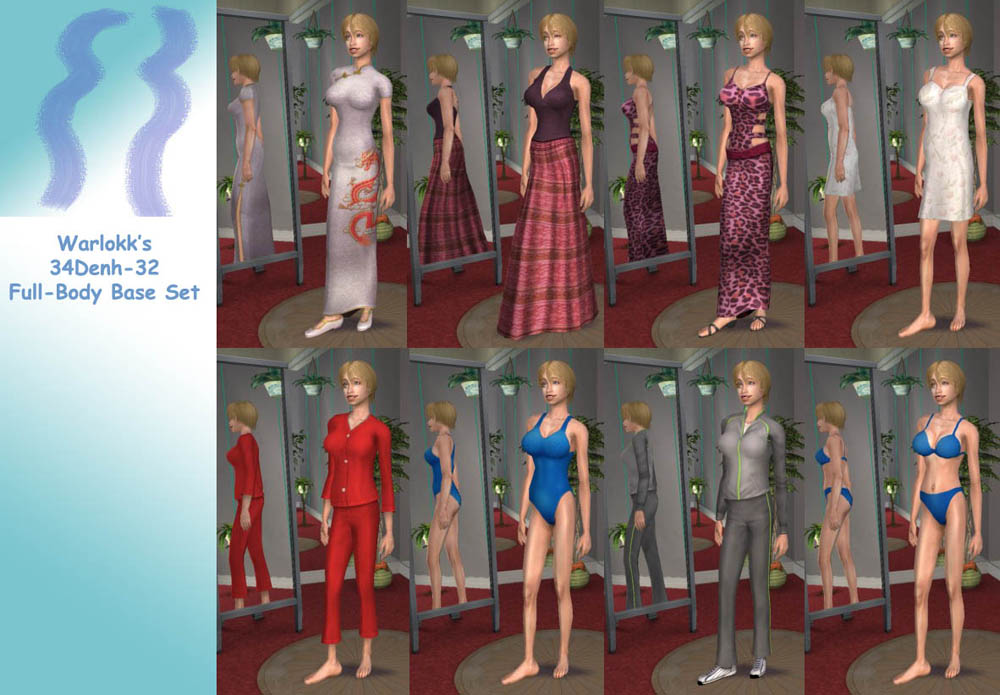


34De-32_Full-Body_Base_Set.jpg - width=1000 height=695
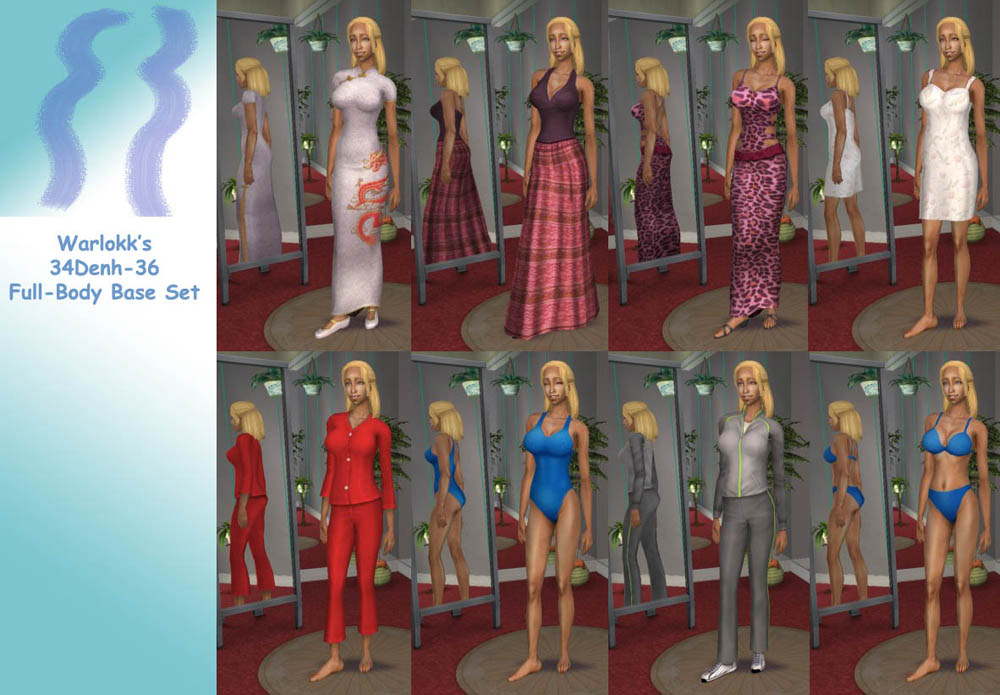
34Dn-34_Full-Body_Base_Set.jpg - width=1000 height=695
34De-36_Full-Body_Base_Set.jpg - width=1000 height=695
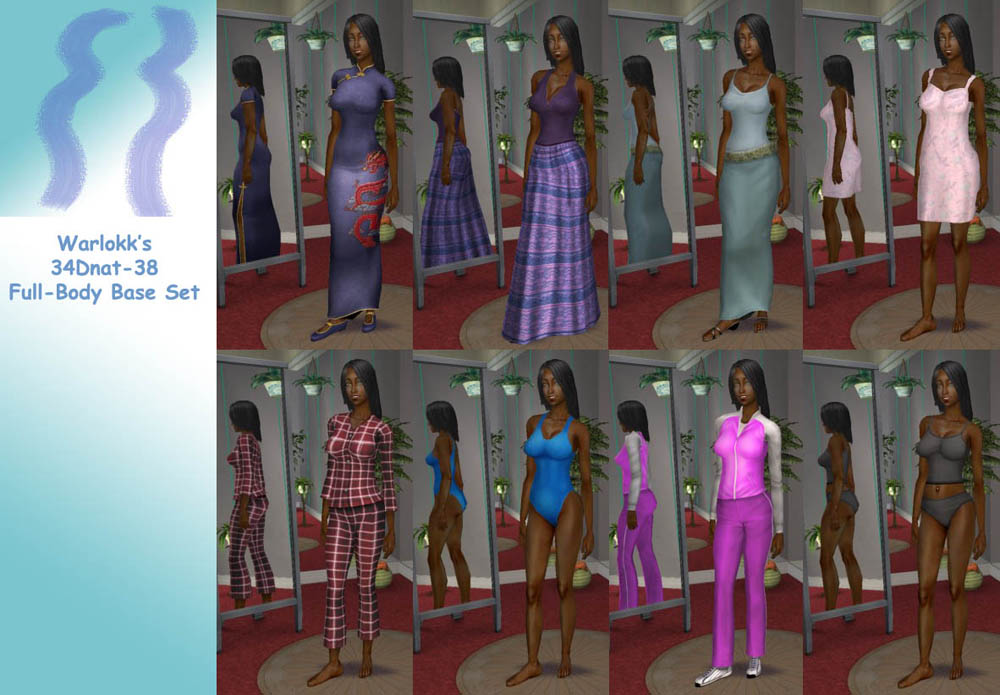
34Dn-38_Full-Body_Base_Set.jpg - width=1000 height=695
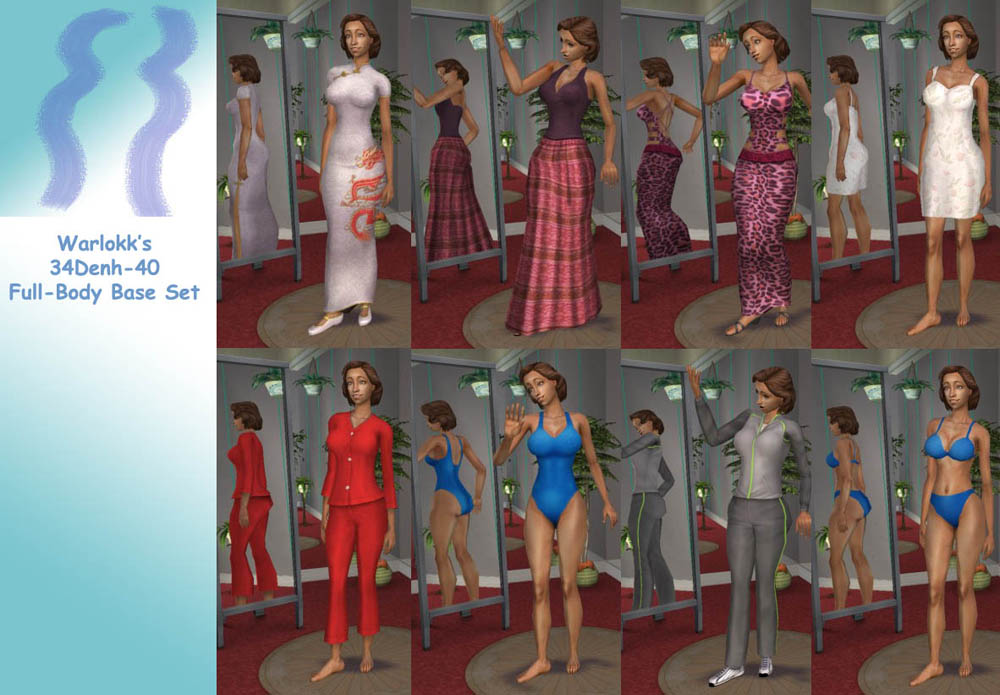
34De-40_Full-Body_Base_Set.jpg - width=1000 height=695
34D Test Family.jpg - width=600 height=450
Picked Upload!
This is a picked upload! It showcases some of the best talent and creativity available on MTS and in the community.
Presenting the next release in the Hi-Res Bodyshape Series, probably the last product from the temporary Tower before the final location is ready for production... :D
The 34D Full-Body Base Set includes 8 outfits each for the 34D Enhanced and Natural sizes, in all hip sizes 32 thru 40. There are 3 dresses, 2 PJ's, a swimsuit, tracksuit and underwear. Combined with the Everyday separates (as seen in the Family picture), there are now clothes available for your 34D gals for all occasions. Each file contains all 8 outfits for the Enhanced and Natural 34D shape in the hip size listed.
For best results, these outfits can be combined with the BodyShape skintones, found in the Complete Nude Collection at my Tower section at SexySims2 (over 18 required), or with skintones created for them by others.
IMPORTANT NOTE: If you used the Original Bodyshape series, you must remove the 36D Formal meshes from your game, since there are newer replacements in this set, but they will conflict. Making them the same internally allows your old Bodyshape 36D Formals to automatically update to the new 34D size here, but you have to delete the old meshes. I have included the 34D_Full-Body_Cleanup file here, which is a script to automatically remove those files if you run it in your Downloads folder where the old meshes are stored. If you want to remove them manually, the filenames are as follows:
10/15/2005 04:36 PM 729,761 MESH_AfBodyDressLong2_E36D-28-34.package
10/15/2005 06:57 PM 729,761 MESH_AfBodyDressLong2_E36D-28-36.package
10/15/2005 06:58 PM 729,761 MESH_AfBodyDressLong2_E36D-28-38.package
10/15/2005 04:46 PM 729,761 MESH_AfBodyDressLong2_N36D-28-34.package
10/15/2005 07:01 PM 729,761 MESH_AfBodyDressLong2_N36D-28-36.package
10/15/2005 07:03 PM 729,761 MESH_AfBodyDressLong2_N36D-28-38.package
As always, feel free to recolor, modify, mangle, mutilate, or whatever you like with these meshes... all textures are Maxis, so they are fair game as well. My only condition is anything made from these meshes MUST remain free... just like almost everything I used to create them.
Enjoy, and feedback is ALWAYS welcome!
The 34D Full-Body Base Set includes 8 outfits each for the 34D Enhanced and Natural sizes, in all hip sizes 32 thru 40. There are 3 dresses, 2 PJ's, a swimsuit, tracksuit and underwear. Combined with the Everyday separates (as seen in the Family picture), there are now clothes available for your 34D gals for all occasions. Each file contains all 8 outfits for the Enhanced and Natural 34D shape in the hip size listed.
For best results, these outfits can be combined with the BodyShape skintones, found in the Complete Nude Collection at my Tower section at SexySims2 (over 18 required), or with skintones created for them by others.
IMPORTANT NOTE: If you used the Original Bodyshape series, you must remove the 36D Formal meshes from your game, since there are newer replacements in this set, but they will conflict. Making them the same internally allows your old Bodyshape 36D Formals to automatically update to the new 34D size here, but you have to delete the old meshes. I have included the 34D_Full-Body_Cleanup file here, which is a script to automatically remove those files if you run it in your Downloads folder where the old meshes are stored. If you want to remove them manually, the filenames are as follows:
10/15/2005 04:36 PM 729,761 MESH_AfBodyDressLong2_E36D-28-34.package
10/15/2005 06:57 PM 729,761 MESH_AfBodyDressLong2_E36D-28-36.package
10/15/2005 06:58 PM 729,761 MESH_AfBodyDressLong2_E36D-28-38.package
10/15/2005 04:46 PM 729,761 MESH_AfBodyDressLong2_N36D-28-34.package
10/15/2005 07:01 PM 729,761 MESH_AfBodyDressLong2_N36D-28-36.package
10/15/2005 07:03 PM 729,761 MESH_AfBodyDressLong2_N36D-28-38.package
As always, feel free to recolor, modify, mangle, mutilate, or whatever you like with these meshes... all textures are Maxis, so they are fair game as well. My only condition is anything made from these meshes MUST remain free... just like almost everything I used to create them.
Enjoy, and feedback is ALWAYS welcome!
| Filename | Type | Size |
|---|---|---|
| 34D_Full-Body_Cleanup.rar | rar | |
| 34D_Full-Body_Cleanup.bat | bat | 490 |
This is a new mesh, and means that it's a brand new self contained object that usually does not require a specific Pack (although this is possible depending on the type). It may have Recolours hosted on MTS - check below for more information.
| Filename | Size | Downloads | Date | |||||
|
34D_Full-Body_Cleanup.rar
Size: 324 Bytes · Downloads: 12,257 · 23rd Oct 2006 |
324 Bytes | 12,257 | 23rd Oct 2006 | |||||
|
34D-40_BodyShape_Full-Body_Base_Set.rar
Size: 4.96 MB · Downloads: 16,569 · 23rd Oct 2006 |
4.96 MB | 16,569 | 23rd Oct 2006 | |||||
|
34D-38_BodyShape_Full-Body_Base_Set.rar
Size: 4.96 MB · Downloads: 16,771 · 23rd Oct 2006 |
4.96 MB | 16,771 | 23rd Oct 2006 | |||||
|
34D-36_BodyShape_Full-Body_Base_Set.rar
Size: 4.96 MB · Downloads: 22,050 · 23rd Oct 2006 |
4.96 MB | 22,050 | 23rd Oct 2006 | |||||
|
34D-34_BodyShape_Full-Body_Base_Set.rar
Size: 4.96 MB · Downloads: 19,563 · 23rd Oct 2006 |
4.96 MB | 19,563 | 23rd Oct 2006 | |||||
|
34D-32_BodyShape_Full-Body_Base_Set.rar
Size: 4.97 MB · Downloads: 20,860 · 23rd Oct 2006 |
4.97 MB | 20,860 | 23rd Oct 2006 | |||||
| For a detailed look at individual files, see the Information tab. | ||||||||
Key:
- - File was updated after upload was posted
Install Instructions
Basic Download and Install Instructions:
1. Download: Click the download link to save the .rar or .zip file(s) to your computer.
2. Extract the zip, rar, or 7z file.
3. Place in Downloads Folder: Cut and paste the .package file(s) into your Downloads folder:
1. Download: Click the download link to save the .rar or .zip file(s) to your computer.
2. Extract the zip, rar, or 7z file.
3. Place in Downloads Folder: Cut and paste the .package file(s) into your Downloads folder:
- Origin (Ultimate Collection): Users\(Current User Account)\Documents\EA Games\The Sims™ 2 Ultimate Collection\Downloads\
- Non-Origin, Windows Vista/7/8/10: Users\(Current User Account)\Documents\EA Games\The Sims 2\Downloads\
- Non-Origin, Windows XP: Documents and Settings\(Current User Account)\My Documents\EA Games\The Sims 2\Downloads\
- Mac: Users\(Current User Account)\Documents\EA Games\The Sims 2\Downloads
- Mac x64: /Library/Containers/com.aspyr.sims2.appstore/Data/Library/Application Support/Aspyr/The Sims 2/Downloads
- For a full, complete guide to downloading complete with pictures and more information, see: Game Help: Downloading for Fracking Idiots.
- Custom content not showing up in the game? See: Game Help: Getting Custom Content to Show Up.
- If you don't have a Downloads folder, just make one. See instructions at: Game Help: No Downloads Folder.
Recolours of this mesh
There are 8 recolours of this mesh on MTS:
Also Thanked - Users who thanked this download also thanked:
More Downloads BETA
Here are some more of my downloads: