
 Sign in to Mod The Sims
 Two Glass Walls
 Two Glass Walls
MTS has all free content, all the time. Donate to help keep it running.
SCREENSHOTS
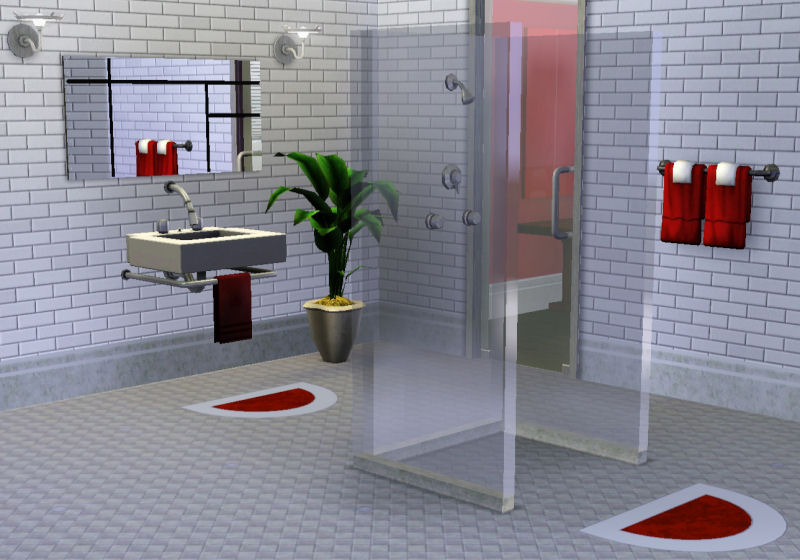
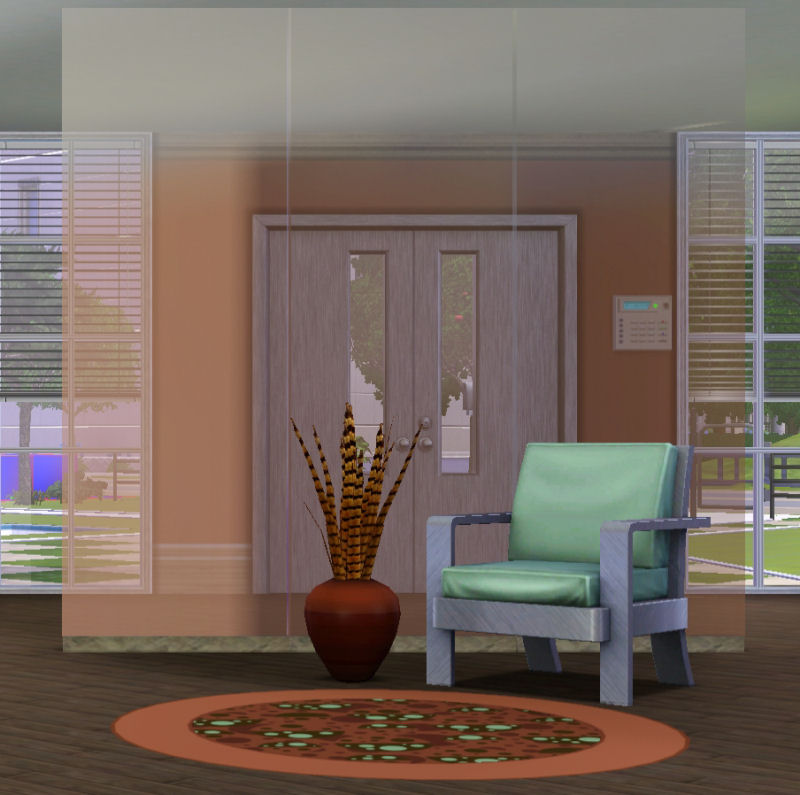

SW.jpg - width=800 height=560
Glass wall - shower height.
CW.jpg - width=800 height=795
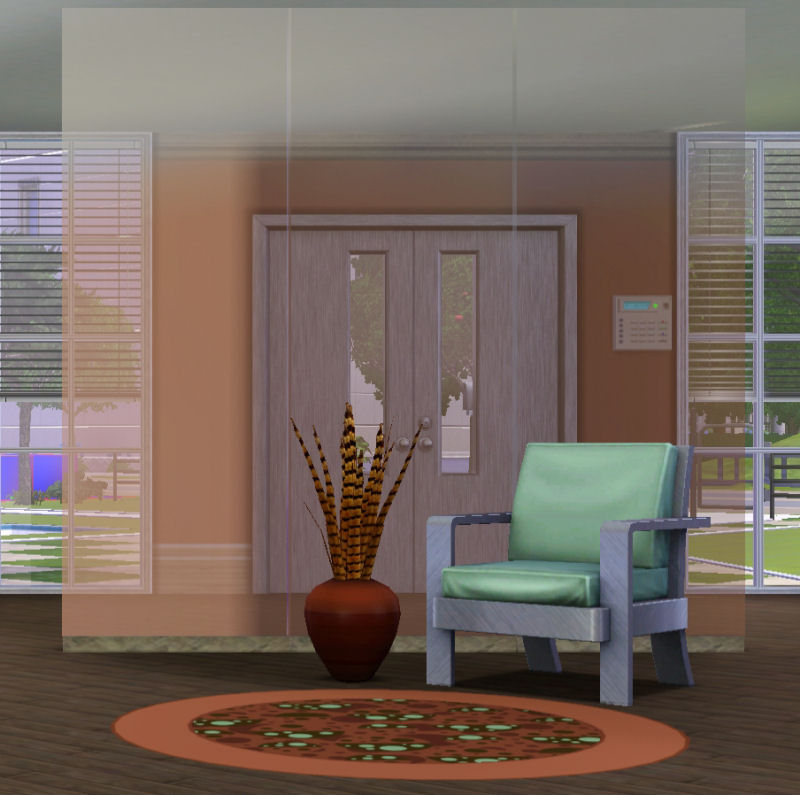
Glass wall - ceiling height
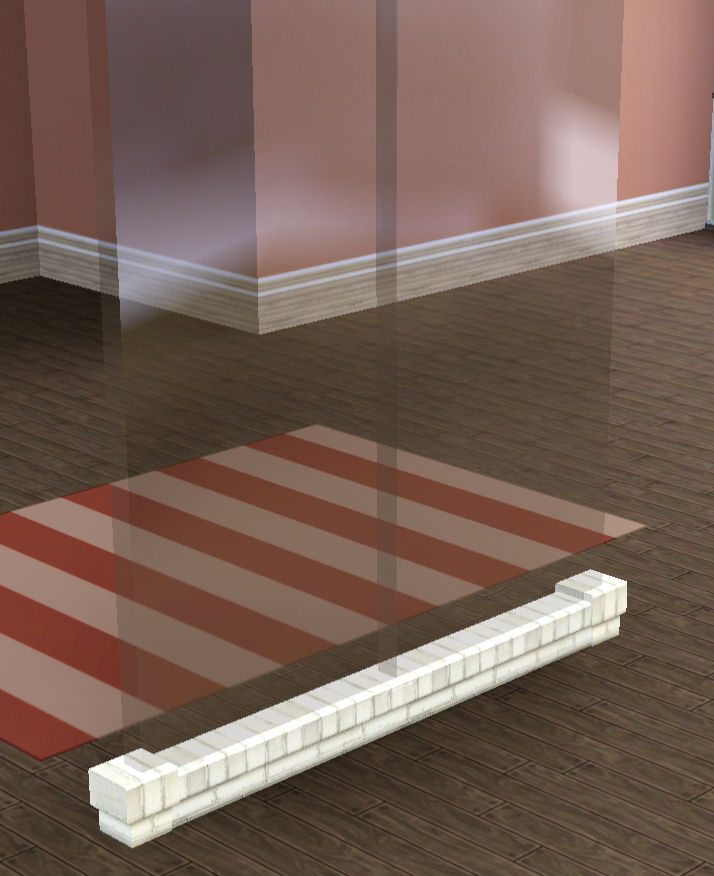
GW.jpg - width=714 height=876
Glass wall - fits on EA wall
Uploaded: 25th Jan 2010 at 9:10 PM
Here are two glass walls for decorating with. One is ceiling height and the other is the height of an EA shower stall. Both have a recolorable base. The glass is clear and cannot be recolored. Both walls will fit over the low EA brick wall border as shown in the picture below.
The walls are intended for the indoors and placement outside will result in a somewhat odd-looking shadow that I could not fix. If you want to place them outside I recommend putting them under a tree, on a covered porch, or some other place that will provide shade for them.
The decorative walls can be found in Buy/Decor/Misc.
Shower height wall - $5.00
Ceiling height wall - $10.00
Both have an environment score of 3.
The walls were cloned from the EA decorative bathroom towel cabinet thing in the base game with no patches.
Thank you to:
Ilee who came up with the idea of a glass wall that would sit on EA's border wall and who gave advice on making these walls.
HazuiTokage who let me use her glass window for sizing and for the base of my object.
HugeLunatic who provided good ideas (I will get to the base-less walls soon )
)
hisui hana who shared her perfect glass shader numbers in the meshing section - I've used them on these objects.
In the pictures below:
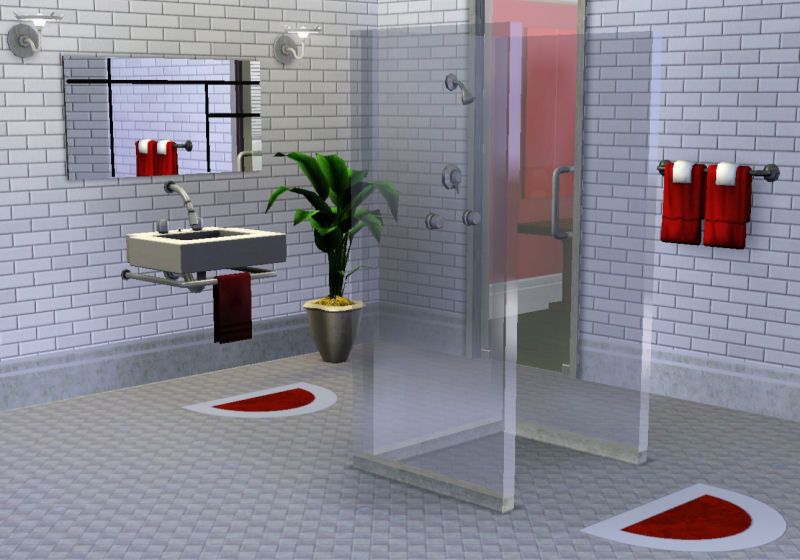
The subway tile shown in the bathroom was created by JaneSamborski and can be found in the MTS pattern section.
The backless shower was created by Petallotus and can be found in Buy/Plumbing here at MTS.
Shower height wall (cheat used to place them):
Ceiling height wall:
Wall on EA border wall (no cheat required to place like this):
I hope you enjoy them.
OM
Polygon Counts:
For both items:
Faces: 126
Vertices: 232
Additional Credits:
Inge & Peter Jones - S3OC & S3PE WesHowe - S3ObjTool
The walls are intended for the indoors and placement outside will result in a somewhat odd-looking shadow that I could not fix. If you want to place them outside I recommend putting them under a tree, on a covered porch, or some other place that will provide shade for them.
The decorative walls can be found in Buy/Decor/Misc.
Shower height wall - $5.00
Ceiling height wall - $10.00
Both have an environment score of 3.
The walls were cloned from the EA decorative bathroom towel cabinet thing in the base game with no patches.
Thank you to:
Ilee who came up with the idea of a glass wall that would sit on EA's border wall and who gave advice on making these walls.
HazuiTokage who let me use her glass window for sizing and for the base of my object.
HugeLunatic who provided good ideas (I will get to the base-less walls soon
 )
)hisui hana who shared her perfect glass shader numbers in the meshing section - I've used them on these objects.
In the pictures below:
The subway tile shown in the bathroom was created by JaneSamborski and can be found in the MTS pattern section.
The backless shower was created by Petallotus and can be found in Buy/Plumbing here at MTS.
Shower height wall (cheat used to place them):
Ceiling height wall:
Wall on EA border wall (no cheat required to place like this):
I hope you enjoy them.
OM
Polygon Counts:
For both items:
Faces: 126
Vertices: 232
Additional Credits:
Inge & Peter Jones - S3OC & S3PE WesHowe - S3ObjTool
This is a new mesh, and means that it's a brand new self contained object that usually does not require a specific Pack (although this is possible depending on the type). It may have Recolours hosted on MTS - check below for more information.
| Filename | Size | Downloads | Date | |||||
|
OM_GlassWalls.rar
| Two glass walls - shower and ceiling height
Size: 1.50 MB · Downloads: 47,803 · 25th Jan 2010 |
1.50 MB | 47,803 | 25th Jan 2010 | |||||
| For a detailed look at individual files, see the Information tab. | ||||||||
Key:
- - File was updated after upload was posted
Install Instructions
Quick Guide:
1. Click the file listed on the Files tab to download the file to your computer.
2. Extract the zip, rar, or 7z file. Now you will have either a .package or a .sims3pack file.
For Package files:
1. Cut and paste the file into your Documents\Electronic Arts\The Sims 3\Mods\Packages folder. If you do not already have this folder, you should read the full guide to Package files first: Sims 3:Installing Package Fileswiki, so you can make sure your game is fully patched and you have the correct Resource.cfg file.
2. Run the game, and find your content where the creator said it would be (build mode, buy mode, Create-a-Sim, etc.).
For Sims3Pack files:
1. Cut and paste it into your Documents\Electronic Arts\The Sims 3\Downloads folder. If you do not have this folder yet, it is recommended that you open the game and then close it again so that this folder will be automatically created. Then you can place the .sims3pack into your Downloads folder.
2. Load the game's Launcher, and click on the Downloads tab. Find the item in the list and tick the box beside it. Then press the Install button below the list.
3. Wait for the installer to load, and it will install the content to the game. You will get a message letting you know when it's done.
4. Run the game, and find your content where the creator said it would be (build mode, buy mode, Create-a-Sim, etc.).
Extracting from RAR, ZIP, or 7z: You will need a special program for this. For Windows, we recommend 7-Zip and for Mac OSX, we recommend Keka. Both are free and safe to use.
Need more help?
If you need more info, see:
1. Click the file listed on the Files tab to download the file to your computer.
2. Extract the zip, rar, or 7z file. Now you will have either a .package or a .sims3pack file.
For Package files:
1. Cut and paste the file into your Documents\Electronic Arts\The Sims 3\Mods\Packages folder. If you do not already have this folder, you should read the full guide to Package files first: Sims 3:Installing Package Fileswiki, so you can make sure your game is fully patched and you have the correct Resource.cfg file.
2. Run the game, and find your content where the creator said it would be (build mode, buy mode, Create-a-Sim, etc.).
For Sims3Pack files:
1. Cut and paste it into your Documents\Electronic Arts\The Sims 3\Downloads folder. If you do not have this folder yet, it is recommended that you open the game and then close it again so that this folder will be automatically created. Then you can place the .sims3pack into your Downloads folder.
2. Load the game's Launcher, and click on the Downloads tab. Find the item in the list and tick the box beside it. Then press the Install button below the list.
3. Wait for the installer to load, and it will install the content to the game. You will get a message letting you know when it's done.
4. Run the game, and find your content where the creator said it would be (build mode, buy mode, Create-a-Sim, etc.).
Extracting from RAR, ZIP, or 7z: You will need a special program for this. For Windows, we recommend 7-Zip and for Mac OSX, we recommend Keka. Both are free and safe to use.
Need more help?
If you need more info, see:
- For package files: Sims 3:Installing Package Fileswiki
- For Sims3pack files: Game Help:Installing TS3 Packswiki
Also Thanked - Users who thanked this download also thanked:
Packs Needed
None, this is Sims 3 base game compatible!
Other Information
Style:
– Contemporary
– Modern
Room:
– Living
: Living Room
– Dining
: Dining Room
– Bathroom
Maxis Flags:
– Not Applicable
Tags
#Decor, #screen, #shower wall, #glass
More Downloads BETA
Here are some more of my downloads: