
 Sign in to Mod The Sims
 Bell Wireless Router/Access Point
 Bell Wireless Router/Access Point
MTS has all free content, all the time. Donate to help keep it running.
SCREENSHOTS


model0.jpg - width=600 height=810
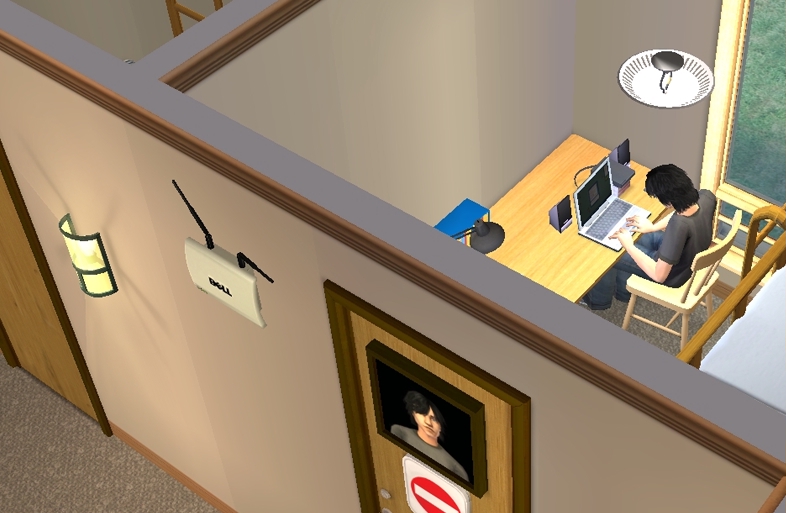
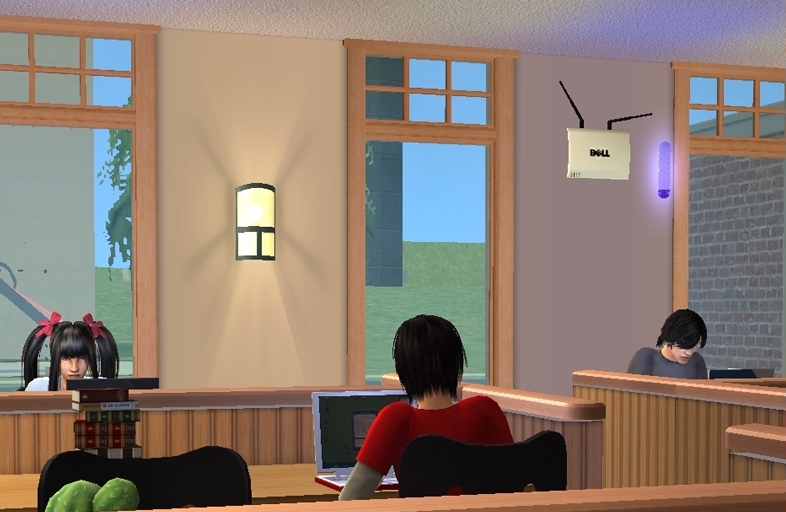
library0.jpg - width=786 height=512
Connect your laptops...or handhelds...
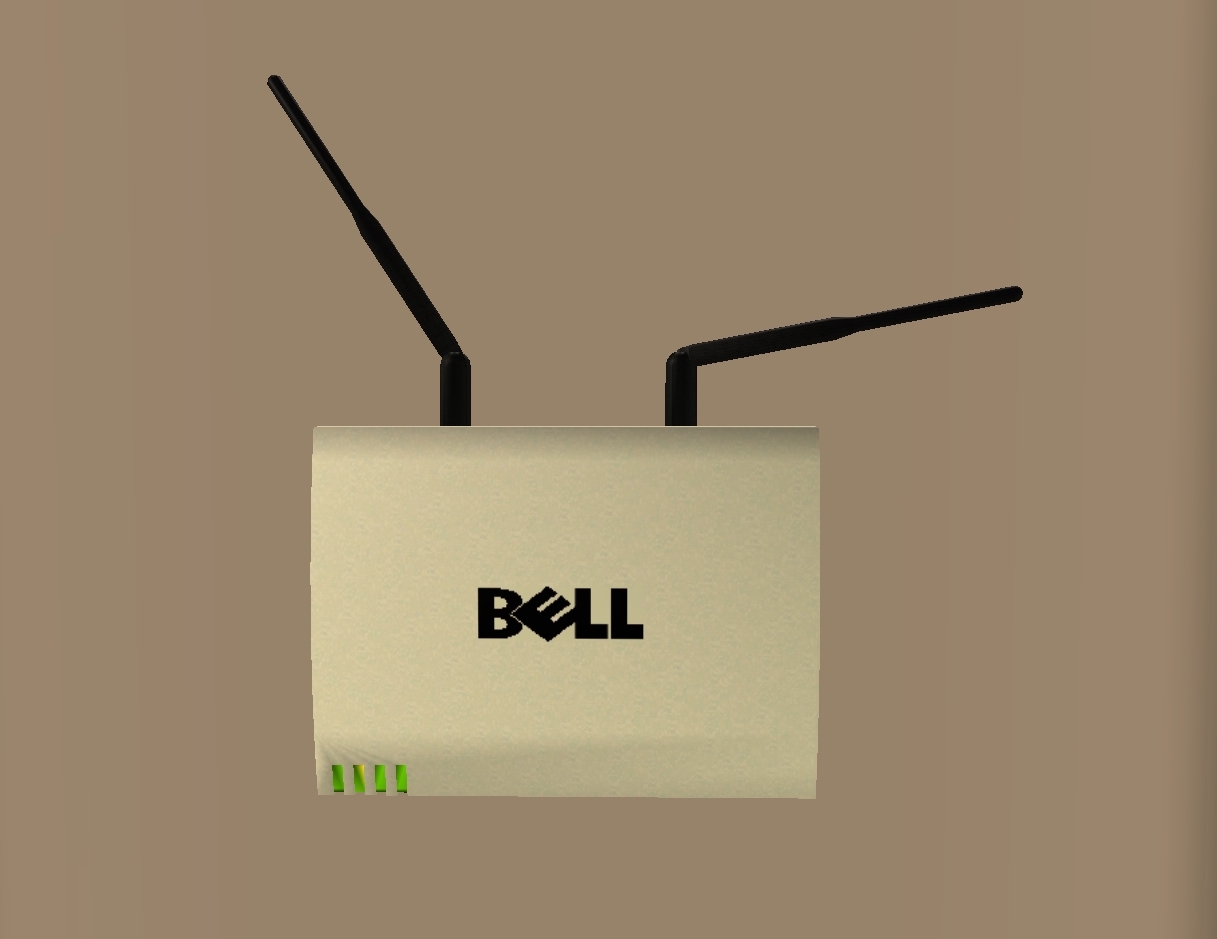
router0.jpg - width=1217 height=939
dorm0.jpg - width=786 height=513
Great for dorms, colleges, schools, public areas, offices, etc.
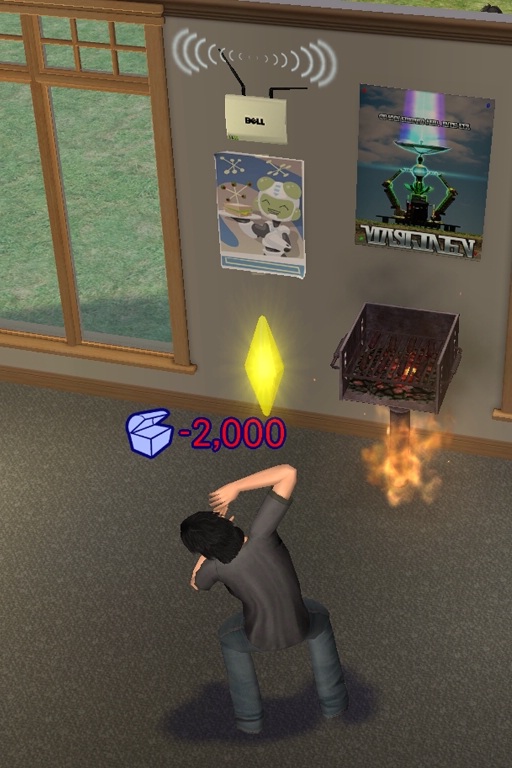
fire95-0.jpg - width=512 height=768
Indoor-Shy Barbeque 'Party'
Quote:
|
Name: BELL Wireless Router / Access Point Y2K Cost: §250 Description: In this day and age of our 21 century, Sims are in constant need of internet connectivity on their laptops to their game consoles to their wrist watches. Prevent yourself from being left behind, get connected to the latest and greatest with the BELL Y2K Router! This model specifically mounts to your wall and won't take valuable wall space from your telephones or pictures of the neanderthal you would be without this router. As a special gift the router will also function as a fire detector. But don't worry! In the event of a blackout, the battery powers the router, so you can stay connected even if your desktop won't turn on for whatever reason. Catalog: Electronics | Small Electronics Compatibility: Base Game and up |
It came to my attention that no Sims games shows cords, be it power cables or network cables. I have figured that electronics are powered by a Tesla Coil that has been put into use as a power plant as Nikola Telsa imagined and worked for (AKA wireless energy). As for the network cables, I came up with a wireless router (the cables are in the wall). As far as I know, it has no real-world model that it was designed after. My model turned into something like a radar dish. The router is actually a fire alarm (it was that or a security alarm). Since, I often failed to place this crucial objects, I decided to make it a fire alarm.
Indoor Barbeque: Next Step in (Anti-)Social Parties
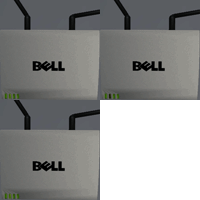
It blinks!
Why "BELL Y2K"? You may have already noted its similarity to DELL, but maybe not the subtle reference to Belkin, a manufacture of routers and other network devices. Y2K is its model name and seemed to match the theme of computers and internet connectivity.
The router is great for dorms, hotels, apartments, home offices, offices, businesses, and public areas (pretty much wherever a laptop can be taken, which is...well...everywhere.
Polygon Counts:
882 faces, 944 vertices
Additional Credits:
Wings 3D, SimPe, Sims 2 Categorizer, Dell, Belkin, and My 'Undisclosed' College
This is a new mesh, and means that it's a brand new self contained object that usually does not require a specific Pack (although this is possible depending on the type). It may have Recolours hosted on MTS - check below for more information.
| Filename | Size | Downloads | Date | |||||
|
d_unit_BELLWirelessAccessPointRouter.7z
Size: 47.5 KB · Downloads: 8,905 · 24th Sep 2011 |
47.5 KB | 8,905 | 24th Sep 2011 | |||||
| For a detailed look at individual files, see the Information tab. | ||||||||
Key:
- - File was updated after upload was posted
Install Instructions
Basic Download and Install Instructions:
1. Download: Click the download link to save the .rar or .zip file(s) to your computer.
2. Extract the zip, rar, or 7z file.
3. Place in Downloads Folder: Cut and paste the .package file(s) into your Downloads folder:
1. Download: Click the download link to save the .rar or .zip file(s) to your computer.
2. Extract the zip, rar, or 7z file.
3. Place in Downloads Folder: Cut and paste the .package file(s) into your Downloads folder:
- Origin (Ultimate Collection): Users\(Current User Account)\Documents\EA Games\The Sims™ 2 Ultimate Collection\Downloads\
- Non-Origin, Windows Vista/7/8/10: Users\(Current User Account)\Documents\EA Games\The Sims 2\Downloads\
- Non-Origin, Windows XP: Documents and Settings\(Current User Account)\My Documents\EA Games\The Sims 2\Downloads\
- Mac: Users\(Current User Account)\Documents\EA Games\The Sims 2\Downloads
- Mac x64: /Library/Containers/com.aspyr.sims2.appstore/Data/Library/Application Support/Aspyr/The Sims 2/Downloads
- For a full, complete guide to downloading complete with pictures and more information, see: Game Help: Downloading for Fracking Idiots.
- Custom content not showing up in the game? See: Game Help: Getting Custom Content to Show Up.
- If you don't have a Downloads folder, just make one. See instructions at: Game Help: No Downloads Folder.
Recommended
The creator also recommends the following uploads:
Also Thanked - Users who thanked this download also thanked:
Packs Needed
None, this is Sims 2 base game compatible!
Other Information
Style:
– Modern
Room:
– Kitchen
– Living
: Living Room
– Dining
: Dining Room
– Bedroom
– Bathroom
– Study
: Study/Office
Maxis Flags:
– Not Applicable
Tags
More Downloads BETA
Here are some more of my downloads: