
 Sign in to Mod The Sims
 "WallWindows" glass set V.3
 "WallWindows" glass set V.3
MTS has all free content, all the time. Donate to help keep it running.
SCREENSHOTS
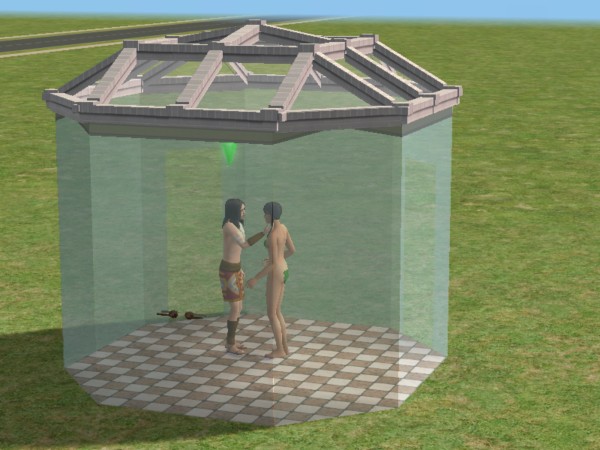
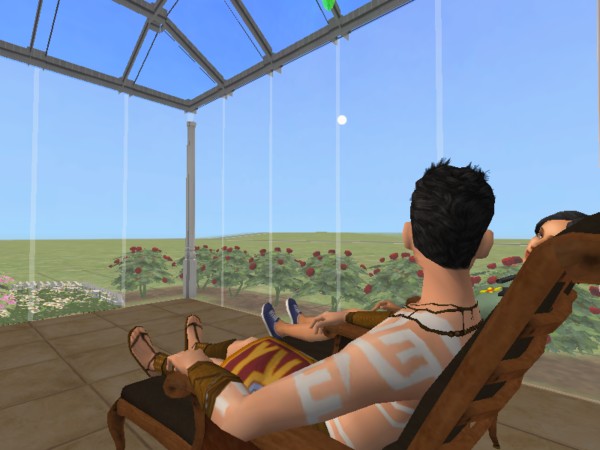
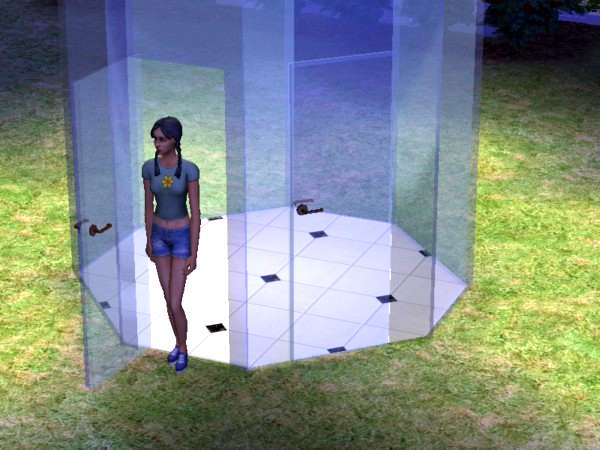
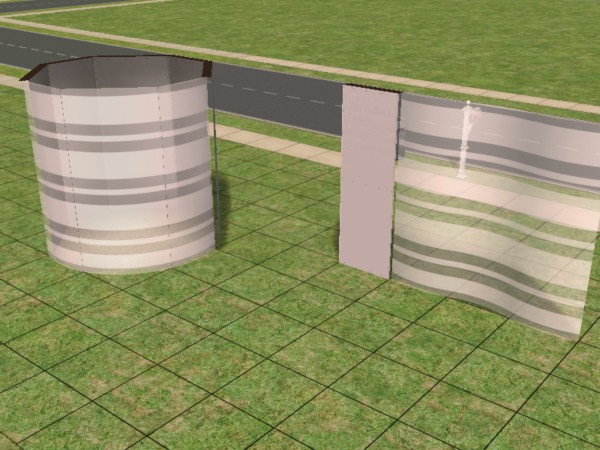
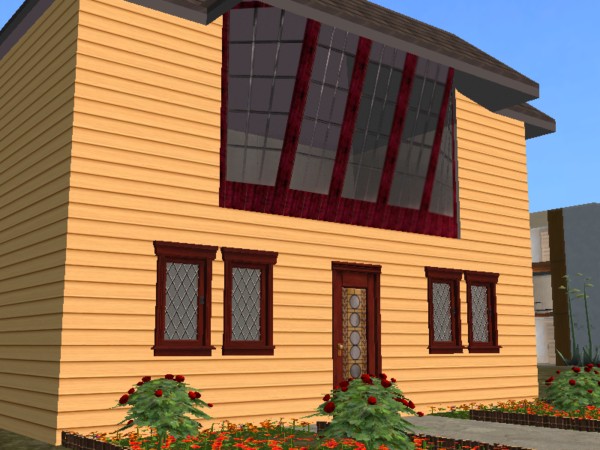


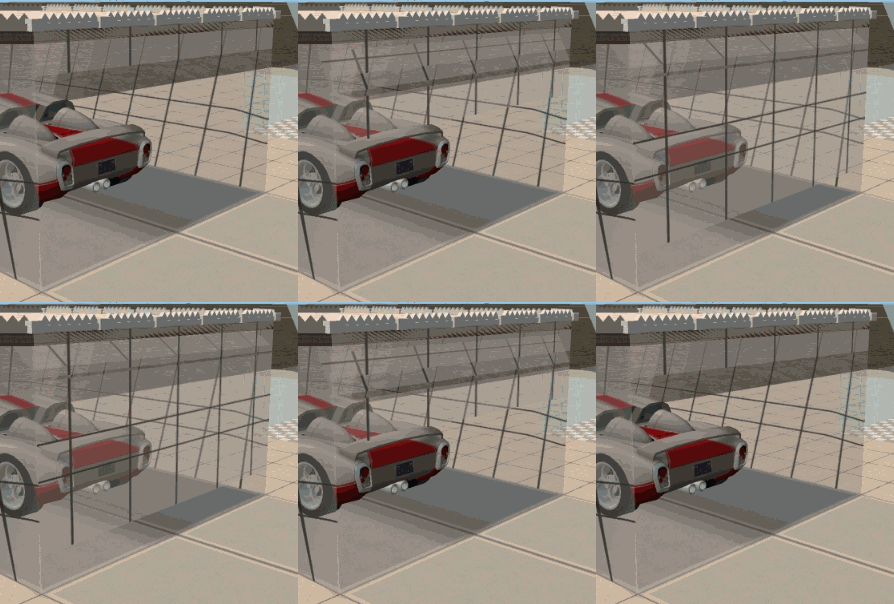
Screenshot1.jpg - width=600 height=450
Screenshot2.jpg - width=600 height=450
Screenshot3.jpg - width=600 height=450
Screenshot4.jpg - width=600 height=450
Screenshot5.jpg - width=600 height=450
Screenshot8.jpg - width=600 height=450
snapshot1.jpg - width=600 height=450
GarageDoor.gif - width=298 height=302
Featured Upload!
This is a featured upload! It showcases the best talent and creativity available on MTS and in the community. 



Created by Numenor
Uploaded: 17th Jun 2005 at 1:48 AM
Updated: 10th Nov 2008 at 8:45 AM - Fixed inline image
Updated: 10th Nov 2008 at 8:45 AM - Fixed inline image
WALLWINDOWS (GLASS SET) V. 3
by Numenor
by Numenor
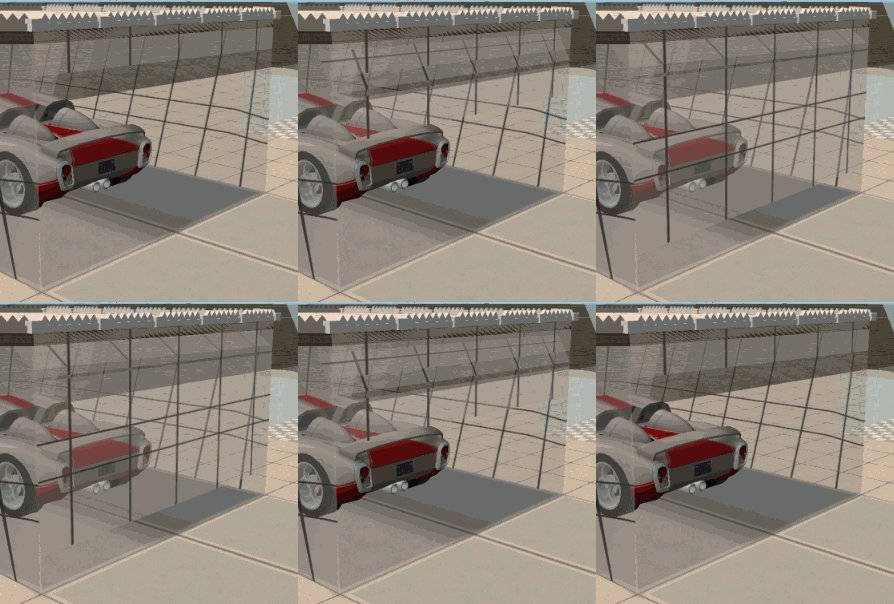
--------------------------------------------------------
22 JUNE 2006 - ADDED: GARAGE DOOR (Nightlife required)
15.JAN.2006 - UPDATED: WALL BOUNDARY - If you have downloaded the Seamless or the Standard set since the release of V.3 (09 jan 2006), please REDOWNLOAD the attached "WallWindow_Seamless_BASIC_set_UPD-15jan06.zip" file.
What's new: Now the Wall Boundary can be placed on upper floors, and will not delete any more the fences. Please note that you can put wall-mounted objects on the same wall where there is a WallBoundary, but you can't put windows on that wall.
Note also that tou can put two WallBoundaries on the two sides of a straight wall, but you can use only one side of the diagonal walls (this limitation can be workarounded using the "move_objects on" cheat).
This new version of the WallBoundary is compatible with the old versions: therefore, your old lots will work fine without editing them. But since this version is improved, you may find useful to replace only some wallboundaries (for instance, the old ones that "delete" the fences).
09.JAN.2006
After more than 30,000 downloads and almost 9 months since the first release, it's time for a complete renewal of the WallWindow set.
This thread has grown too long and untidy, and needs a good clean up.

WHAT'S NEW
- First off, the layout of this thread: all the info are now contained in the "WallWindow documentation" - downloadable below - that describes (with pictures) the various WallWindow items and their usage. The documentation is provided in RTF and PDF format, so that anyone can easily open it, even using the WordPad program provided by Windows.
- Important changes have been done to almost all the WallWindows items: the UVmapping, the meshes, the alignments (no more "gaps" between angled windows!), even the price of the items (for a better displacement in the game catalogue).
- See the documentation for details.
WHAT IS *NOT* CHANGED
- Fear not!
 All the lots that include the old WallWindow v.2 will still work: only, they will look better!
- And all the existing recolours will apply flawlessly to the new v.3.

FOR THE NEWCOMERS: WHAT IS THE WALLWINDOW SET?
It's a set of windows, doors and other items that have in common these two feature: 1) they are made of glass; 2) they completely cover a wall section, side to side and floor to ceiling. The WallWindows can be used to build glass walls, big display windows, greenhouses, and many many other beautiful things
FAQ: HAVE I TO DOWNLOAD ALL THIS STUFF?
The minimum requirement is the "Seamless BASIC set" (and the Documentation, where you can find info about the content of the various archives).
FAQ: WHERE CAN I FIND THE TRANSPARENT FLOOR TILES THAT ARE SHOWN IN THE PICTURES? HOW TO BUILD THAT TRANSPARENT ROOF?
They were made by RGiles, and can be downloaded HERE. A tutorial for building the glass roof is HERE
HOW TO INSTALL
Put all the packages in the Downloads folder: no furter actions are required. You'll find the WallWindow items in the Build Mode catalog, among the other windows, doors, arches and columns.
FAQ: MY COMPUTER DOESN'T TOLERATE "RAR" FILES, CAN YOU PLEASE POST A "ZIP"?
OK, you won... YES! Here are the ZIPs!
----------------------------------------------------------
And now, just for the records, a "cleaned up" version of the older post follows:
08 DIC 2005 - ADDED: INWARDS Slanted Corners and Vertical-to-slanted INWARDS Junction
08 DIC 2005 - UPDATED: Half-fake door
02 DIC 2005 - ADDED: Slanted Sliding Door and Vertical-to-slanted Junction
28 NOV 2005 - ADDED: Slanted Windows (5-pieces set)
26 NOV 2005 - IMPORTANT UPDATE: Fake Door.
26 NOV 2005 - ADDED: "Half-Fake" Door (as per request by Niol)
25 NOV 2005 - ADDED: Fence and Gate (many thanks to Niol for his complete beta-testing and his advices
)02 NOV 2005 - ADDED: Opaque recolour pack (as per request by Jonesi).
02 NOV 2005 - ADDED: Seamless FAKE Door (as per request by Redeth20)
23 OCT 2005 - ADDED: Curved DOOR 135°
16 OCT 2005 - ADDED: Glass Column set (as per request by Mojo_Leowski2)
15 OCT 2005 - UPDATED: Wall Boundary (again)
11 OCT 2005 - UPDATED: Wall Boundary
09 OCT 2005 - UPDATED: Curved 135° WallWindow
08 OCT 2005 - ADDED: Curved 135° WallWindow
28 SEPT - Fixed again the Wall Boundary
27 SEPT - Fixed the "Flashing Purple" issue with the hidden windows
18 SEPT - Fixed the rar containing the INVISIBLE GLASS
13 SEPT - Added: Invisible recolour for the glass and Wall Boundary
04 AUG - Luslipz73 has created some very nice recolours (LINK)
30 JUNE - Added a special "Invisible Recolour" for the handles
30 JUNE - Additional recolours for the WallWindow set has been made by FatD (LINK)
27 JUNE - Both sets have been updated: now the handles are recolourable
25 JUNE - Mira04 has posted her beautiful recolours (LINK)
25 JUNE - HoneyB has created some very nice recolours (LINK)
25 JUNE - Added Frosted Glass recolour
21 JUNE - Fixed STANDARD Double Door diagonal
21 JUNE - Fixed Recolour template
18 JUNE - Tiggy027 has created some beautiful frames for the WallWindow glass set (LINK)
17 JUNE - Due to the numerous requests, I've completely reworked the WallWindow set. Now you can have it in two flavors: Standard and Seamless.
Please report any issue, and feel free to request additional items. I don't promise anything
, but I'll try to fulfil you requests.
| Filename | Type | Size |
|---|---|---|
| WallWindow_documentation_(RTF).zip | zip | |
| WallWindow documentation.rtf | rtf | 52344415 |
| Filename | Type | Size |
|---|---|---|
| WallWindow documentation_(PDF).zip | zip | |
| WallWindow documentation.pdf | 4577914 |
This is a new mesh, and means that it's a brand new self contained object that usually does not require a specific Pack (although this is possible depending on the type). It may have Recolours hosted on MTS - check below for more information.
| Filename | Size | Downloads | Date | |||||
|
WallWindow_Seamless_GarageDoor_NL-REQUIRED.rar
Size: 12.1 KB · Downloads: 132,417 · 22nd Jun 2006 |
12.1 KB | 132,417 | 22nd Jun 2006 | |||||
|
WallWindow documentation_(PDF).zip
Size: 4.35 MB · Downloads: 75,254 · 10th Feb 2006 |
4.35 MB | 75,254 | 10th Feb 2006 | |||||
|
WallWindow_Standard_Set_(DISCONTINUED)_UPD-15jan06.zip
Size: 109.0 KB · Downloads: 129,397 · 15th Jan 2006 |
109.0 KB | 129,397 | 15th Jan 2006 | |||||
|
WallWindow_Seamless_BASIC_set_UPD-15jan06.zip
Size: 89.9 KB · Downloads: 187,618 · 15th Jan 2006 |
89.9 KB | 187,618 | 15th Jan 2006 | |||||
|
WallWindow_documentation_(RTF).zip
Size: 8.96 MB · Downloads: 91,451 · 9th Jan 2006 |
8.96 MB | 91,451 | 9th Jan 2006 | |||||
|
WallWindow_RECOLOUR_PACK.zip
Size: 364.5 KB · Downloads: 159,502 · 9th Jan 2006 |
364.5 KB | 159,502 | 9th Jan 2006 | |||||
|
WallWindow_Seamless_EXTRA_items.zip
Size: 75.7 KB · Downloads: 154,246 · 9th Jan 2006 |
75.7 KB | 154,246 | 9th Jan 2006 | |||||
|
WallWindow_Seamless_FAKE+HIDDEN_set.zip
Size: 33.0 KB · Downloads: 151,376 · 9th Jan 2006 |
33.0 KB | 151,376 | 9th Jan 2006 | |||||
|
WallWindow_Seamless_SLANTED_set.zip
Size: 39.9 KB · Downloads: 156,056 · 9th Jan 2006 |
39.9 KB | 156,056 | 9th Jan 2006 | |||||
|
WallWindow_Seamless_CURVED_set.zip
Size: 77.2 KB · Downloads: 161,749 · 9th Jan 2006 |
77.2 KB | 161,749 | 9th Jan 2006 | |||||
| For a detailed look at individual files, see the Information tab. | ||||||||
Key:
- - File was updated after upload was posted
Install Instructions
Basic Download and Install Instructions:
1. Download: Click the download link to save the .rar or .zip file(s) to your computer.
2. Extract the zip, rar, or 7z file.
3. Place in Downloads Folder: Cut and paste the .package file(s) into your Downloads folder:
1. Download: Click the download link to save the .rar or .zip file(s) to your computer.
2. Extract the zip, rar, or 7z file.
3. Place in Downloads Folder: Cut and paste the .package file(s) into your Downloads folder:
- Origin (Ultimate Collection): Users\(Current User Account)\Documents\EA Games\The Sims™ 2 Ultimate Collection\Downloads\
- Non-Origin, Windows Vista/7/8/10: Users\(Current User Account)\Documents\EA Games\The Sims 2\Downloads\
- Non-Origin, Windows XP: Documents and Settings\(Current User Account)\My Documents\EA Games\The Sims 2\Downloads\
- Mac: Users\(Current User Account)\Documents\EA Games\The Sims 2\Downloads
- Mac x64: /Library/Containers/com.aspyr.sims2.appstore/Data/Library/Application Support/Aspyr/The Sims 2/Downloads
- For a full, complete guide to downloading complete with pictures and more information, see: Game Help: Downloading for Fracking Idiots.
- Custom content not showing up in the game? See: Game Help: Getting Custom Content to Show Up.
- If you don't have a Downloads folder, just make one. See instructions at: Game Help: No Downloads Folder.
Recolours of this mesh
There are 9 recolours of this mesh on MTS:
Also Thanked - Users who thanked this download also thanked:
Packs Needed
None, this is Sims 2 base game compatible!
Tags
#wallwindow, #glass, #transparent, #greenhouse
Redistribution Policy and License Agreement
*** I RETIRED FROM MODDING ***
You may contact me via personal messages here at MTS, and I will reply, but I don't grant I can help you, as a long time has gone by since I created my mods.
This following policy applies to ALL my creations, unless otherwise stated on the download thread.
It's FORBIDDEN: to repost my stuff anywhere.
It's FORBIDDEN: to clone my creations.
It's ALLOWED: to create recolours for my objects (and post them on any site, including paysites), BUT you can't include the mesh in your recolour: you must give credits to me for the mesh, and provide a link to the mesh download thread.
It's ALLOWED: to include my creations in your lots, BUT the lots must be uploaded on free sites (except the Exchange), and you must provide credits and a link to the download thread.
You may contact me via personal messages here at MTS, and I will reply, but I don't grant I can help you, as a long time has gone by since I created my mods.
This following policy applies to ALL my creations, unless otherwise stated on the download thread.
It's FORBIDDEN: to repost my stuff anywhere.
It's FORBIDDEN: to clone my creations.
It's ALLOWED: to create recolours for my objects (and post them on any site, including paysites), BUT you can't include the mesh in your recolour: you must give credits to me for the mesh, and provide a link to the mesh download thread.
It's ALLOWED: to include my creations in your lots, BUT the lots must be uploaded on free sites (except the Exchange), and you must provide credits and a link to the download thread.
More Downloads BETA
Here are some more of my downloads: