
 Sign in to Mod The Sims
 Sewing Machine: *****Please re-download!!*****
 Sewing Machine: *****Please re-download!!*****
MTS has all free content, all the time. Donate to help keep it running.
SCREENSHOTS
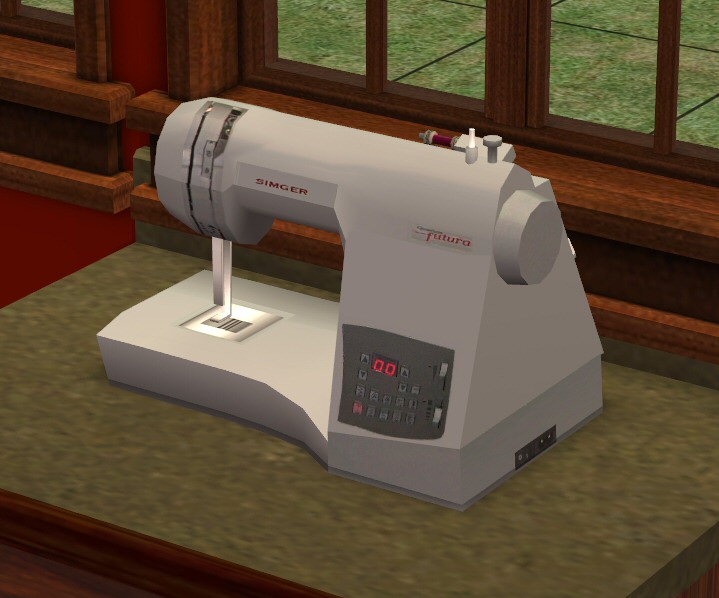
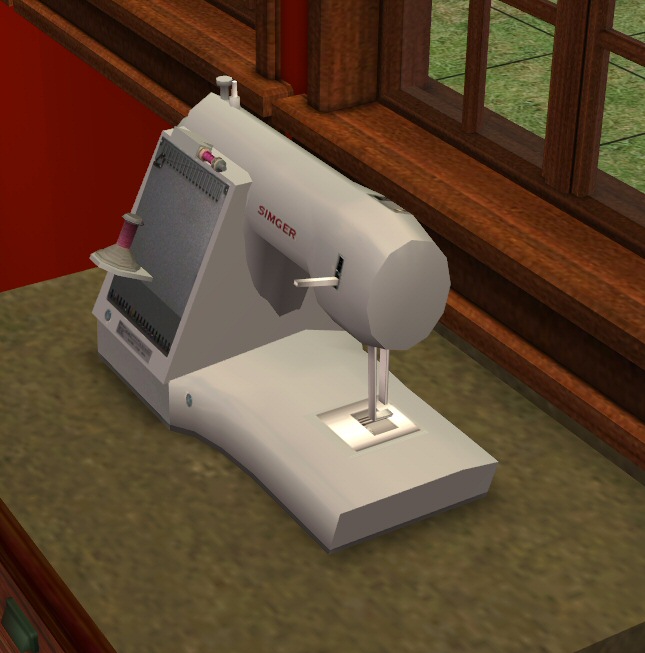
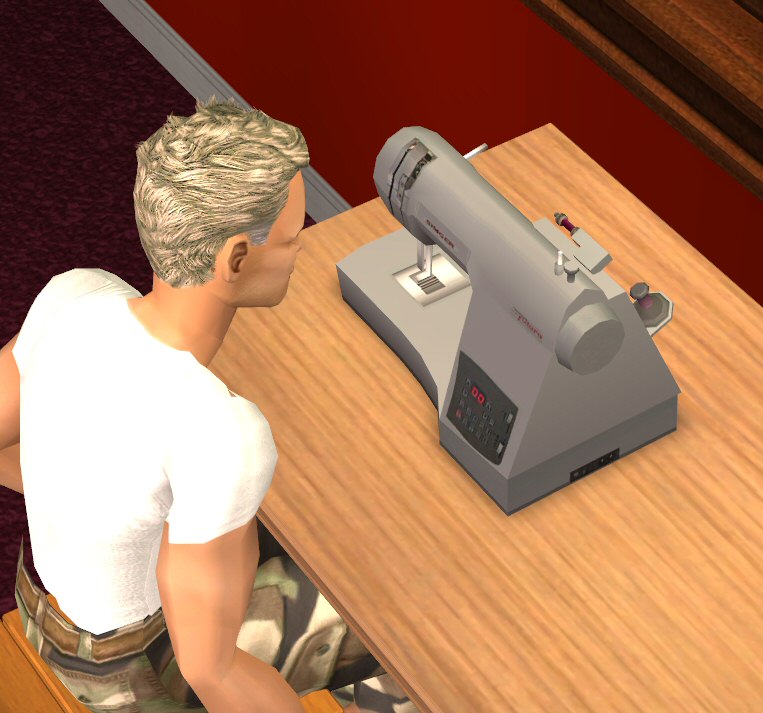
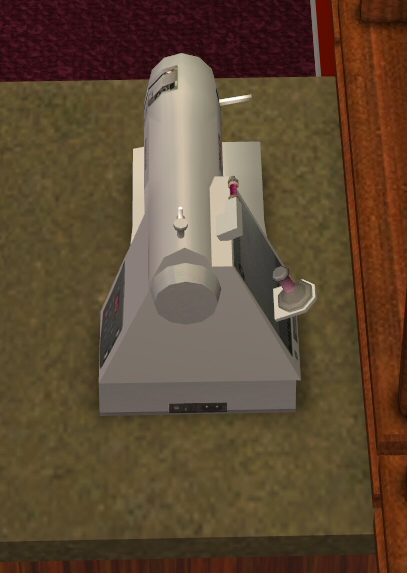
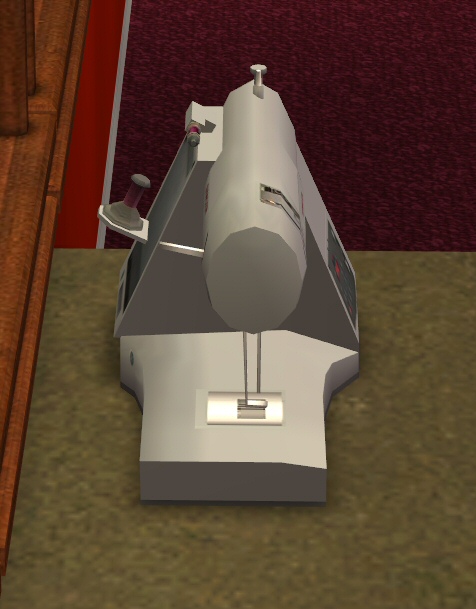


front.jpg - width=719 height=598
back.jpg - width=645 height=653
looking.jpg - width=763 height=713
side.jpg - width=407 height=573
side 2.jpg - width=476 height=609
colours.jpg - width=907 height=547
yellow cotton.jpg - width=632 height=645
Picked Upload!
This is a picked upload! It showcases some of the best talent and creativity available on MTS and in the community.
Created by boblishman
Uploaded: 10th Nov 2005 at 6:52 PM
Updated: 19th Jan 2009 at 5:38 PM by -Maylin-
Updated: 19th Jan 2009 at 5:38 PM by -Maylin-
*****UPDATED 26TH JANUARY 2006 **************
Huge APOLOGIES to everyone who downloaded this object before today,(26th January 2006). There was a GUID conflict with my Secret Bookcase (my fault - sorry!! :confused: ) - so if you have both in your game...only one of them will show up.
Please re-download this file (it has the same filename so will overwrite your old copy) to correct this error.
The 'old' file will not cause any other object(s) in your game to be overridden. It only affected MY Secret Bookcase.
If this is your first visit here....simply download the file below...
*****************************************************
Hi Guys,
Would you test these for me please?
Made with MilkShape and SimPE v0.50 it is compatible with ALL games, is colour enablbed and has a unique (registered) GUID's (so they won't overwrite anything in your game)
Polygon count: 846 (= ok/good! )
)
This is a SiMger Sewing Machine.
This was a request by Bee . Now, normally I don't do requests, but this was such a good idea (plus she sent me 4 good quality pictures of her machine to work from) I couldn't resist. This was a 'battle of the polygons' .... attempting to create a quite complex object but with a low polygon count. I think it came out OK.
It is purely decorative and comes in 6 colours (see screenshot), with five options of cotton colours. Your Sims can 'view' it.... but nothing else I'm afraid...
You can find it under Electronics/Small Electronics in both Residential and Commercial catalogues.
Please report any issues....and thanks for testing!
Bob
LOTS: Please do not include this in any LOT uploads. It is here for testing.
Recolours: Please feel free to post recolours here at MTS2 or any site. Please pm me about recolours so I can see them. I love to see what people do with my stuff. (As with all of my items) please do NOT include my original mesh file...please link back to it at this thread. .
Lastly, please do not clone or use on pay/subscription sites. Thanks .
Huge APOLOGIES to everyone who downloaded this object before today,(26th January 2006). There was a GUID conflict with my Secret Bookcase (my fault - sorry!! :confused: ) - so if you have both in your game...only one of them will show up.
Please re-download this file (it has the same filename so will overwrite your old copy) to correct this error.
The 'old' file will not cause any other object(s) in your game to be overridden. It only affected MY Secret Bookcase.
If this is your first visit here....simply download the file below...
*****************************************************
Hi Guys,
Would you test these for me please?
Made with MilkShape and SimPE v0.50 it is compatible with ALL games, is colour enablbed and has a unique (registered) GUID's (so they won't overwrite anything in your game)
Polygon count: 846 (= ok/good!
 )
)This is a SiMger Sewing Machine.
This was a request by Bee
 . Now, normally I don't do requests, but this was such a good idea (plus she sent me 4 good quality pictures of her machine to work from) I couldn't resist. This was a 'battle of the polygons' .... attempting to create a quite complex object but with a low polygon count. I think it came out OK.
 It is purely decorative and comes in 6 colours (see screenshot), with five options of cotton colours. Your Sims can 'view' it.... but nothing else I'm afraid...
You can find it under Electronics/Small Electronics in both Residential and Commercial catalogues.
Please report any issues....and thanks for testing!

Bob
LOTS: Please do not include this in any LOT uploads. It is here for testing.
Recolours: Please feel free to post recolours here at MTS2 or any site. Please pm me about recolours so I can see them. I love to see what people do with my stuff. (As with all of my items) please do NOT include my original mesh file...please link back to it at this thread. .
Lastly, please do not clone or use on pay/subscription sites. Thanks .
This is a new mesh, and means that it's a brand new self contained object that usually does not require a specific Pack (although this is possible depending on the type). It may have Recolours hosted on MTS - check below for more information.
| Filename | Size | Downloads | Date | |||||
|
BobL_SewingMachine_AllGames_Col_en.zip
Size: 485.1 KB · Downloads: 41,527 · 10th Nov 2005 |
485.1 KB | 41,527 | 10th Nov 2005 | |||||
| For a detailed look at individual files, see the Information tab. | ||||||||
Key:
- - File was updated after upload was posted
Install Instructions
Basic Download and Install Instructions:
1. Download: Click the download link to save the .rar or .zip file(s) to your computer.
2. Extract the zip, rar, or 7z file.
3. Place in Downloads Folder: Cut and paste the .package file(s) into your Downloads folder:
1. Download: Click the download link to save the .rar or .zip file(s) to your computer.
2. Extract the zip, rar, or 7z file.
3. Place in Downloads Folder: Cut and paste the .package file(s) into your Downloads folder:
- Origin (Ultimate Collection): Users\(Current User Account)\Documents\EA Games\The Sims™ 2 Ultimate Collection\Downloads\
- Non-Origin, Windows Vista/7/8/10: Users\(Current User Account)\Documents\EA Games\The Sims 2\Downloads\
- Non-Origin, Windows XP: Documents and Settings\(Current User Account)\My Documents\EA Games\The Sims 2\Downloads\
- Mac: Users\(Current User Account)\Documents\EA Games\The Sims 2\Downloads
- Mac x64: /Library/Containers/com.aspyr.sims2.appstore/Data/Library/Application Support/Aspyr/The Sims 2/Downloads
- For a full, complete guide to downloading complete with pictures and more information, see: Game Help: Downloading for Fracking Idiots.
- Custom content not showing up in the game? See: Game Help: Getting Custom Content to Show Up.
- If you don't have a Downloads folder, just make one. See instructions at: Game Help: No Downloads Folder.
Also Thanked - Users who thanked this download also thanked:
Packs Needed
None, this is Sims 2 base game compatible!
Other Information
Style:
– Retro
Room:
– Bedroom
– Study
: Study/Office
Maxis Flags:
– Not Applicable
More Downloads BETA
Here are some more of my downloads: