
 Sign in to Mod The Sims
 Updated for OFB 4/08/06: Sims2DB Version 1.2 - Database for your Sims
 Updated for OFB 4/08/06: Sims2DB Version 1.2 - Database for your Sims
MTS has all free content, all the time. Donate to help keep it running.
SCREENSHOTS
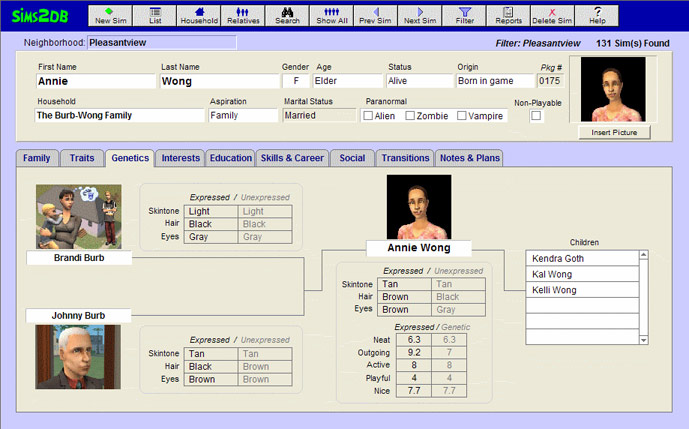
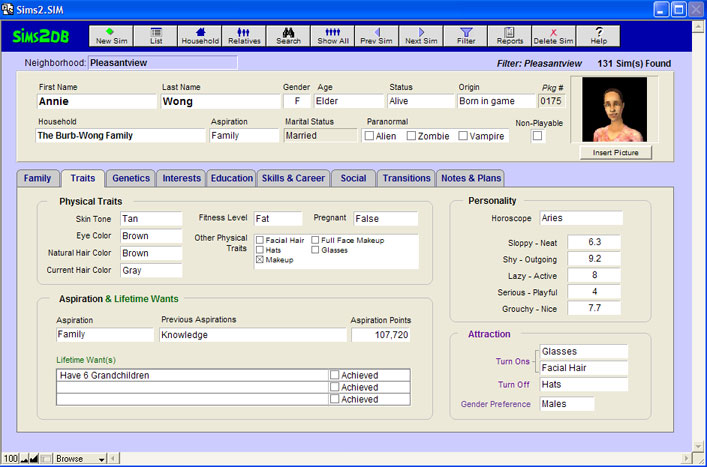

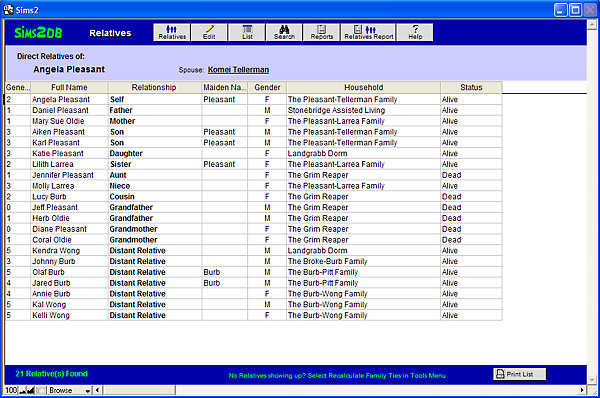

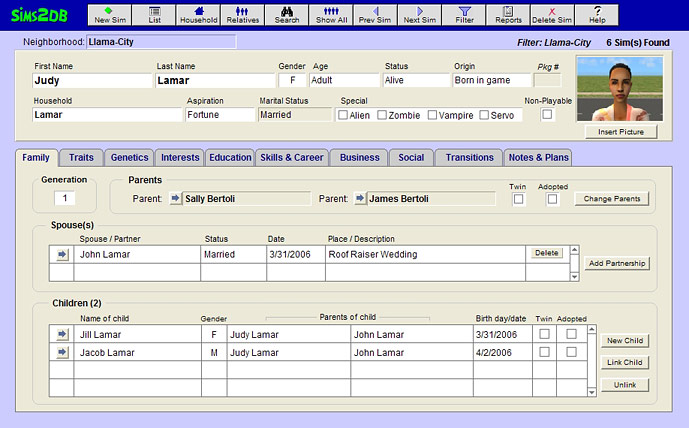
genetics2.jpg - width=689 height=429
Entry2.jpg - width=707 height=467
entry7.jpg - width=711 height=472
relatives.jpg - width=600 height=398
agereport.jpg - width=500 height=471
screenshot1.jpg - width=689 height=428
ofbscreen.jpg - width=700 height=464

4/8/2006: New Update- Sims2DB version 1.2 
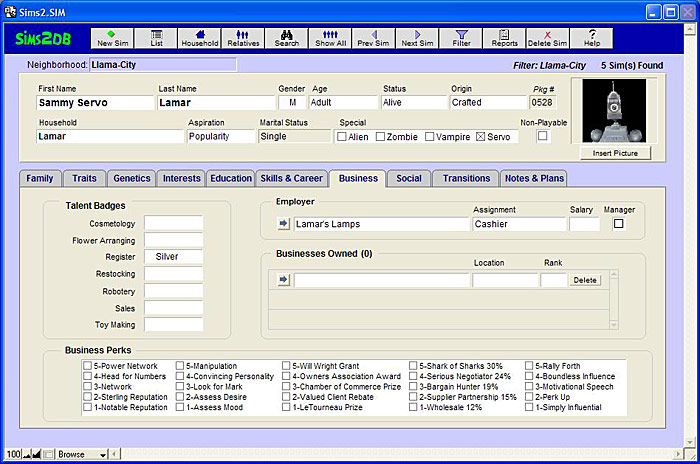
This newest version of Sims2DB contains new fields and screens for the Open for Business expansion pack:
Features included since Version 1.02:
Sims2DB (short for Sims2 DataBase) is an easy way to keep track of and collect data on your Sims. Track your Sims by individual or by household, create and print reports, and use this information to make the best matchmaking decisions for your Sims. Also once you've entered in the data for the Sims you're playing, Sims2DB keeps track of who your Sims are related to, and how they're related.
Sims2DB is not a hack, modification, or patch to The Sims 2. It does not interface at all to the game. With the new SimPE Import feature, however, you can use the newest version of SimPE (0.54 or above) to create a file of up-to-date information on your Sims, which can then be read into Sims2DB.
Requirements: Windows PC, with a screen resolution set to 1024 x 768 or higher. (If your machine can run The Sims 2, you have more than enough capacity to run Sims2DB.)
Installation: Sims2DB uses an installer program to install Sims2DB. To install, simply click on sims2dbsetup.exe. Because this is a separate program, not custom content, don't use the Q-Xpress installer, and don't install in your Downloads folder.
By default, it will install into a different directory than the previous version. DO NOT install Sims2DB into the same folder as the previous version, otherwise your original data will be overwritten! (The easiest choice is to simply use the defaults recommended by the installer program.)
PLEASE READ the README located here and/or the in-program help for details on how to import your data from the previous version, as well as instructions on how to import from SimPE.
Many thanks to Quaxi, the developer of SimPE, who very graciously made modifications to SimPE so that data can be extracted as text and imported into the database!!! Thanks also to the pre-release testers, who provided me with excellent testing and feedback, and the online community here at MTS2 (over 2800 downloads for the beta version) and over at moreawesomethanyou.com.
Official web site is http://www.sims2db.com.

This newest version of Sims2DB contains new fields and screens for the Open for Business expansion pack:
- Added Servo field/checkbox to top area in Edit screens.
- Added business-related fields: Talent Badges, Employer, Assignment, Business Perks, Salary, Manager.
- Added new Business tab / edit screen: Contains newly added fields as listed above, and an overview of Businesses Owned.
- Behind the scenes, a new database file has been added to keep track of Sims' businesses.
- New Business Browser entry screen added. Shows new Business fields pertinent to particular business: Business Name, Rank, Loyalty Stars, Value, Type, Description, Cash Flow to Date, Last Review, etc. and a list of Employees, their Salary, Assignment, and Badges. On the Business Browser screen, you can add and remove Employees, and Change Owner.
- Added new report: Business Report.
- Added new Lifetime Want for Fortune Sims.
Features included since Version 1.02:
- The ability to import and update data extracted from SimPE (no more tedious manual data entry!)
- Support for duplicate names
- Filters so that you can work with only one neighborhood at a time or filter out dead Sims
- A Show Potential Mates function that makes it easy to find future spouses for your Sims
- With the SimPE Import feature comes the ability to track recessive genetic traits.
Sims2DB (short for Sims2 DataBase) is an easy way to keep track of and collect data on your Sims. Track your Sims by individual or by household, create and print reports, and use this information to make the best matchmaking decisions for your Sims. Also once you've entered in the data for the Sims you're playing, Sims2DB keeps track of who your Sims are related to, and how they're related.
Sims2DB is not a hack, modification, or patch to The Sims 2. It does not interface at all to the game. With the new SimPE Import feature, however, you can use the newest version of SimPE (0.54 or above) to create a file of up-to-date information on your Sims, which can then be read into Sims2DB.
Requirements: Windows PC, with a screen resolution set to 1024 x 768 or higher. (If your machine can run The Sims 2, you have more than enough capacity to run Sims2DB.)
Installation: Sims2DB uses an installer program to install Sims2DB. To install, simply click on sims2dbsetup.exe. Because this is a separate program, not custom content, don't use the Q-Xpress installer, and don't install in your Downloads folder.
By default, it will install into a different directory than the previous version. DO NOT install Sims2DB into the same folder as the previous version, otherwise your original data will be overwritten! (The easiest choice is to simply use the defaults recommended by the installer program.)
PLEASE READ the README located here and/or the in-program help for details on how to import your data from the previous version, as well as instructions on how to import from SimPE.
Many thanks to Quaxi, the developer of SimPE, who very graciously made modifications to SimPE so that data can be extracted as text and imported into the database!!! Thanks also to the pre-release testers, who provided me with excellent testing and feedback, and the online community here at MTS2 (over 2800 downloads for the beta version) and over at moreawesomethanyou.com.
Official web site is http://www.sims2db.com.
| Filename | Size | Downloads | Date | |||||
|
sims2dbsetup.zip
Size: 2.99 MB · Downloads: 12,211 · 14th Feb 2006 |
2.99 MB | 12,211 | 14th Feb 2006 | |||||
| For a detailed look at individual files, see the Information tab. | ||||||||
Key:
- - File was updated after upload was posted
Install Instructions
Basic Download and Install Instructions:
1. Download: Click the download link to save the .rar or .zip file(s) to your computer.
2. Extract the zip, rar, or 7z file.
3. Place in Downloads Folder: Cut and paste the .package file(s) into your Downloads folder:
1. Download: Click the download link to save the .rar or .zip file(s) to your computer.
2. Extract the zip, rar, or 7z file.
3. Place in Downloads Folder: Cut and paste the .package file(s) into your Downloads folder:
- Origin (Ultimate Collection): Users\(Current User Account)\Documents\EA Games\The Sims™ 2 Ultimate Collection\Downloads\
- Non-Origin, Windows Vista/7/8/10: Users\(Current User Account)\Documents\EA Games\The Sims 2\Downloads\
- Non-Origin, Windows XP: Documents and Settings\(Current User Account)\My Documents\EA Games\The Sims 2\Downloads\
- Mac: Users\(Current User Account)\Documents\EA Games\The Sims 2\Downloads
- Mac x64: /Library/Containers/com.aspyr.sims2.appstore/Data/Library/Application Support/Aspyr/The Sims 2/Downloads
- For a full, complete guide to downloading complete with pictures and more information, see: Game Help: Downloading for Fracking Idiots.
- Custom content not showing up in the game? See: Game Help: Getting Custom Content to Show Up.
- If you don't have a Downloads folder, just make one. See instructions at: Game Help: No Downloads Folder.
Also Thanked - Users who thanked this download also thanked:
Packs Needed
None, this is Sims 2 base game compatible!
Other Information
Operating System:
– Windows
: Windows XP, Windows Vista, Windows 7, etc
Utility Type:
– Miscellaneous
: Tools which do not fit into the above categories.
Plugin Type:
– Not Applicable
: Standalone tools
More Downloads BETA
Here are some more of my downloads: