
 Sign in to Mod The Sims
 "Independent Expressions" - Expansion Set - PART I
 "Independent Expressions" - Expansion Set - PART I
MTS has all free content, all the time. Donate to help keep it running.
SCREENSHOTS
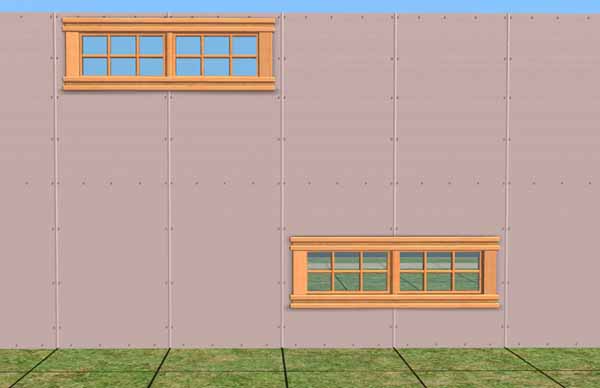
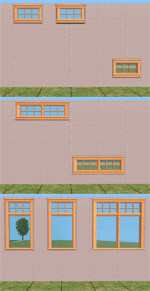
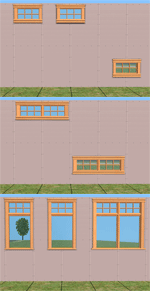
win-double.jpg - width=600 height=388
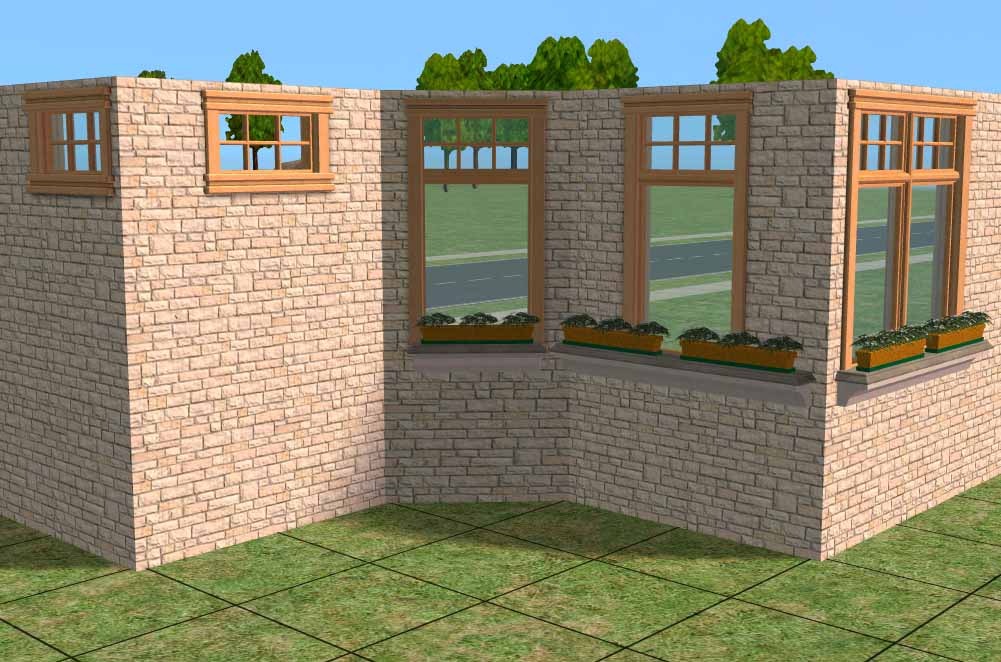
windows.jpg - width=1001 height=662
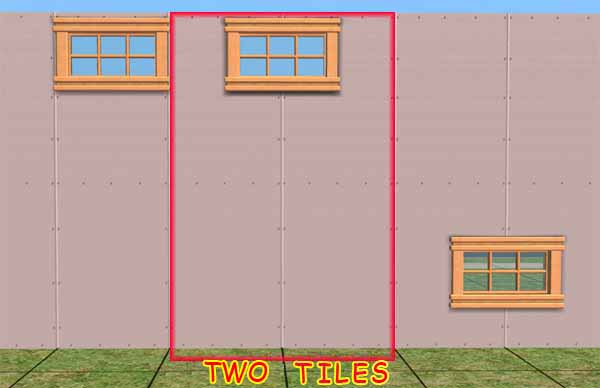
privacy-windows-e.jpg - width=600 height=388
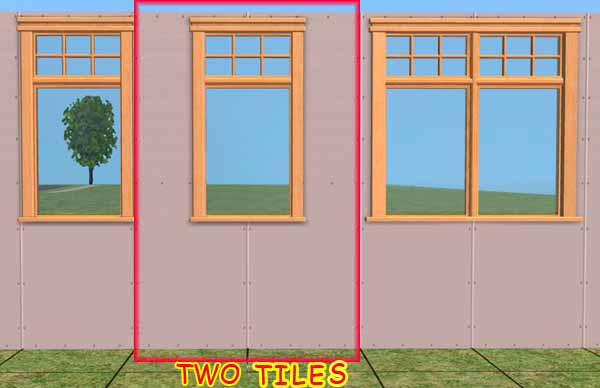
w-standard-e.jpg - width=600 height=388
Picked Upload!
This is a picked upload! It showcases some of the best talent and creativity available on MTS and in the community.

Created by MaryLou
Uploaded: 18th Nov 2006 at 2:49 PM
Updated: 6th Jun 2009 at 3:47 PM - Fixed images' url
Updated: 6th Jun 2009 at 3:47 PM - Fixed images' url
"Independent Expressions Inc." windows Expansion Set
Compatible with any EP and the BASE GAME
Get all the items to complete the whole set.
"Independent Expressions" - Expansion Set - PART II
"Independent Expressions" - Expansion Set - PART III
"Independent Expressions" - Expansion Set - DOORS and ARCH
Compatible with any EP and the BASE GAME
Get all the items to complete the whole set.
"Independent Expressions" - Expansion Set - PART II
"Independent Expressions" - Expansion Set - PART III
"Independent Expressions" - Expansion Set - DOORS and ARCH
-----------------------------------------------------------------------------
 Update 06 Dec. 07 - Update the collection files
Added to both the collections, residential and community, the new "3tiles shapes" that are placed in the middle of 4 tiles.
The update file is IndependentExpressionsCollections.rar
For more details see the "Independent Expressions" - Expansion Set - PART II
-----------------------------------------------------------------------------
Update 29 Aug. 07 - Collections Files:
Updated the Collections files: residential and community with the doors and arch.
You'll find them in the archive IndependentExpressionsCollections.rar
-----------------------------------------------------------------------------
Update 19 Aug. 07 - Collections Files
Added the Collections files: residential and community
You'll find them in the archive IndependentExpressionsCollections.rar
If you are interested to 3 and 4 Tiles windows to complete this set you can found them HERE
This is a simple work I made to expand and complete the original Maxis windows "Independent Expressions Inc."
I really hate Maxis' Privacy Window.....but sometimes we need to use it. So I've made some different shapes about the privacy window for my sims.
These are coordinate to the Indipendent Expressions Inc.
All the elements have the automatic diagonal that shows up when you you put a window on a diagonal wall.
Therefore, in the archive "ML_IndependentExpressions-ExtensionSet_ALL.rar" you'll find all the files: straight and diagonal.
- ML_IndependentExpressions_PrivacyWindow.package
- ML_IndependentExpressions_PrivacyWindow-Diagonal.package
This is the privacy window that is placed high on the wall as usal.
- ML_IndependentExpressions_PrivacyWindow_CenterWalls.package
- ML_IndependentExpressions_PrivacyWindow_CenterWalls-Diagonal.package
This is a new single privacy window that is placed high on the wall, in the middle of two tiles.
- ML_IndependentExpressions_PrivacyWindow_CenterWalls-Low.package
- ML_IndependentExpressions_PrivacyWindow_CenterWalls-Low-Diagonal.package
This a new single privacy window that is placed low on the wall, in the middle of two tiles.
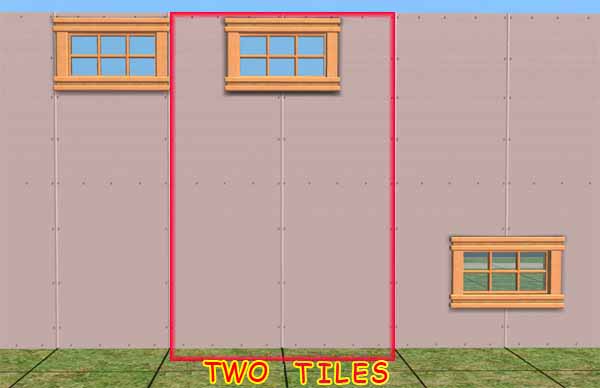
- ML_IndependentExpressions_PrivacyWindow_Double.package
- ML_IndependentExpressions_PrivacyWindow_Double-Diagonal.package
This a new double privacy window, placed high on the walls.
- ML_IndependentExpressions_PrivacyWindow_Double-Low.package
- ML_IndependentExpressions_PrivacyWindow_Double-Low-Diagonal.package
This is a new double privacy window, placed low on the walls.
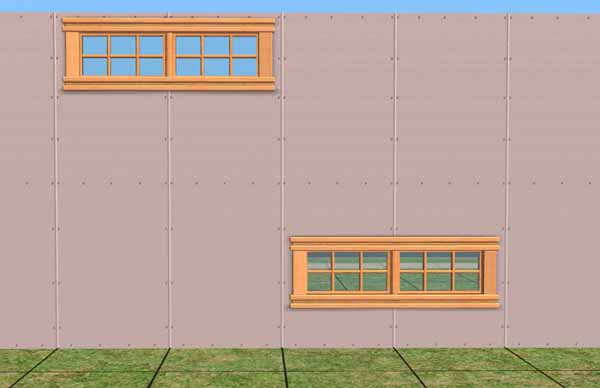
And of course we need window with standard height.
- ML_IndependentExpressions_WindowStandardHeight.package
- ML_IndependentExpressions_WindowStandardHeight-Diagonal.package
This is the single window with Standard height.
- ML_IndependentExpressions_WindowStandardHeight_Double.package
- ML_IndependentExpressions_WindowStandardHeight_Double-Diagonal.package
This is the double window with Standard height.
- ML_IndependentExpressions_WindowStandardHeight_CenterWalls.package
- ML_IndependentExpressions_WindowStandardHeight_CenterWalls-Diagonal.package
Thi is a new Single Window with standard height that can be place in the middle of two tiles.
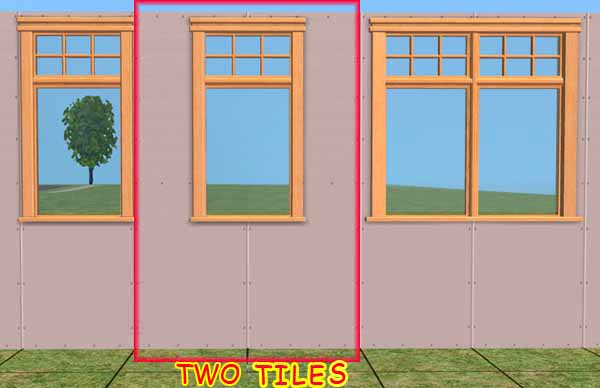
Extract the packages from the rar archives and put them in the Downloads folder (use an archive program, or the Q-Xpress auto-installer)
You'll find the elements in the Build Mode catalog - Windows as usally.
RECOLORS
All these elements borrow the textures from the original "Indipendent Epressions Inc." window therefore, if you want to recolour them just create a recolour for the originale window.
Use Object Workshop and create a recolour for the Window - 2 Tile - Plate Glass, that is the master of the entire set.
Your recolor will apply to all the orginal windows and to all these new elements.
Every recolour for the original window that you may already have will be automatically available for the all the new shapes.
Credits
Maxis: For the original "Indipendent Epressions Inc." windows.
Licence Agreement
DO NOT CLONE - DO NOT REPOST ANYWHERE
The items can be included in lots posted on free sites (NOT EXCHANGE!!!) no paysite, as long as credits are given to MaryLou and a link to this page is provided.
If anyone is interested in creating recolours, they can be posted anywhere (even paysites) but NOT INCLUDING the meshes: on the contrary, a link to the meshes on this page must be provided.
This is a new mesh, and means that it's a brand new self contained object that usually does not require a specific Pack (although this is possible depending on the type). It may have Recolours hosted on MTS - check below for more information.
| Filename | Size | Downloads | Date | |||||
|
IndependentExpressionsCollections.rar
Size: 11.3 KB · Downloads: 16,185 · 19th Aug 2007 |
11.3 KB | 16,185 | 19th Aug 2007 | |||||
|
ML_IndependentExpressions-ExtensionSet_ALL.rar
Size: 217.7 KB · Downloads: 41,723 · 18th Nov 2006 |
217.7 KB | 41,723 | 18th Nov 2006 | |||||
| For a detailed look at individual files, see the Information tab. | ||||||||
Key:
- - File was updated after upload was posted
Install Instructions
Basic Download and Install Instructions:
1. Download: Click the download link to save the .rar or .zip file(s) to your computer.
2. Extract the zip, rar, or 7z file.
3. Place in Downloads Folder: Cut and paste the .package file(s) into your Downloads folder:
1. Download: Click the download link to save the .rar or .zip file(s) to your computer.
2. Extract the zip, rar, or 7z file.
3. Place in Downloads Folder: Cut and paste the .package file(s) into your Downloads folder:
- Origin (Ultimate Collection): Users\(Current User Account)\Documents\EA Games\The Sims™ 2 Ultimate Collection\Downloads\
- Non-Origin, Windows Vista/7/8/10: Users\(Current User Account)\Documents\EA Games\The Sims 2\Downloads\
- Non-Origin, Windows XP: Documents and Settings\(Current User Account)\My Documents\EA Games\The Sims 2\Downloads\
- Mac: Users\(Current User Account)\Documents\EA Games\The Sims 2\Downloads
- Mac x64: /Library/Containers/com.aspyr.sims2.appstore/Data/Library/Application Support/Aspyr/The Sims 2/Downloads
- For a full, complete guide to downloading complete with pictures and more information, see: Game Help: Downloading for Fracking Idiots.
- Custom content not showing up in the game? See: Game Help: Getting Custom Content to Show Up.
- If you don't have a Downloads folder, just make one. See instructions at: Game Help: No Downloads Folder.
Also Thanked - Users who thanked this download also thanked:
Policy and License Agreement
This policy applies to ALL my creations, unless otherwise stated on the download thread.
It's FORBIDDEN: to repost my stuff anywhere.
It's FORBIDDEN: to clone my creations.
It's ALLOWED: to create recolours for my objects (and post them on any site, including paysites), BUT you can't include the mesh in your recolour: you must give credits to me for the mesh, and provide a link to the mesh download thread.
It's ALLOWED: to include my creations in your lots, BUT the lots must be uploaded on 100% free sites (except the Exchange), and you must provide credits and a link to the download thread.
It's FORBIDDEN: to repost my stuff anywhere.
It's FORBIDDEN: to clone my creations.
It's ALLOWED: to create recolours for my objects (and post them on any site, including paysites), BUT you can't include the mesh in your recolour: you must give credits to me for the mesh, and provide a link to the mesh download thread.
It's ALLOWED: to include my creations in your lots, BUT the lots must be uploaded on 100% free sites (except the Exchange), and you must provide credits and a link to the download thread.
More Downloads BETA
Here are some more of my downloads: