
 Sign in to Mod The Sims
 Empty Pets template -- No more strays, Critturs and Cyd Roseland in new 'hoods
 Empty Pets template -- No more strays, Critturs and Cyd Roseland in new 'hoods
MTS has all free content, all the time. Donate to help keep it running.
SCREENSHOTS
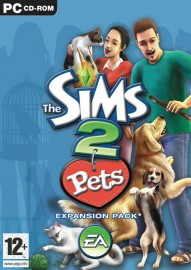
The-Sims-2-Pets-357080.jpg - width=191 height=270
Created by jordi
Uploaded: 30th Jan 2007 at 2:57 PM
Updated: 10th Aug 2007 at 12:48 PM
Updated: 10th Aug 2007 at 12:48 PM
This replacement package for the Pets template has been stripped of all Sims and Pets.
This means that next time you create a new neighbourhood, you will not get the Critturs and Cyd Roseland in your Sim bin, and will also not get the 60+ default strays. Instead, the game will generate random strays as it needs them. If you use my Pet name mod, they will also get unique names, otherwise they will get names from the small Maxis list.
This is not a hack! It is a default replacement file. To use it, go to \Pets\TSData\Res\NeighborhoodTemplate\ (\Pets\ is where you installed The Sims 2: Pets, probably C:\Program Files\EA Games\The Sims 2 Pets or similar). backup the entire folder since you will need it for future patches: right-click on P001 and select Send to...\Compressed (zipped) Folder. This will create a zip file named P001. Leave this where it is, and open the P001 folder.
Replace the P001_Neighborhood.package file with the one from this post.
Now delete the \Characters subfolder.
Next time you create a new 'hood, the game will skip the creating of Pets, and you will not have Roseland or the Critturs in your Sim bin.
Restoring the original (possibly needed for patches)
Go back to \Pets\TSData\Res\NeighborhoodTemplate\. Double-click the P001 zipfile, and extract its contents in the P001 folder. Overwrite files if asked to do so.
After patching you will have to replace the package file and delete the characters folders again if you want this mod back.
This means that next time you create a new neighbourhood, you will not get the Critturs and Cyd Roseland in your Sim bin, and will also not get the 60+ default strays. Instead, the game will generate random strays as it needs them. If you use my Pet name mod, they will also get unique names, otherwise they will get names from the small Maxis list.
This is not a hack! It is a default replacement file. To use it, go to \Pets\TSData\Res\NeighborhoodTemplate\ (\Pets\ is where you installed The Sims 2: Pets, probably C:\Program Files\EA Games\The Sims 2 Pets or similar). backup the entire folder since you will need it for future patches: right-click on P001 and select Send to...\Compressed (zipped) Folder. This will create a zip file named P001. Leave this where it is, and open the P001 folder.
Replace the P001_Neighborhood.package file with the one from this post.
Now delete the \Characters subfolder.
Next time you create a new 'hood, the game will skip the creating of Pets, and you will not have Roseland or the Critturs in your Sim bin.
Restoring the original (possibly needed for patches)
Go back to \Pets\TSData\Res\NeighborhoodTemplate\. Double-click the P001 zipfile, and extract its contents in the P001 folder. Overwrite files if asked to do so.
After patching you will have to replace the package file and delete the characters folders again if you want this mod back.
| Filename | Size | Downloads | Date | |||||
|
P001_Neighborhood.zip
Size: 139.8 KB · Downloads: 2,044 · 30th Jan 2007 |
139.8 KB | 2,044 | 30th Jan 2007 | |||||
| For a detailed look at individual files, see the Information tab. | ||||||||
Key:
- - File was updated after upload was posted
Install Instructions
Basic Download and Install Instructions:
1. Download: Click the download link to save the .rar or .zip file(s) to your computer.
2. Extract the zip, rar, or 7z file.
3. Place in Downloads Folder: Cut and paste the .package file(s) into your Downloads folder:
1. Download: Click the download link to save the .rar or .zip file(s) to your computer.
2. Extract the zip, rar, or 7z file.
3. Place in Downloads Folder: Cut and paste the .package file(s) into your Downloads folder:
- Origin (Ultimate Collection): Users\(Current User Account)\Documents\EA Games\The Sims™ 2 Ultimate Collection\Downloads\
- Non-Origin, Windows Vista/7/8/10: Users\(Current User Account)\Documents\EA Games\The Sims 2\Downloads\
- Non-Origin, Windows XP: Documents and Settings\(Current User Account)\My Documents\EA Games\The Sims 2\Downloads\
- Mac: Users\(Current User Account)\Documents\EA Games\The Sims 2\Downloads
- Mac x64: /Library/Containers/com.aspyr.sims2.appstore/Data/Library/Application Support/Aspyr/The Sims 2/Downloads
- For a full, complete guide to downloading complete with pictures and more information, see: Game Help: Downloading for Fracking Idiots.
- Custom content not showing up in the game? See: Game Help: Getting Custom Content to Show Up.
- If you don't have a Downloads folder, just make one. See instructions at: Game Help: No Downloads Folder.
Also Thanked - Users who thanked this download also thanked:
Packs Needed
Tags
#crittur, #critturs, #roseland, #default, #Pets, #P001, #Neighborhood, #P001_Neighborhood.package, #empty, #template
Packs Needed
| Base Game | |
|---|---|
 | Sims 2 |
| Expansion Pack | |
|---|---|
 | Pets |
More Downloads BETA
Here are some more of my downloads: