
 Sign in to Mod The Sims
 Little addition to the 'Untucked Series' ~**Young Adult through Elder**~
 Little addition to the 'Untucked Series' ~**Young Adult through Elder**~
MTS has all free content, all the time. Donate to help keep it running.
SCREENSHOTS
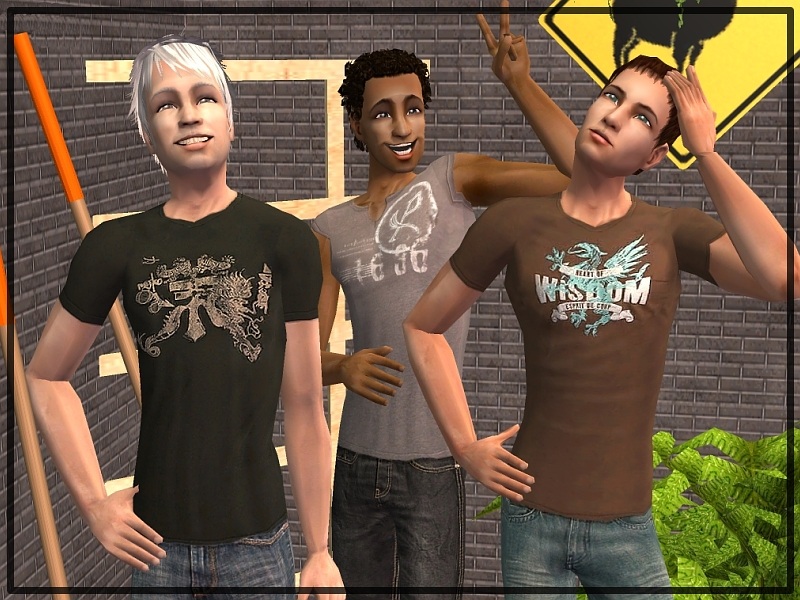


3-in-1_TopsAndBottoms_Title.jpg - width=800 height=600
3-in-1_TopsAndBottoms_Front.jpg - width=800 height=600
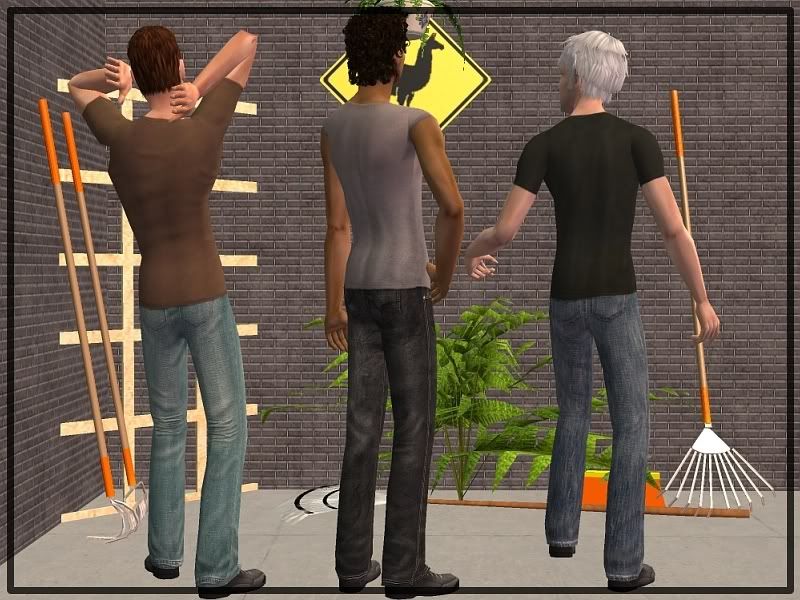
3-in-1_TopsAndBottoms_Back.jpg - width=800 height=600
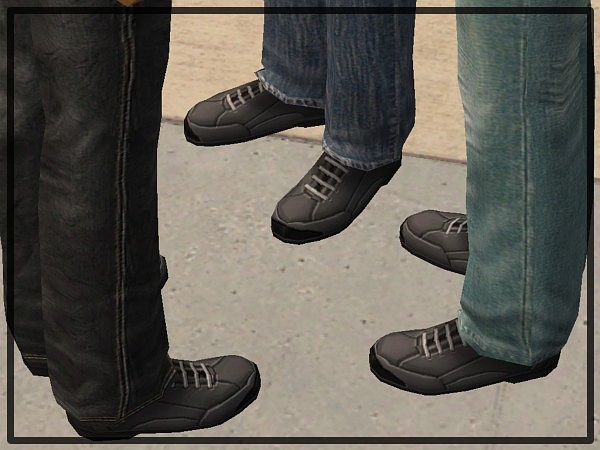
3-in-1_TopsAndBottoms_Shoes.jpg - width=600 height=450
Picked Upload!
This is a picked upload! It showcases some of the best talent and creativity available on MTS and in the community.

Hello world!
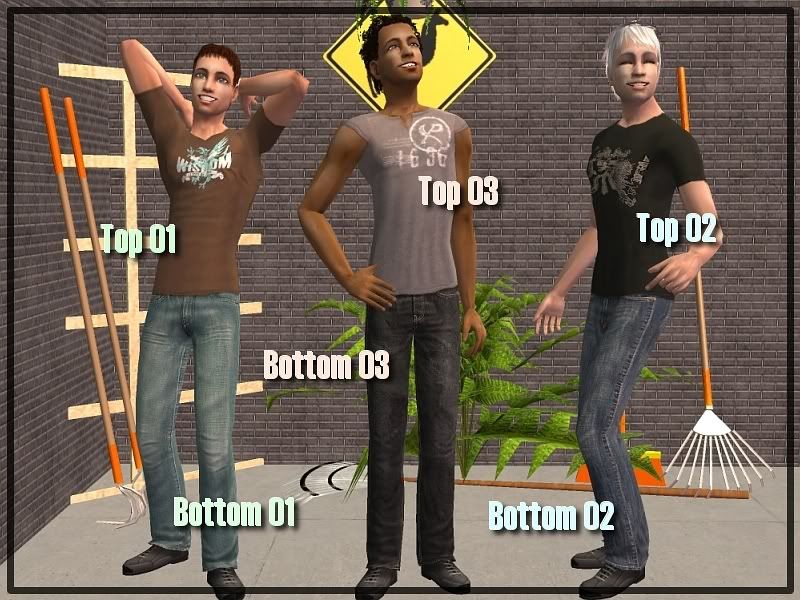
Today I bring you some separates - 3 T-shirts, 3 jeans.
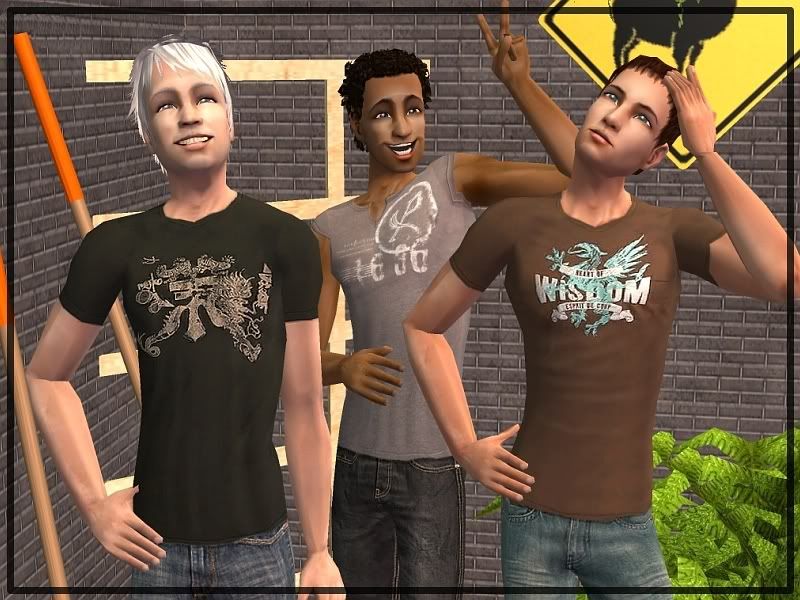
And there is something special about them...
 ~**Features**~
● Untucked look, obviously. Credits go to fanseelamb for the idea (of course) and the alphas. You can combine my tops and bottoms with everything that uses fanseelamb's alphas.
● It's '3-in-1 clothing'. This means: one file, three ages (young adult, adult, elder). All three ages use the same mesh, the adult mesh. No saggy elders. I put this upload in Elder section so that people who want nice elder clothing can find it faster.
Credits go to Motoki from www.moreawesomethanyou.com for this great mod which makes Maxis adult clothes available for elders so that you can create new clothes from them in Bodyshop.
This mod is not required for my tops and bottoms to work in your game but you should get it because it's awesome. :D
● Photoskinned. But I think I got everything in the right places.
● Boring, old Maxis shoes. Be happy about this fact. Mine would have been even worse. xD
● Made with patched Pets Bodyshop. No EPs needed. Works with every game configuration.
 ~**Attention!**~
Do not combine with non-'untucked' separates! Do not combine the elder ones with Maxis elder clothing (go and read the description of Motoki's mod to see why)!
The results won't crash your computer but you'll might want to wash your eyes out with acid.
I think I have talked enough now. Here are some more pics:
Terms of Use:
Short version: No Exchange, no TSR, no pay.
Long version: On my profile page.
Last things:
I hope all those links and that stuff work. HTML and similar things still scare me.
'Thanks' and comments make little frizel happy.
Hope you enjoy.
- frizel
Today I bring you some separates - 3 T-shirts, 3 jeans.
And there is something special about them...
 ~**Features**~
● Untucked look, obviously. Credits go to fanseelamb for the idea (of course) and the alphas. You can combine my tops and bottoms with everything that uses fanseelamb's alphas.
● It's '3-in-1 clothing'. This means: one file, three ages (young adult, adult, elder). All three ages use the same mesh, the adult mesh. No saggy elders.
 I put this upload in Elder section so that people who want nice elder clothing can find it faster.
 Credits go to Motoki from www.moreawesomethanyou.com for this great mod which makes Maxis adult clothes available for elders so that you can create new clothes from them in Bodyshop.
This mod is not required for my tops and bottoms to work in your game but you should get it because it's awesome. :D
● Photoskinned. But I think I got everything in the right places.
● Boring, old Maxis shoes. Be happy about this fact. Mine would have been even worse. xD
● Made with patched Pets Bodyshop. No EPs needed. Works with every game configuration.
 ~**Attention!**~
Do not combine with non-'untucked' separates! Do not combine the elder ones with Maxis elder clothing (go and read the description of Motoki's mod to see why)!
The results won't crash your computer but you'll might want to wash your eyes out with acid.
I think I have talked enough now. Here are some more pics:
Terms of Use:
Short version: No Exchange, no TSR, no pay.
Long version: On my profile page.
Last things:
I hope all those links and that stuff work. HTML and similar things still scare me.
'Thanks' and comments make little frizel happy.

Hope you enjoy.
- frizel
This is a Maxis Recolour which means that it is a recolour of an item that already exists in your game. Please check the Pack requirements to see which game pack it recolours.
| Filename | Size | Downloads | Date | |||||
|
YAEM_bottom03.zip
Size: 368.5 KB · Downloads: 8,249 · 19th Feb 2007 |
368.5 KB | 8,249 | 19th Feb 2007 | |||||
|
YAEM_top03.zip
Size: 120.2 KB · Downloads: 7,899 · 19th Feb 2007 |
120.2 KB | 7,899 | 19th Feb 2007 | |||||
|
YAEM_bottom02.zip
Size: 377.9 KB · Downloads: 8,375 · 19th Feb 2007 |
377.9 KB | 8,375 | 19th Feb 2007 | |||||
|
YAEM_top02.zip
Size: 119.4 KB · Downloads: 8,748 · 19th Feb 2007 |
119.4 KB | 8,748 | 19th Feb 2007 | |||||
|
YAEM_bottom01.zip
Size: 349.4 KB · Downloads: 8,604 · 19th Feb 2007 |
349.4 KB | 8,604 | 19th Feb 2007 | |||||
|
YAEM_top01.zip
Size: 166.4 KB · Downloads: 8,962 · 19th Feb 2007 |
166.4 KB | 8,962 | 19th Feb 2007 | |||||
| For a detailed look at individual files, see the Information tab. | ||||||||
Key:
- - File was updated after upload was posted
Install Instructions
Basic Download and Install Instructions:
1. Download: Click the download link to save the .rar or .zip file(s) to your computer.
2. Extract the zip, rar, or 7z file.
3. Place in Downloads Folder: Cut and paste the .package file(s) into your Downloads folder:
1. Download: Click the download link to save the .rar or .zip file(s) to your computer.
2. Extract the zip, rar, or 7z file.
3. Place in Downloads Folder: Cut and paste the .package file(s) into your Downloads folder:
- Origin (Ultimate Collection): Users\(Current User Account)\Documents\EA Games\The Sims™ 2 Ultimate Collection\Downloads\
- Non-Origin, Windows Vista/7/8/10: Users\(Current User Account)\Documents\EA Games\The Sims 2\Downloads\
- Non-Origin, Windows XP: Documents and Settings\(Current User Account)\My Documents\EA Games\The Sims 2\Downloads\
- Mac: Users\(Current User Account)\Documents\EA Games\The Sims 2\Downloads
- Mac x64: /Library/Containers/com.aspyr.sims2.appstore/Data/Library/Application Support/Aspyr/The Sims 2/Downloads
- For a full, complete guide to downloading complete with pictures and more information, see: Game Help: Downloading for Fracking Idiots.
- Custom content not showing up in the game? See: Game Help: Getting Custom Content to Show Up.
- If you don't have a Downloads folder, just make one. See instructions at: Game Help: No Downloads Folder.
Also Thanked - Users who thanked this download also thanked:
Packs Needed
None, this is Sims 2 base game compatible!
Other Information
Age:
– Young Adult
– Adult
– Elder
Gender:
– Male
Clothing Type:
– Everyday
Clothing Style:
– Modern
Other Type:
– Untuckables
Maxis Flags:
– Not Applicable
Outfit Type:
– Top
– Bottom
Tags
More Downloads BETA
Here are some more of my downloads: