
 Sign in to Mod The Sims
 Cheat-Free Rear Entry Garage - Backwards Garage Door Mesh
 Cheat-Free Rear Entry Garage - Backwards Garage Door Mesh
MTS has all free content, all the time. Donate to help keep it running.
SCREENSHOTS

Project2.jpg - width=827 height=626
Project4.jpg - width=768 height=582
Project5.jpg - width=890 height=616
Alsgarage.jpg - width=735 height=555
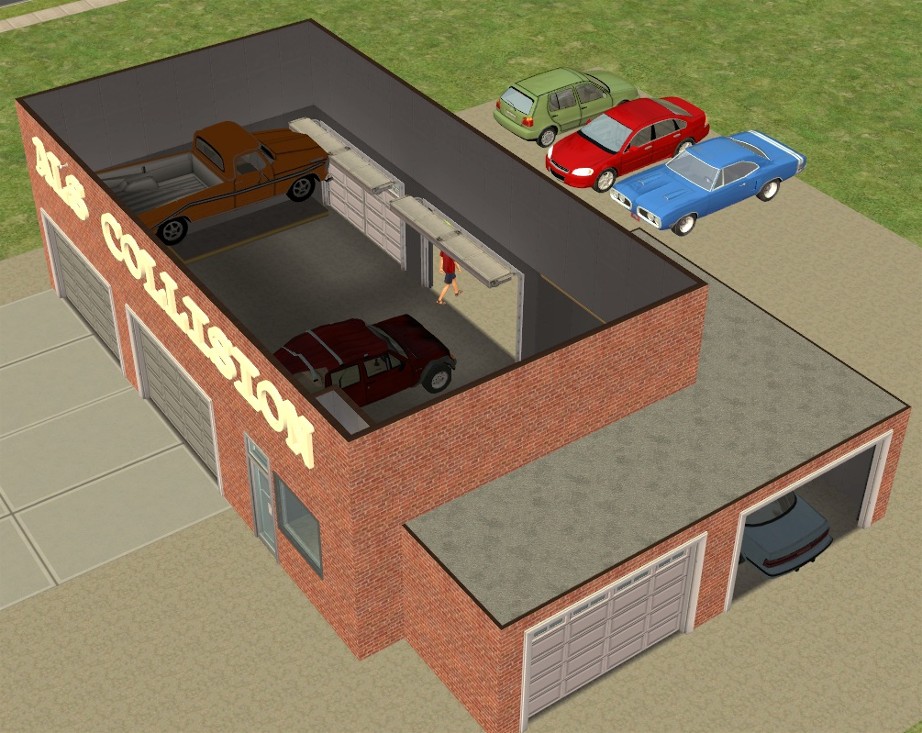
Project28.jpg - width=922 height=733
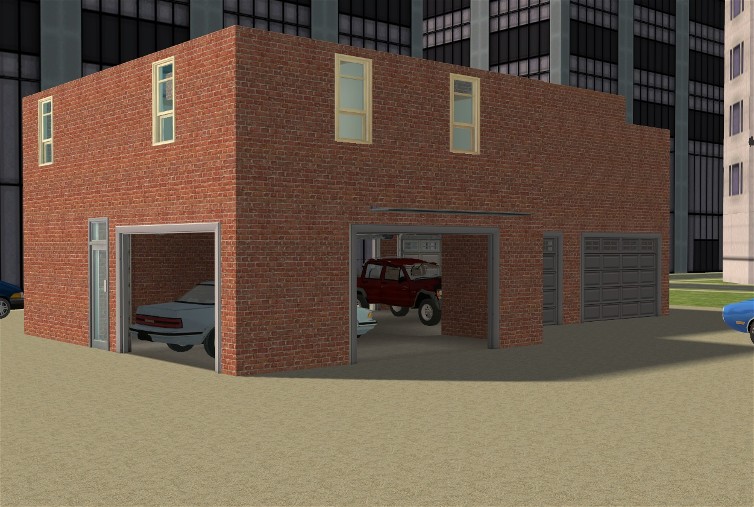
Project1.jpg - width=754 height=507

Created by khakidoo
Uploaded: 12th May 2007 at 6:15 PM
Updated: 28th Aug 2011 at 9:52 AM by leesester
Updated: 28th Aug 2011 at 9:52 AM by leesester
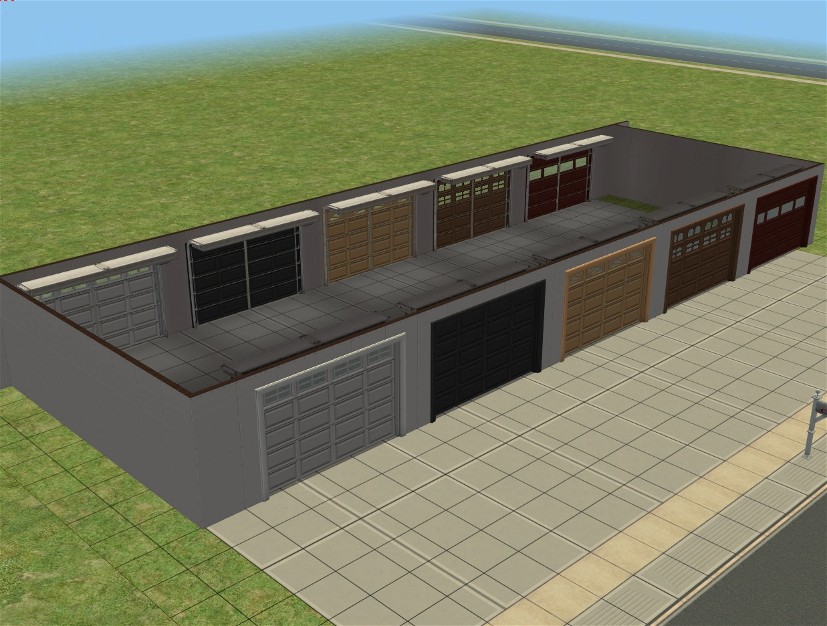
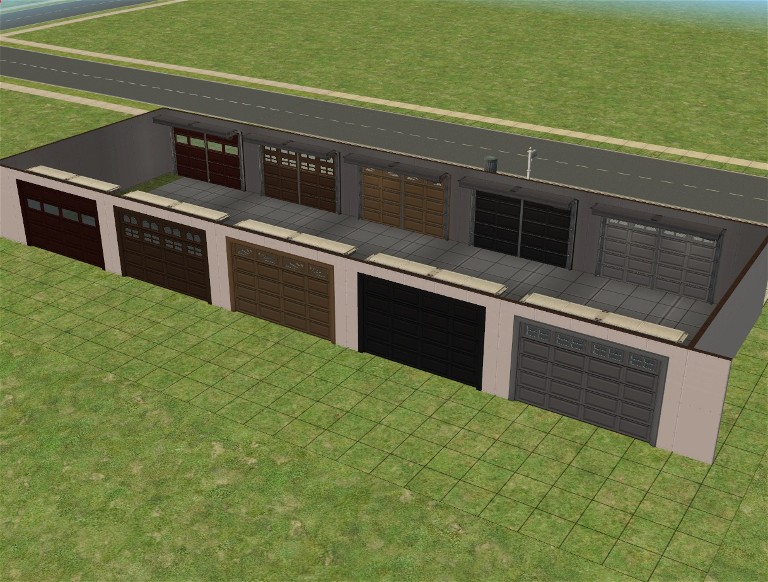
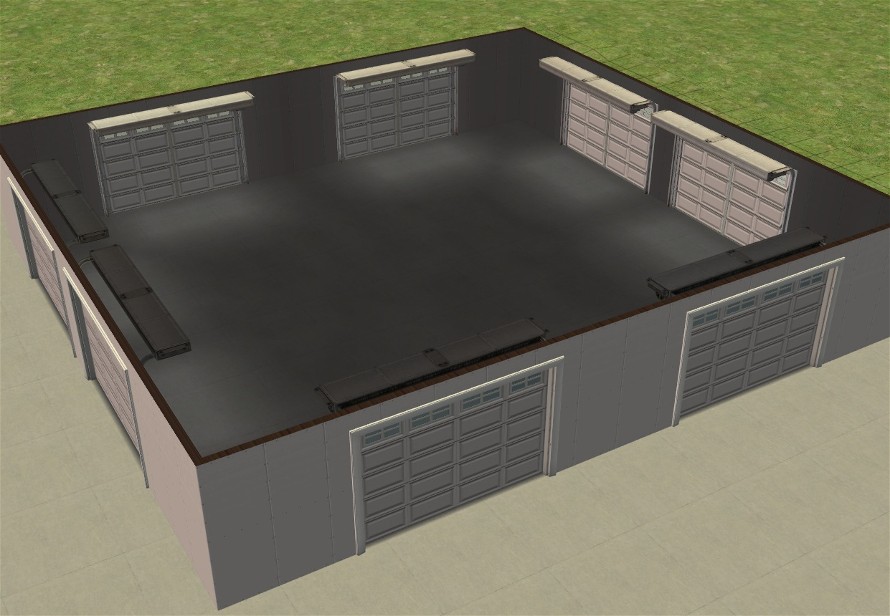
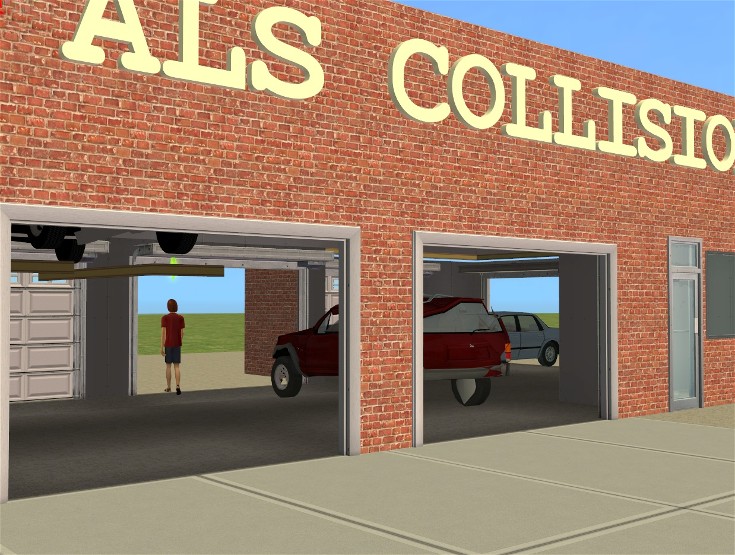
Ok, so I've been working on this for a while (months), and there are still some things that I haven't been able to fix... the animations are still as they are in the standard maxis door... meaning the garage folds up into midair... and the stupid dang !@#$% shadow on the door I can't figure out...
But here it is as far as I've been able to take it...
It will enable building rear entry garages without using any cheats, and will enable having garages facing each direction on the same lot if you do use it in conjunction with the sideways garage method... please note that cars will disappear and reappear as they do in other sideways garages, the cars won't be animated driving out the back of the lot...
If anyone out there can improve it, fix it, please do, release it as your own if you must, I don't care anymore... I just want to be able to build with it...
Polygon Counts:
3798 - same as maxis original door
Additional Credits: SimPE Wings3d
General OhOh whose idea this originally is
IgnorantBliss
Vampcat
JohnBrehaut -
Crocobaura
for their help
Sorry if I forgot anyone
But here it is as far as I've been able to take it...
It will enable building rear entry garages without using any cheats, and will enable having garages facing each direction on the same lot if you do use it in conjunction with the sideways garage method... please note that cars will disappear and reappear as they do in other sideways garages, the cars won't be animated driving out the back of the lot...
If anyone out there can improve it, fix it, please do, release it as your own if you must, I don't care anymore... I just want to be able to build with it...
Polygon Counts:
3798 - same as maxis original door
Additional Credits: SimPE Wings3d
General OhOh whose idea this originally is
IgnorantBliss
Vampcat
JohnBrehaut -
Crocobaura
for their help

Sorry if I forgot anyone
This is a new mesh, and means that it's a brand new self contained object that usually does not require a specific Pack (although this is possible depending on the type). It may have Recolours hosted on MTS - check below for more information.
| Filename | Size | Downloads | Date | |||||
|
KhakidooBackwardsGarageV3.rar
Size: 474.4 KB · Downloads: 11,365 · 12th May 2007 |
474.4 KB | 11,365 | 12th May 2007 | |||||
| For a detailed look at individual files, see the Information tab. | ||||||||
Key:
- - File was updated after upload was posted
Install Instructions
Basic Download and Install Instructions:
1. Download: Click the download link to save the .rar or .zip file(s) to your computer.
2. Extract the zip, rar, or 7z file.
3. Place in Downloads Folder: Cut and paste the .package file(s) into your Downloads folder:
1. Download: Click the download link to save the .rar or .zip file(s) to your computer.
2. Extract the zip, rar, or 7z file.
3. Place in Downloads Folder: Cut and paste the .package file(s) into your Downloads folder:
- Origin (Ultimate Collection): Users\(Current User Account)\Documents\EA Games\The Sims™ 2 Ultimate Collection\Downloads\
- Non-Origin, Windows Vista/7/8/10: Users\(Current User Account)\Documents\EA Games\The Sims 2\Downloads\
- Non-Origin, Windows XP: Documents and Settings\(Current User Account)\My Documents\EA Games\The Sims 2\Downloads\
- Mac: Users\(Current User Account)\Documents\EA Games\The Sims 2\Downloads
- Mac x64: /Library/Containers/com.aspyr.sims2.appstore/Data/Library/Application Support/Aspyr/The Sims 2/Downloads
- For a full, complete guide to downloading complete with pictures and more information, see: Game Help: Downloading for Fracking Idiots.
- Custom content not showing up in the game? See: Game Help: Getting Custom Content to Show Up.
- If you don't have a Downloads folder, just make one. See instructions at: Game Help: No Downloads Folder.
Also Thanked - Users who thanked this download also thanked:
Packs Needed
| Base Game | |
|---|---|
 | Sims 2 |
| Expansion Pack | |
|---|---|
 | Nightlife |
About Me
Yes you can use my stuff in any lot you want to uploaded to anywhere you want - even the exchange - go nuts with it. No credit required.
More Downloads BETA
Here are some more of my downloads: