
 Sign in to Mod The Sims
 Idolatry Beyond: Nobility, Raven, Wormwood, and Wraith Skintones
 Idolatry Beyond: Nobility, Raven, Wormwood, and Wraith Skintones
MTS has all free content, all the time. Donate to help keep it running.
SCREENSHOTS
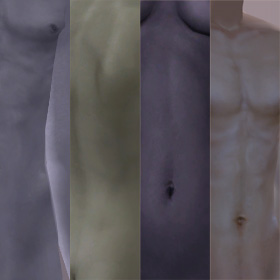
IdolatryBeyond.jpg - width=280 height=280
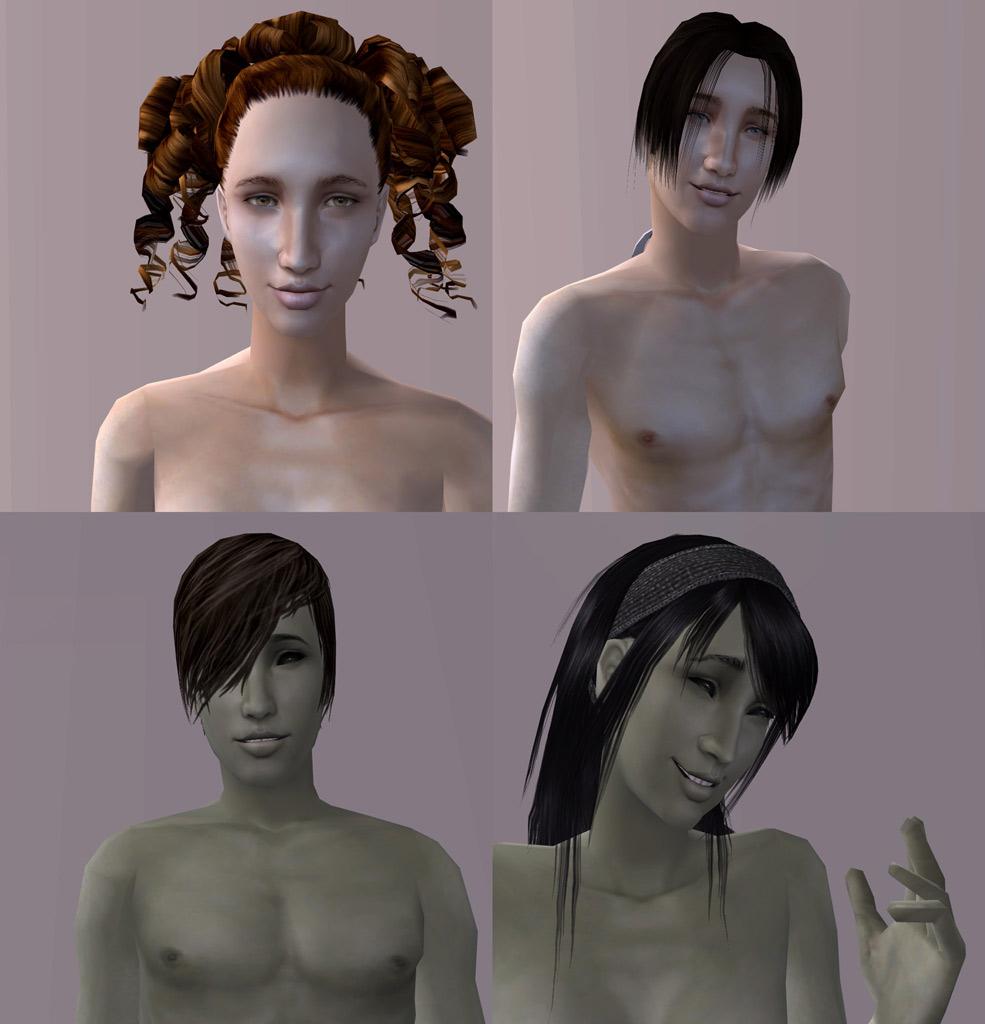
Closeups-Nobility&Wormwood.jpg - width=985 height=1024
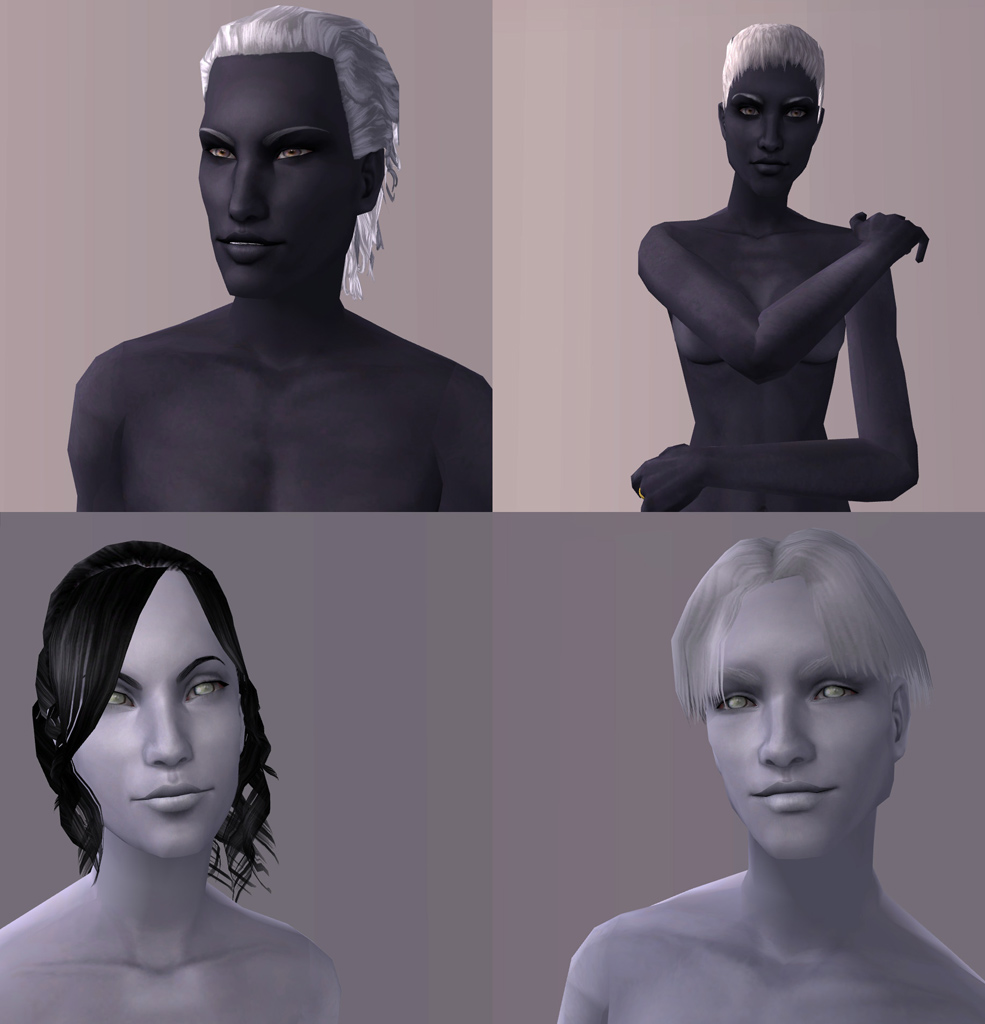
Closeups-Raven&Wraith.jpg - width=985 height=1024
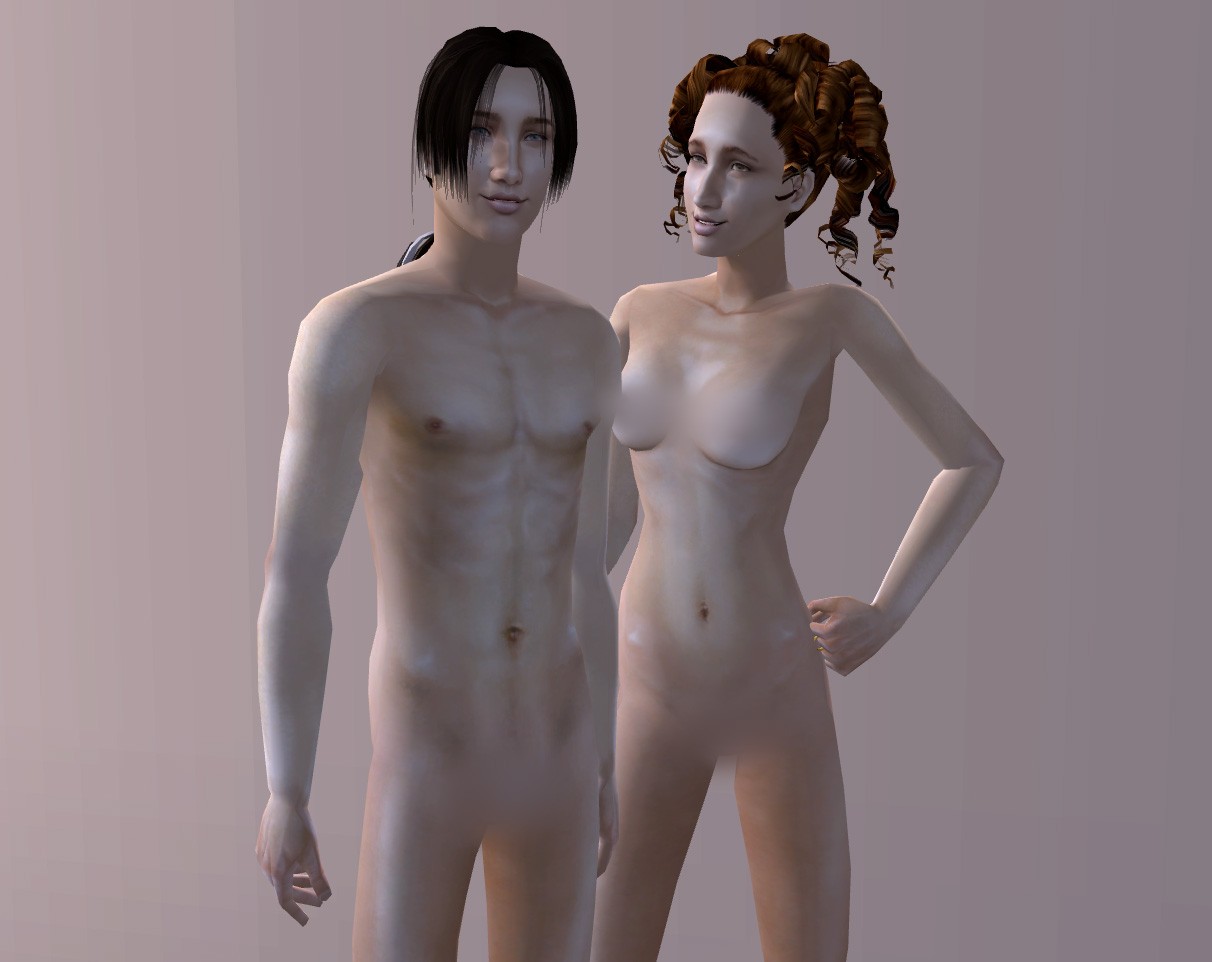
Nobility.jpg - width=1212 height=962
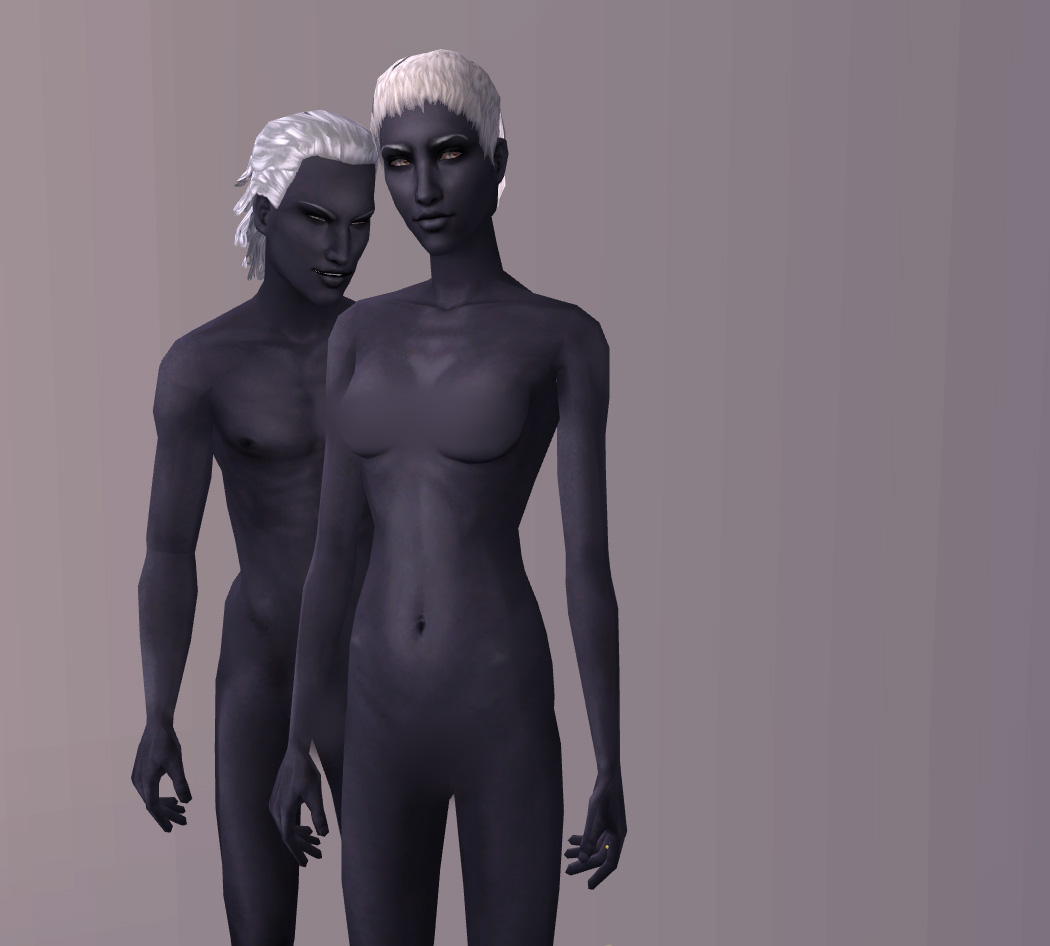
Raven.jpg - width=1050 height=946
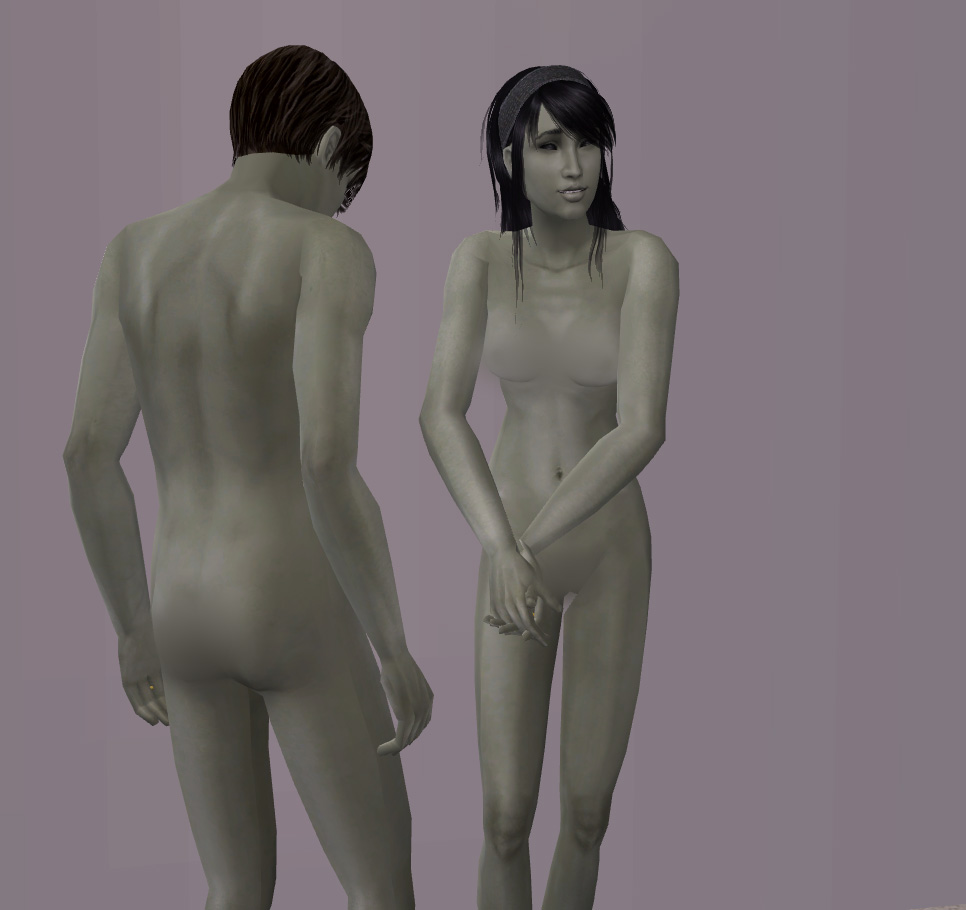
Wormwood.jpg - width=966 height=910
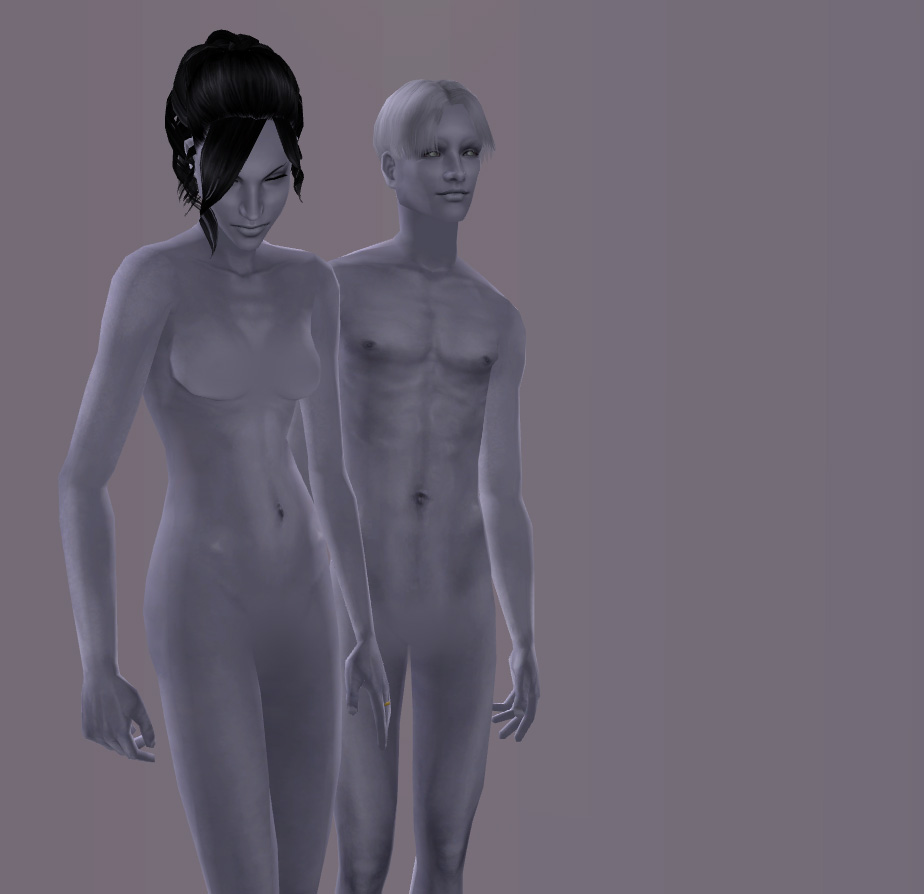
Wraith.jpg - width=924 height=894
Picked Upload!
This is a picked upload! It showcases some of the best talent and creativity available on MTS and in the community.

Uploaded: 24th Jul 2007 at 3:46 PM
Updated: 8th Aug 2007 at 4:56 PM
Updated: 8th Aug 2007 at 4:56 PM
 Idolatry Beyond...
As you might have guessed, these are recolours of the textures I used for my Idolatry of Flesh skintones. I wanted some more interesting fantasy-type tones, so I made a small collection of four special recolours that I thought I'd share.
They may be a bit imperfect - I didn't drive myself nuts looking for problems so please don't tell me there are seams or a little spot here and there (I already know they're there) unless one of your sims exploded as a result.

What's What...
- Nobility: The most natural of these tones, made completely on accident when I clicked the wrong filter. Nobility is a delicately pale, warm tone with a opalescent sheen.
- Raven: The darkest and richest of this set, Raven is a deep grey with just a hint of indigo and a fairly matte finish. Intended to be suitable for Drow.
- Wormwood: A medium silvery green, Wormwood is a subtle shade intended for use on aliens.
- Wraith: Light, icy silver, Wraith is a hauntingly pale shade that catches the light beautifully, a ghostly pallor.
Defaults?I do not have any specific plans to make any of these into any sort of defaults for anything - I may if I feel like it later but please do not request it. You are welcome and encouraged to make them into defaults if you would like them as such, following the instructions in the Create section. I strongly recommend the use of the Mixed Method defaults, which I have a tutorial on creating.
Anatomically Correct?Proper bits on top for girls, but barbie bottoms for everyone.
Edits? Uploads?These follow my regular policy - slice and dice, edit to your heart's content, just give me a link and credit and don't put it on a pay site if you share it with others.
Consider using Morague's method for skintone overlays if you want to add tattoos, freckles, scars, etc. - much better way of doing it.
Of course you can put these on your sims to upload to any free site - again, just give me a little link and credit.
Credits:- For a bit of the detailing on the male chest, I used the textures from Ren's beautiful Self Make-Up Skin as a base, with quite a bit of hand-painting overtop.
- The female navel/belly is from Oepu's Skin Realistic Ages.
- The hips are based on texturing by Navetsea (used with special permission), from his F-IN evo2 skinset.
- The eyes, which you probably will never see unless you delete custom eyes a sim wearing one of my skins is using... are part of my Blasphemy eyeset, using Knightskykyte's sclera and Pinstruck's iris.
Model Credits:All models are my own sims or linuslover30's sims with a bit of tweaking.
All hairs are, of course, free, and are by RaonSims, Nouk, Sussi, me, XM Sims, Fanseelamb, and Andie. All eyebrows are by me, Helaene, or RenSim. All eyes are mine, RenSim's, or Barcelonista's. Models are wearing no makeup.
Thanks To:Everyone in the Credits section - I couldn't have made my textures without their beautiful work. Thanks also to everyone who made the gorgeous free content used in the screenshots. And as always, a ginormous thanks to the rest of the MTS2 staff, especially Delphy, for giving me an awesome place where I could learn to make pretty things for pixel dollies.
Also, to oph3lia for creating these recolours of Ren's elf ears to match these skins, so I didn't have to.
This is a Maxis Recolour which means that it is a recolour of an item that already exists in your game. Please check the Pack requirements to see which game pack it recolours.
| Filename | Size | Downloads | Date | |||||
|
IdolatryBeyond-Wraith.rar
Size: 1.73 MB · Downloads: 20,936 · 24th Jul 2007 |
1.73 MB | 20,936 | 24th Jul 2007 | |||||
|
IdolatryBeyond-Wormwood.rar
Size: 1.10 MB · Downloads: 18,507 · 24th Jul 2007 |
1.10 MB | 18,507 | 24th Jul 2007 | |||||
|
IdolatryBeyond-Raven.rar
Size: 4.42 MB · Downloads: 20,341 · 24th Jul 2007 |
4.42 MB | 20,341 | 24th Jul 2007 | |||||
|
IdolatryBeyond-Nobility.rar
Size: 1.82 MB · Downloads: 20,211 · 24th Jul 2007 |
1.82 MB | 20,211 | 24th Jul 2007 | |||||
| For a detailed look at individual files, see the Information tab. | ||||||||
Key:
- - File was updated after upload was posted
Install Instructions
Basic Download and Install Instructions:
1. Download: Click the download link to save the .rar or .zip file(s) to your computer.
2. Extract the zip, rar, or 7z file.
3. Place in Downloads Folder: Cut and paste the .package file(s) into your Downloads folder:
1. Download: Click the download link to save the .rar or .zip file(s) to your computer.
2. Extract the zip, rar, or 7z file.
3. Place in Downloads Folder: Cut and paste the .package file(s) into your Downloads folder:
- Origin (Ultimate Collection): Users\(Current User Account)\Documents\EA Games\The Sims™ 2 Ultimate Collection\Downloads\
- Non-Origin, Windows Vista/7/8/10: Users\(Current User Account)\Documents\EA Games\The Sims 2\Downloads\
- Non-Origin, Windows XP: Documents and Settings\(Current User Account)\My Documents\EA Games\The Sims 2\Downloads\
- Mac: Users\(Current User Account)\Documents\EA Games\The Sims 2\Downloads
- Mac x64: /Library/Containers/com.aspyr.sims2.appstore/Data/Library/Application Support/Aspyr/The Sims 2/Downloads
- For a full, complete guide to downloading complete with pictures and more information, see: Game Help: Downloading for Fracking Idiots.
- Custom content not showing up in the game? See: Game Help: Getting Custom Content to Show Up.
- If you don't have a Downloads folder, just make one. See instructions at: Game Help: No Downloads Folder.
Also Thanked - Users who thanked this download also thanked:
Packs Needed
None, this is Sims 2 base game compatible!
About Me
Whatever.
More Downloads BETA
Here are some more of my downloads: