
 Sign in to Mod The Sims
 2 New Halloween Cakes -Animated Desserts with custom plates-
 2 New Halloween Cakes -Animated Desserts with custom plates-
MTS has all free content, all the time. Donate to help keep it running.
SCREENSHOTS



Main picture.jpg - width=600 height=450
spooky_mozaic.jpg - width=600 height=450
pumpkin_mozaic.jpg - width=600 height=450
snapshot_941d420d_142e691e.jpg - width=600 height=450
snapshot_941d420d_942e69b1.jpg - width=600 height=450
snapshot_941d420d_343029b1.jpg - width=600 height=450
snapshot_941d420d_f42e68b8.jpg - width=600 height=450
snapshot_941d420d_f4302a78.jpg - width=600 height=450


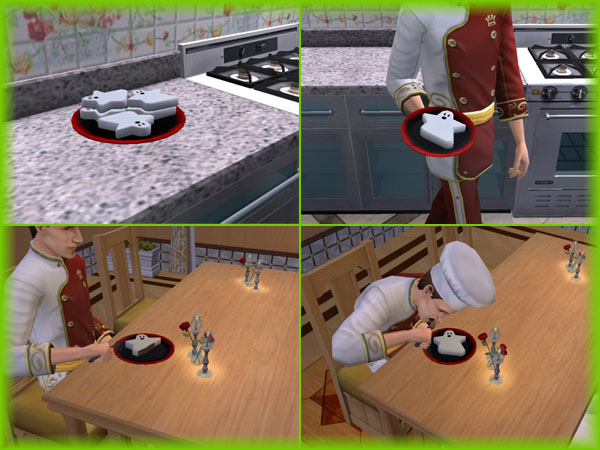
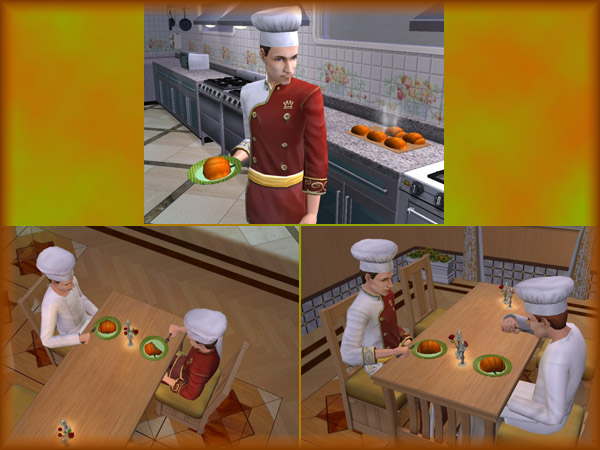
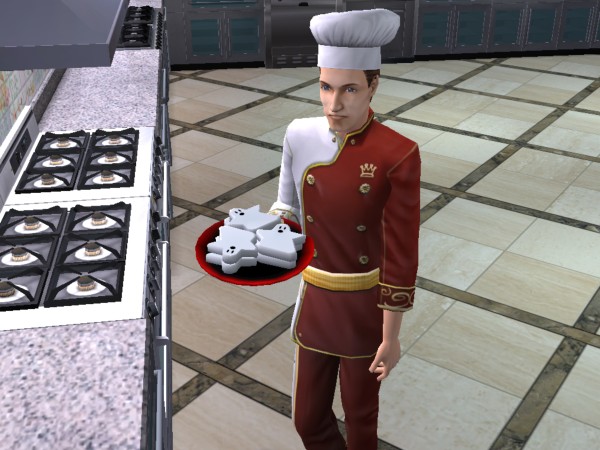
These desserts are both delicious Cakes on the inside with a fine flavored marzipan coat.
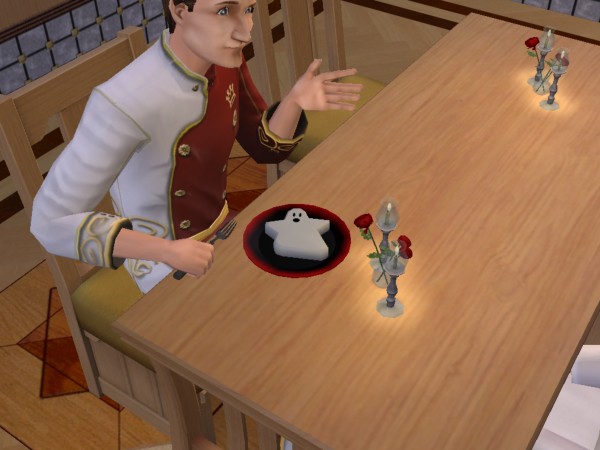
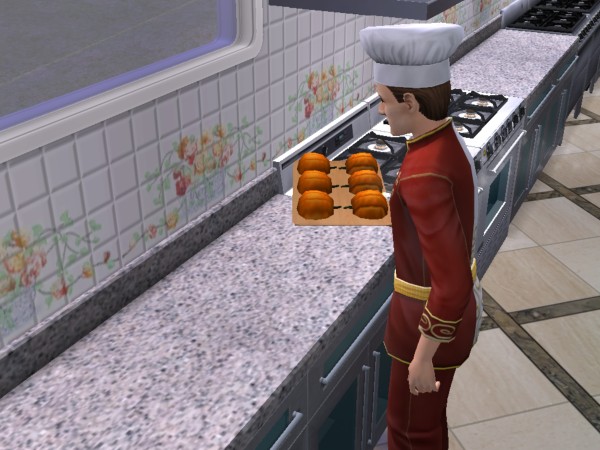
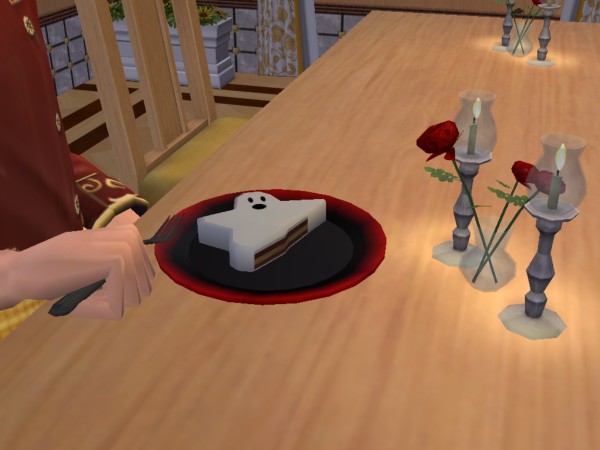
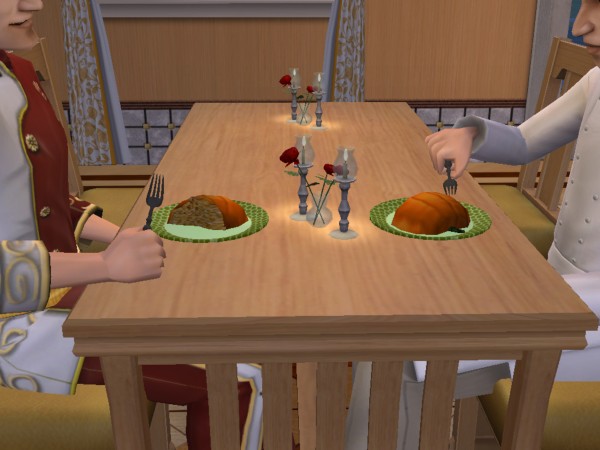
They are fully animated and have their own custom plate!
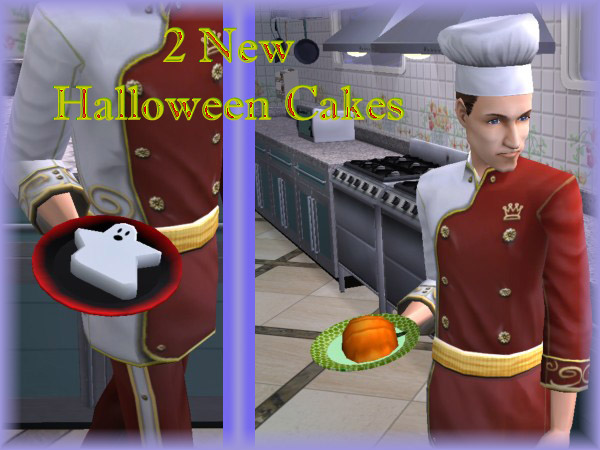
The Spooky Cake is hazelnuts and mocha flavored, with a pinch of brandy and chocolate.
The Pumpkin Cake is orange/lemon flavored marzipan with a coconut crisp cake inside.
These cakes do not need any expansions to show up on your fridge menu!
Your sim will need 6 cooking skill points to make the menu option available!
OFB owners will have the "make" and "make many" options available and Seasons owners will also benefit from the extra option to store the leftovers!
To install:
Open the rar-files and place the package files in your downloads folder.
Make sure that the custom plates are also in your downloads folders, or they will not work otherwise!
Happy Halloween and enjoy these cakes!
They are fully animated and have their own custom plate!
The Spooky Cake is hazelnuts and mocha flavored, with a pinch of brandy and chocolate.
The Pumpkin Cake is orange/lemon flavored marzipan with a coconut crisp cake inside.
These cakes do not need any expansions to show up on your fridge menu!
Your sim will need 6 cooking skill points to make the menu option available!
OFB owners will have the "make" and "make many" options available and Seasons owners will also benefit from the extra option to store the leftovers!
To install:
Open the rar-files and place the package files in your downloads folder.
Make sure that the custom plates are also in your downloads folders, or they will not work otherwise!
Happy Halloween and enjoy these cakes!

| Filename | Size | Downloads | Date | |||||
|
Spooky Cake.rar
Size: 189.1 KB · Downloads: 19,018 · 28th Oct 2007 |
189.1 KB | 19,018 | 28th Oct 2007 | |||||
|
Pumpkin Cake.rar
Size: 199.5 KB · Downloads: 18,464 · 28th Oct 2007 |
199.5 KB | 18,464 | 28th Oct 2007 | |||||
| For a detailed look at individual files, see the Information tab. | ||||||||
Key:
- - File was updated after upload was posted
Install Instructions
Basic Download and Install Instructions:
1. Download: Click the download link to save the .rar or .zip file(s) to your computer.
2. Extract the zip, rar, or 7z file.
3. Place in Downloads Folder: Cut and paste the .package file(s) into your Downloads folder:
1. Download: Click the download link to save the .rar or .zip file(s) to your computer.
2. Extract the zip, rar, or 7z file.
3. Place in Downloads Folder: Cut and paste the .package file(s) into your Downloads folder:
- Origin (Ultimate Collection): Users\(Current User Account)\Documents\EA Games\The Sims™ 2 Ultimate Collection\Downloads\
- Non-Origin, Windows Vista/7/8/10: Users\(Current User Account)\Documents\EA Games\The Sims 2\Downloads\
- Non-Origin, Windows XP: Documents and Settings\(Current User Account)\My Documents\EA Games\The Sims 2\Downloads\
- Mac: Users\(Current User Account)\Documents\EA Games\The Sims 2\Downloads
- Mac x64: /Library/Containers/com.aspyr.sims2.appstore/Data/Library/Application Support/Aspyr/The Sims 2/Downloads
- For a full, complete guide to downloading complete with pictures and more information, see: Game Help: Downloading for Fracking Idiots.
- Custom content not showing up in the game? See: Game Help: Getting Custom Content to Show Up.
- If you don't have a Downloads folder, just make one. See instructions at: Game Help: No Downloads Folder.
Also Thanked - Users who thanked this download also thanked:
Curse of the simmies
About all my creations:
Do not redistribute any of my creations anywhere!!!
Don't ever claim my objects as yours!
Never place anything from me on pay sites!!!
About my meshes:
You can always recolor my meshes as long as you post them on free sites, but place a link towards the mesh and some credits to my work never include my meshes in your recolors!
Do not make recolors of my objects for pay sites!
You can include my meshes in lots but also place a link towards the mesh and credits for my work!
About my hacks:
Just use them in your game only, and if you like them, spread the word!
You can remesh my hacks only under one condition and that is if you contact me first.
You can use my codes to create your own hacks if they suit the purpose.
Do not redistribute them anywhere, but you are allowed to include them in your lots.
About my lot's:
Also these are for your game only, however if you feel you can improve them i don't mind you to do so but please contact me first and place a credit for my work!
If you have questions about something in my policies you can always contact me!
Do not redistribute any of my creations anywhere!!!
Don't ever claim my objects as yours!
Never place anything from me on pay sites!!!
About my meshes:
You can always recolor my meshes as long as you post them on free sites, but place a link towards the mesh and some credits to my work never include my meshes in your recolors!
Do not make recolors of my objects for pay sites!
You can include my meshes in lots but also place a link towards the mesh and credits for my work!
About my hacks:
Just use them in your game only, and if you like them, spread the word!
You can remesh my hacks only under one condition and that is if you contact me first.
You can use my codes to create your own hacks if they suit the purpose.
Do not redistribute them anywhere, but you are allowed to include them in your lots.
About my lot's:
Also these are for your game only, however if you feel you can improve them i don't mind you to do so but please contact me first and place a credit for my work!
If you have questions about something in my policies you can always contact me!