
 Sign in to Mod The Sims
 ~*Eclipse [King of Fighters Sim] Ash Crimson*~*Updated*
 ~*Eclipse [King of Fighters Sim] Ash Crimson*~*Updated*
MTS has all free content, all the time. Donate to help keep it running.
SCREENSHOTS
Eclipse-[AshCrimson]Sim_FacialStructure.jpg - width=742 height=512
Eclipse-[AshCrimson]Sim_thmb.jpg - width=276 height=412
Eclipse-[AshCrimson]Sim_Hair.jpg - width=790 height=649
Eclipse-[AshCrimson]Sim_ExtraShots.jpg - width=790 height=649
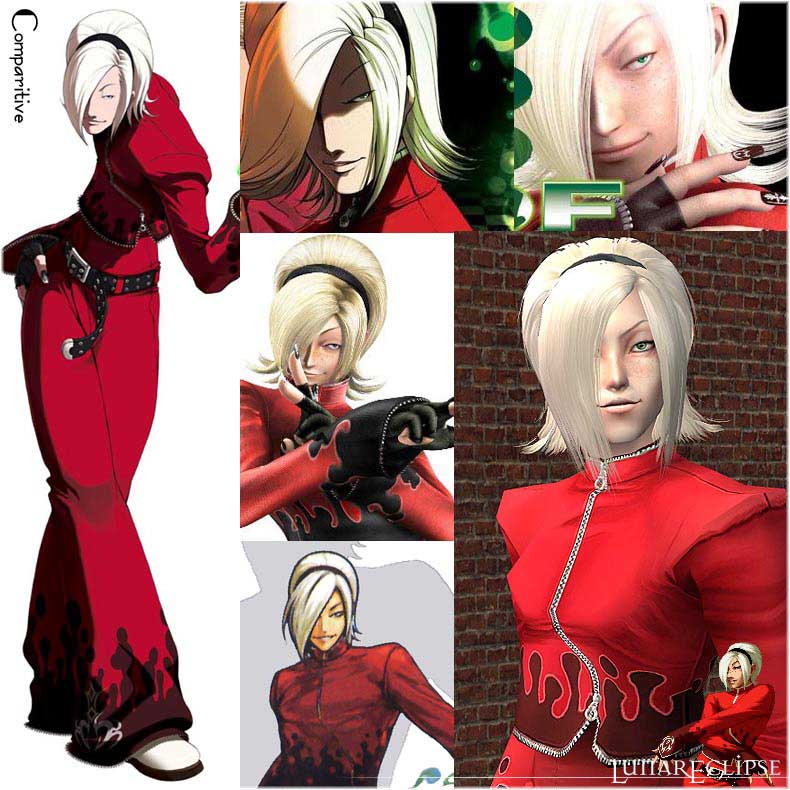
Eclipse-[AshCrimson]Sim_comparitive.jpg - width=790 height=790
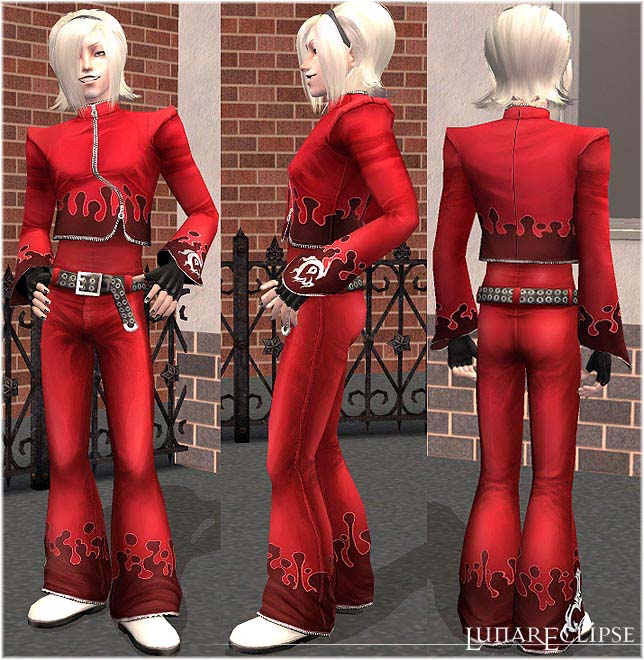
Eclipse-[AshCrimson]Sim_FullBody.jpg - width=644 height=660
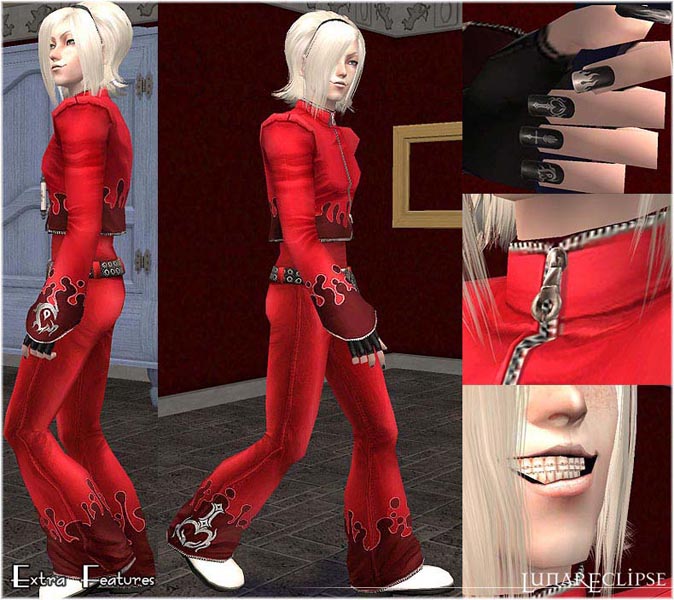
Eclipse-[AshCrimson]Sim_ExtraFeaturessm.jpg - width=674 height=600
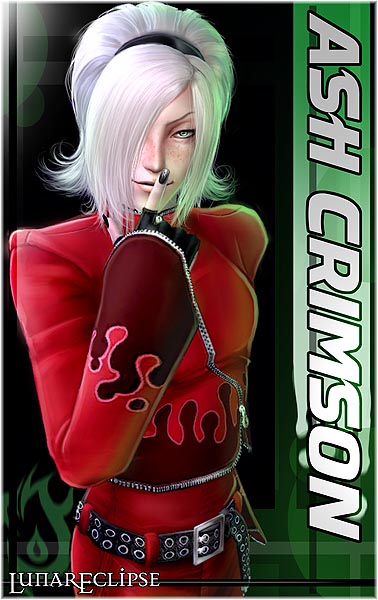
Eclipse-[AshCrimson]Sim_BannerSM.jpg - width=378 height=600
Featured Upload!
This is a featured upload! It showcases the best talent and creativity available on MTS and in the community. 



Uploaded: 13th Dec 2007 at 8:08 PM
Updated: 1st Aug 2008 at 7:21 AM - Updating Files
Updated: 1st Aug 2008 at 7:21 AM - Updating Files
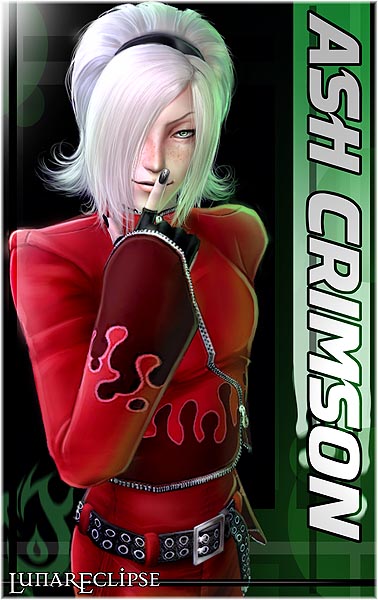
*********************
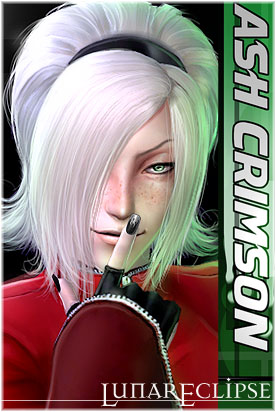
Due to an odd obsession I have with this guy at them moment, I totally had to sim him.
This is a huge post as I went into ridiculous detail with this sim.
Who is Ash anyway?
He's a character added to the "King of Fighters" game series in 2003.
King of Fighters fans should most certainly recognise him.
For any more info on Ash can be found here:
King of Fighters 10th Anniversary Official Site: Ash Crimson
So what's special about this sim?
*********************
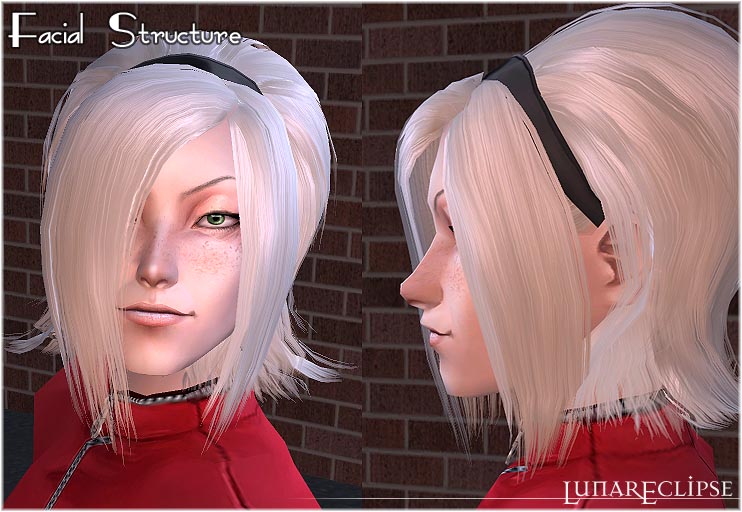
New Facial Structure + Genetics
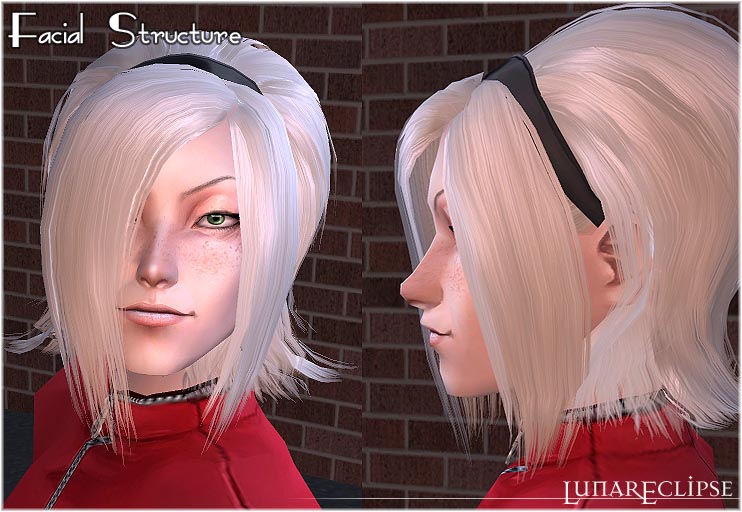
To get his face more accurate, Ash was edited via MS3D after being created in bodyshop. His nose is more slender at the tip and the bridge is narrowed in a way that bodyshop could not do on it's own. His mouth was also brought outward. Unless someone edits their sim in MS3D, they can't duplicate Ash's face.
This process requires the creation of a default face set to make the altered genes accurate. So each age and gender was altered seperately. Any offspring will have his new genetics.
Shrink Ash to toddler and witness the scary little mini Ash, if you dare!
How do you DO this?
I learned thanks to HystericalParoxysm's wonderful post here:
How to 3D Edit Faces (Yes, Really!)
All Ash's genetics and make-up textures are mine.
*********************
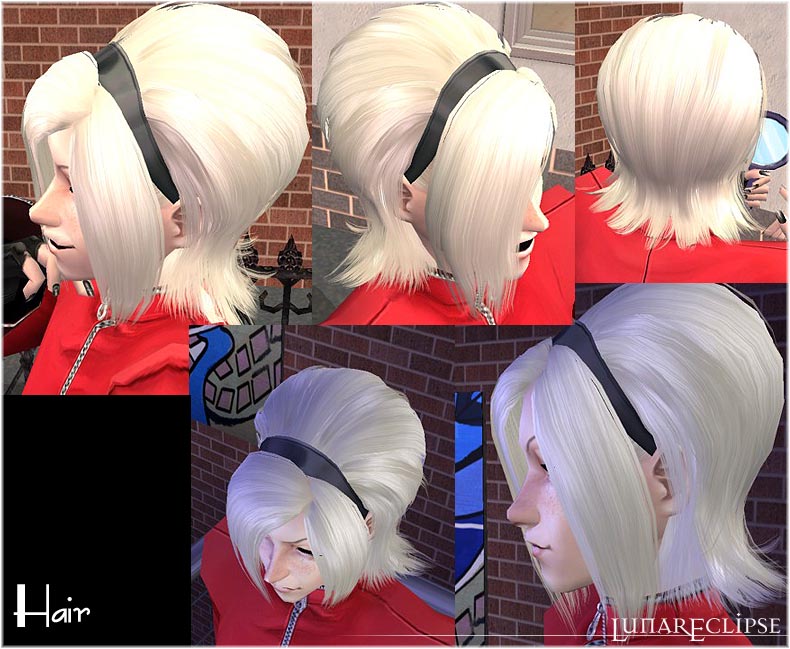
Hair
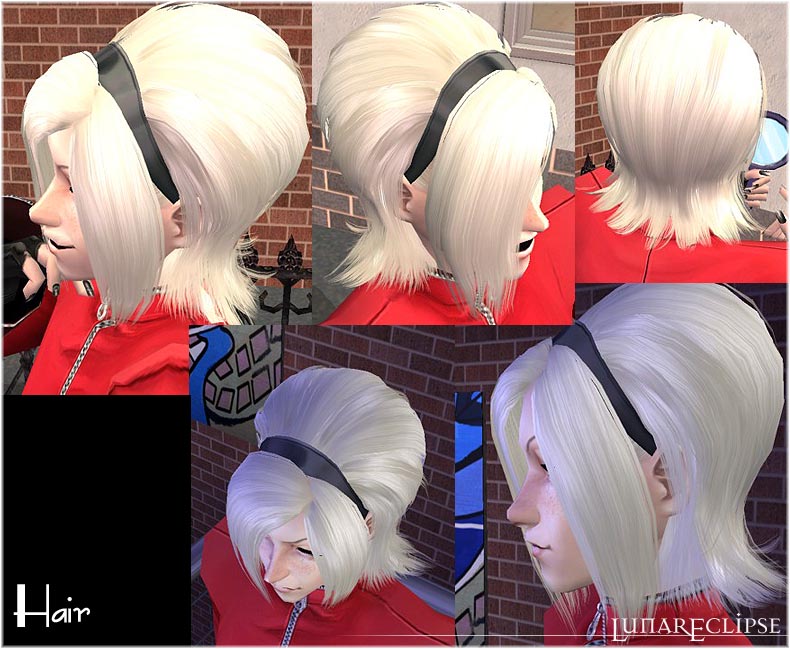
Yes, Ash has a new hair mesh. :D
It's bouffant styled hair I called [FlorealFall] after one of his signature game moves. ^^
The features on the hair are as follows:
-Fully Animated.
-All ages + All genders
-Genetically correct
-Family Linked
-Colour binned
Yes. All that.
For the female version, you'll need to grab the extra rar file at the bottom.
But the mesh itself is bundled with Ash.
The headband is also reflective.

10 Recolours will be available shortly. :D
The hair mesh and textures are my own.
*********************
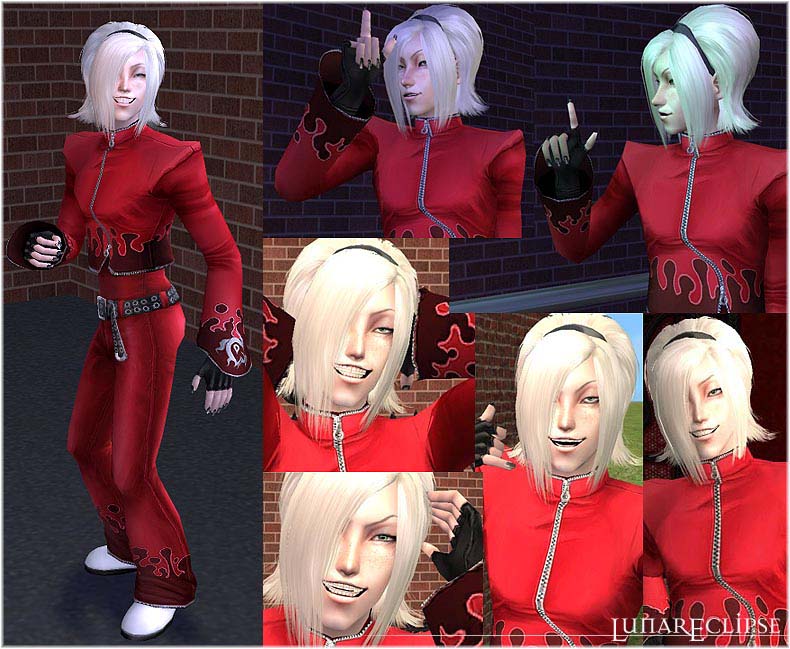
Outfit
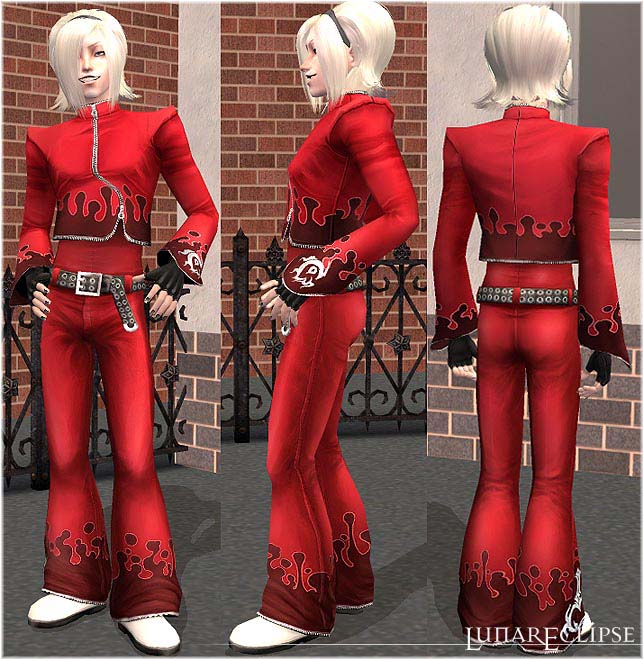
I made the Mesh, and took quite some time. There are parts of Ash's outfit that were modeled from scratch. Mainly his belt.
The belt + buckle, as well as the zippers are 3 dimentional additions to the mesh. Ash's outfit is a new edited package file. It contains mesh parts body, body_alpha, and extra. Body_alpha + extra are reflective parts. The zippers, emblems and metallic parts of the belt are reflective. They shine in-game.
The outfit also holds bumpmaps. The recolour packages bodyshop generates for the mesh contain 13 files! Ridiculous.
All textures on the outfit were made by me.
If anyone likes the mesh enough to recolour, I did add the texture maps for it in a rar file to download. It's necessary to make "seemless" recolours.
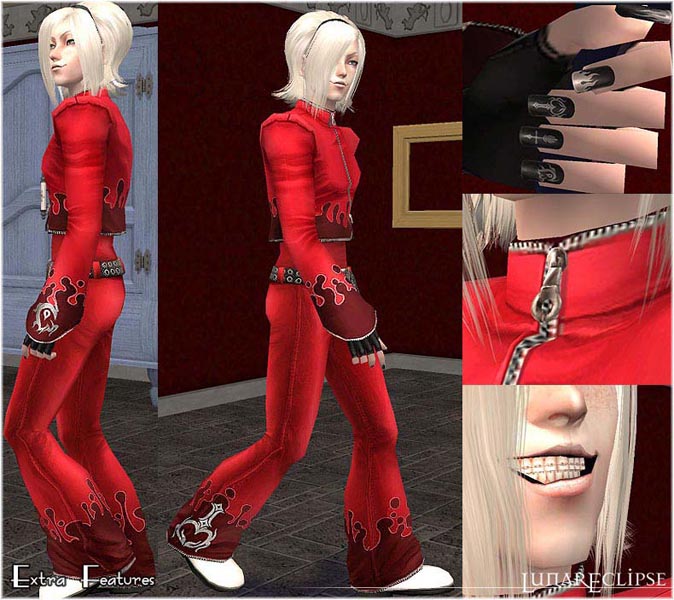
-Yes, attention to detail. I DID do Ash's braces.
-I also did his nail art. It is not Ash Crimson without the nail art.
Morphmods are included!
If anyone actually wants to give Ash a pot belly.. err.. you can now.
*********************
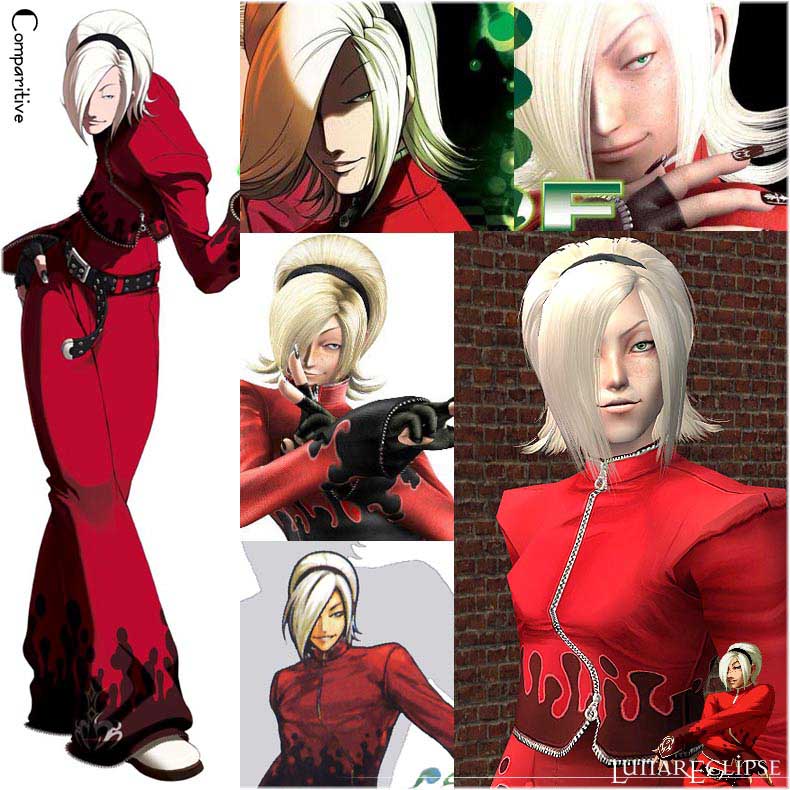
Comparitive
I assume people want to see what Ash looks like as a non-sim.
*********************
Polycount
Sorry. Ash is rather high poly. Be warned.
Hair:
Faces= 7256
Verts = 5492
Outfit:
Faces= 4990
Verts = 4211
*********************
Download Instructions:
All mesh files are included in the first rar. All except ONE that you must download.
That would be shadylady482's long nails mesh! Ash won't be Ash without this mesh.
New Nail Polish Mesh for LONG Nails + 12 Recolors
Double click the sims2pack to install. Place all meshes into the downloads folder and that's that.
For the female hair if you want it, download the additional hair package. You still need the mesh in the rar with Ash.
For the texture maps it's the last file. (If you want to do an outfit recolour that is..)
Ash SHOULD work in base game! I made all files originally from base game package files only. Hopefully there are no issues.
Now go have Ash terrorize your neighbourhood. Because he will....... XD
 UPDATED FILES: 01/08/08
 It has come to my attention, after getting a new videocard, that the bumpmapping on Ash's Outfit is warped! It is not seen on older cards, but is ugly with newer ones!
It is recommended that you replace Ash's outfit with the new version I uploaded below! This should fix the mapping.
If you are downloading him for the first time, download and install Ash first, then override the old outfit file with the updated one!
Downloading Ash for BV:
I've uploaded a new file for Ash's nails.
Download this only if you have the "Bon Voyage" Expansion pack!
If you have BV, override the old NailArt files with the newer one below after installing all other files.
If you did this correctly, Ash Crimson's Nails should appear in the custom jewelry/accessory area.
You will still need to get the mesh from shadylady482!
The sim is by Lunar Eclipse but King of fighters and original Ash Crimson are property of snkplaymore. All rights reserved.
Lunar Eclipse holds no rights to Ash whatsoever!!
Custom Content by Me:
- Ash Sim File
- Eclipse-[AshCrimson]_Brows
- Eclipse-[AshCrimson]_EyeLiner
- Eclipse-[AshCrimson]_EyeShadow
- Eclipse-[AshCrimson]_LipGloss
- Nail Art [Ash Crimson]~(D.Eclipse)
- Eclipse-[AshCrimson]_SkinTone
- Eclipse-[AshCrimson]_SmallSetEmeraldEyes
- Eclipse-[AshCrimson]Blush_Freckles
- Layerable Mouth Corner ~(D.Eclipse)
- Eclipse-MAOutfit[AshCrimson]
- Outfit Mesh
- Hair Mesh
- [FlorealFall] *Ash Crimson* ~(D.Eclipse)
Additional Credits:
shadylady482 for the great long nails for both genders. :D
| Filename | Type | Size |
|---|---|---|
| Eclipse-{AshCrimson]_CompleteSim131207.rar | rar | |
| Eclipse-[Ash Crimson].Sims2Pack | sims2pack | 20363283 |
| Eclipse-MFHair[FloréalFall]_MESH.package | package | 2902002 |
| Eclipse-[AshCrimson]CompleteSim_Terms-of-Use.txt | txt | 920 |
| Eclipse-MAOutfit[AshCrimson]_MESH.package | package | 522926 |
| Filename | Size | Downloads | Date | |||||
|
EclipseAshCrimsonNailArt_BinnedforBV.rar
Size: 24.0 KB · Downloads: 11,178 · 1st Aug 2008 |
24.0 KB | 11,178 | 1st Aug 2008 | |||||
|
EclipseAshCrimsonOutfit_fixedBMaps_Update300708.rar
Size: 1.07 MB · Downloads: 11,802 · 1st Aug 2008 |
1.07 MB | 11,802 | 1st Aug 2008 | |||||
|
Eclipse-{AshCrimson]_CompleteSim131207.rar
Size: 6.55 MB · Downloads: 36,250 · 14th Dec 2007 |
6.55 MB | 36,250 | 14th Dec 2007 | |||||
|
Eclipse-[AshCrimson]_OutfitMESH-texturemaps.rar
Size: 119.1 KB · Downloads: 23,239 · 14th Dec 2007 |
119.1 KB | 23,239 | 14th Dec 2007 | |||||
|
Eclipse-FemaleHair[FloréalFall]_AshCrimson.rar
Size: 1.05 MB · Downloads: 29,618 · 14th Dec 2007 |
1.05 MB | 29,618 | 14th Dec 2007 | |||||
| For a detailed look at individual files, see the Information tab. | ||||||||
Key:
- - File was updated after upload was posted
Install Instructions
Basic Download and Install Instructions:
1. Download: Click the download link to save the .rar or .zip file(s) to your computer.
2. Extract the zip, rar, or 7z file.
3. Install: Double-click on the .sims2pack file to install its contents to your game. The files will automatically be installed to the proper location(s).
1. Download: Click the download link to save the .rar or .zip file(s) to your computer.
2. Extract the zip, rar, or 7z file.
3. Install: Double-click on the .sims2pack file to install its contents to your game. The files will automatically be installed to the proper location(s).
- You may want to use the Sims2Pack Clean Installer instead of the game's installer, which will let you install sims and pets which may otherwise give errors about needing expansion packs. It also lets you choose what included content to install. Do NOT use Clean Installer to get around this error with lots and houses as that can cause your game to crash when attempting to use that lot. Get S2PCI here: Clean Installer Official Site.
- For a full, complete guide to downloading complete with pictures and more information, see: Game Help: Downloading for Fracking Idiots.
- Custom content not showing up in the game? See: Game Help: Getting Custom Content to Show Up.
- If you get an error that says "This content requires expansion pack data that is not installed", please use either Clean Installer to install this sim.
Meshes needed
This download requires one or more meshes to work properly. Please check the Description tab for information about the meshes needed, then download them below:| MTS cannot guarantee any off-site links will be available |
| New Nail Polish Mesh for LONG Nails + 12 Recolors by shadylady482 |
Also Thanked - Users who thanked this download also thanked:
Packs Needed
None, this is Sims 2 base game compatible!
Tags
#king of fighters, #ash crimson, #bishounen, #snk, #nail art
Lunar Eclipse ~ D.Eclipse ~ Dark Lunaris ~ Dark/Dani Eclipse
I'm back, but not really online too much.
If you've messaged me here, my PMs are disabled. Please read the autoreply for an Email.*hugs*
If you've messaged me here, my PMs are disabled. Please read the autoreply for an Email.*hugs*
More Downloads BETA
Here are some more of my downloads: