
 Sign in to Mod The Sims
 New Mesh: "Majestic Appeal" Painting
 New Mesh: "Majestic Appeal" Painting
MTS has all free content, all the time. Donate to help keep it running.
SCREENSHOTS
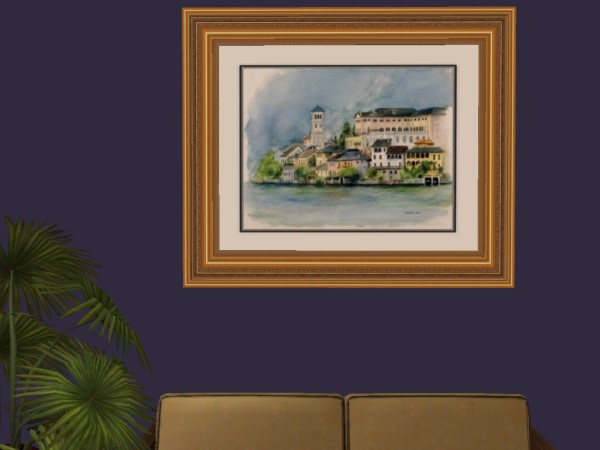
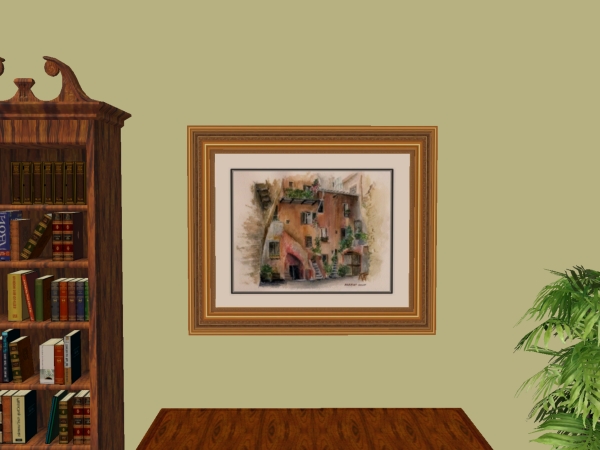
justmoi_Painting_32MajesticAppeal_LagoMaggiore.jpg - width=600 height=450
justmoi_MESH_Painting32_MajesticAppeal.jpg - width=600 height=450
Picked Upload!
This is a picked upload! It showcases some of the best talent and creativity available on MTS and in the community.

Created by justmoi
Uploaded: 14th Jan 2008 at 2:21 AM
Updated: 15th Jan 2008 at 7:46 PM by fanseelamb - fixing thumbnail
Updated: 15th Jan 2008 at 7:46 PM by fanseelamb - fixing thumbnail
I've made a few more additions to my "Majestic" series of paintings in response to a request. This is the first of the new ones. It is slightly wider than a square 2-tile frame that fits a lot of paintings that I have.
No expansion is required for the mesh. In keeping with the same quality as the whole "Majestic" series, this painting costs $2950 and has a room score of 9.
Mesh:

I've made one painting recolour for now. I do plan on making more recolours and all the frame colours of the other "Majestic" paintings available in this size too.
The mesh is colour enabled and you may recolour at will but please link back to this post for the original mesh. Feel free to post recolours on another site but please don't post the mesh - just link to this thread. And please do not post on pay sites.
The mesh works fine in my game but please let me know if you have any problems with it in your game.
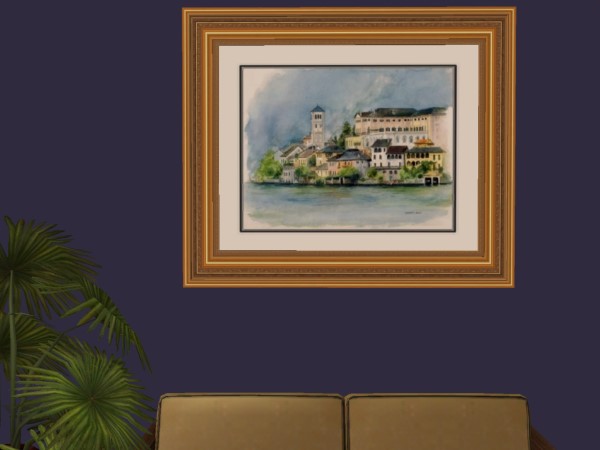
Lago Maggiore Recolour:
Polygon Counts:
Face Count = 160
Vertex Count = 232
No expansion is required for the mesh. In keeping with the same quality as the whole "Majestic" series, this painting costs $2950 and has a room score of 9.
Mesh:
I've made one painting recolour for now. I do plan on making more recolours and all the frame colours of the other "Majestic" paintings available in this size too.
The mesh is colour enabled and you may recolour at will but please link back to this post for the original mesh. Feel free to post recolours on another site but please don't post the mesh - just link to this thread. And please do not post on pay sites.
The mesh works fine in my game but please let me know if you have any problems with it in your game.
Lago Maggiore Recolour:
Polygon Counts:
Face Count = 160
Vertex Count = 232
This is a new mesh, and means that it's a brand new self contained object that usually does not require a specific Pack (although this is possible depending on the type). It may have Recolours hosted on MTS - check below for more information.
| Filename | Size | Downloads | Date | |||||
|
justmoi_MESH_Painting32_MajesticAppeal.rar
Size: 77.8 KB · Downloads: 6,832 · 14th Jan 2008 |
77.8 KB | 6,832 | 14th Jan 2008 | |||||
|
justmoi_Painting_32MajesticAppeal_LagoMaggiore.rar
Size: 26.8 KB · Downloads: 5,715 · 14th Jan 2008 |
26.8 KB | 5,715 | 14th Jan 2008 | |||||
| For a detailed look at individual files, see the Information tab. | ||||||||
Key:
- - File was updated after upload was posted
Install Instructions
Basic Download and Install Instructions:
1. Download: Click the download link to save the .rar or .zip file(s) to your computer.
2. Extract the zip, rar, or 7z file.
3. Place in Downloads Folder: Cut and paste the .package file(s) into your Downloads folder:
1. Download: Click the download link to save the .rar or .zip file(s) to your computer.
2. Extract the zip, rar, or 7z file.
3. Place in Downloads Folder: Cut and paste the .package file(s) into your Downloads folder:
- Origin (Ultimate Collection): Users\(Current User Account)\Documents\EA Games\The Sims™ 2 Ultimate Collection\Downloads\
- Non-Origin, Windows Vista/7/8/10: Users\(Current User Account)\Documents\EA Games\The Sims 2\Downloads\
- Non-Origin, Windows XP: Documents and Settings\(Current User Account)\My Documents\EA Games\The Sims 2\Downloads\
- Mac: Users\(Current User Account)\Documents\EA Games\The Sims 2\Downloads
- Mac x64: /Library/Containers/com.aspyr.sims2.appstore/Data/Library/Application Support/Aspyr/The Sims 2/Downloads
- For a full, complete guide to downloading complete with pictures and more information, see: Game Help: Downloading for Fracking Idiots.
- Custom content not showing up in the game? See: Game Help: Getting Custom Content to Show Up.
- If you don't have a Downloads folder, just make one. See instructions at: Game Help: No Downloads Folder.
Recolours of this mesh
There are 1 recolours of this mesh on MTS:
Also Thanked - Users who thanked this download also thanked:
justmoi's Policy
You're free to recolour any of my meshes and I have no problem with my objects being included in lots and such but please do not post on pay sites (mesh or recolours) - credit for my meshes would be nice too.
More Downloads BETA
Here are some more of my downloads: