
 Sign in to Mod The Sims
 Pets Animation for Marvine's Animated Ladder
 Pets Animation for Marvine's Animated Ladder
MTS has all free content, all the time. Donate to help keep it running.
SCREENSHOTS
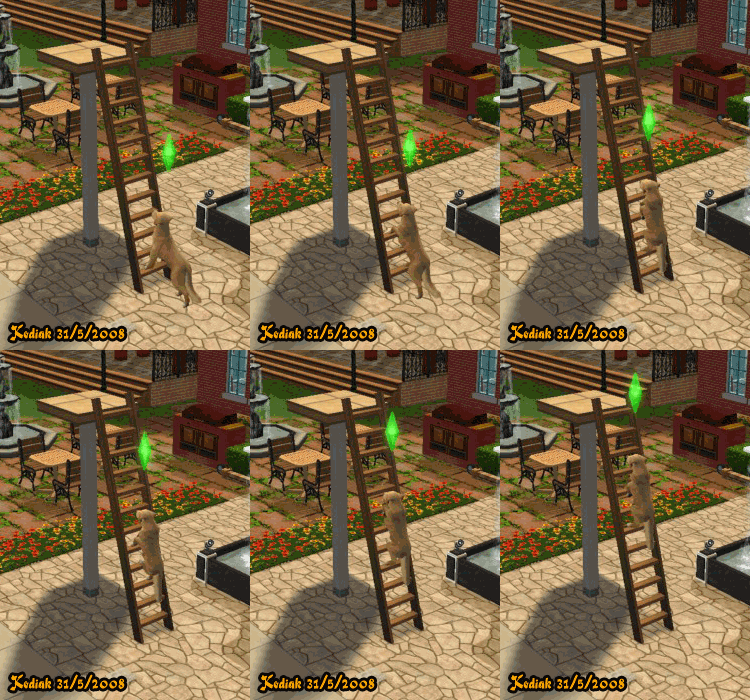
Canine Ladder Climb.gif - width=250 height=350

I've added custom animation for Large Dogs for Marvine's Animated Ladder. Here's what it looks like for climbing up:
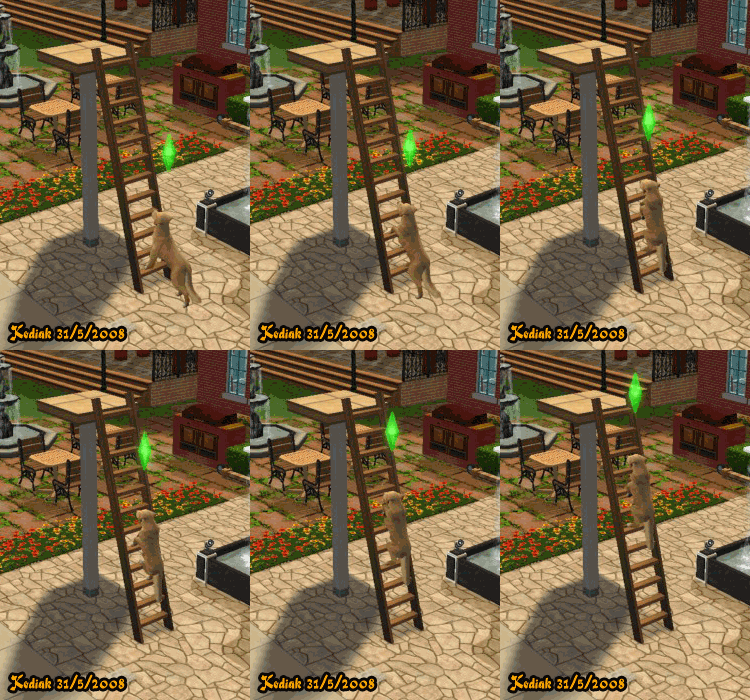
The animation will be much smoother in game. This is just a gif preview. As for climbing down, it's just the reverse. By right, dogs should climb down head-on first but this is a short cut.
If you're interested to create ladder animations for other pets or animating pets, see this thread: Pet Animation Template
Usage:
You can use this download by itself without any additional downloads. It's the base object for Marvine's Ladder which uses a warm medium wood texture and was originally named "Marvine-ladder-animated". If you what more colours, get them from Marvine's Animated Ladder's Page.
Important:
If you have previously downloaded Marvine's Animated Ladder, please remember to replace Marvine's base ladder titled "Marvine-ladder-animated" with my download.
This is a new mesh, and means that it's a brand new self contained object that usually does not require a specific Pack (although this is possible depending on the type). It may have Recolours hosted on MTS - check below for more information.
| Filename | Size | Downloads | Date | |||||
|
Kodiak-Marvine-ladder-animated.zip
Size: 212.7 KB · Downloads: 14,224 · 31st May 2008 |
212.7 KB | 14,224 | 31st May 2008 | |||||
| For a detailed look at individual files, see the Information tab. | ||||||||
Key:
- - File was updated after upload was posted
Install Instructions
Basic Download and Install Instructions:
1. Download: Click the download link to save the .rar or .zip file(s) to your computer.
2. Extract the zip, rar, or 7z file.
3. Place in Downloads Folder: Cut and paste the .package file(s) into your Downloads folder:
1. Download: Click the download link to save the .rar or .zip file(s) to your computer.
2. Extract the zip, rar, or 7z file.
3. Place in Downloads Folder: Cut and paste the .package file(s) into your Downloads folder:
- Origin (Ultimate Collection): Users\(Current User Account)\Documents\EA Games\The Sims™ 2 Ultimate Collection\Downloads\
- Non-Origin, Windows Vista/7/8/10: Users\(Current User Account)\Documents\EA Games\The Sims 2\Downloads\
- Non-Origin, Windows XP: Documents and Settings\(Current User Account)\My Documents\EA Games\The Sims 2\Downloads\
- Mac: Users\(Current User Account)\Documents\EA Games\The Sims 2\Downloads
- Mac x64: /Library/Containers/com.aspyr.sims2.appstore/Data/Library/Application Support/Aspyr/The Sims 2/Downloads
- For a full, complete guide to downloading complete with pictures and more information, see: Game Help: Downloading for Fracking Idiots.
- Custom content not showing up in the game? See: Game Help: Getting Custom Content to Show Up.
- If you don't have a Downloads folder, just make one. See instructions at: Game Help: No Downloads Folder.
Also Thanked - Users who thanked this download also thanked:
Packs Needed
Tags
Packs Needed
| Base Game | |
|---|---|
 | Sims 2 |
| Expansion Pack | |
|---|---|
 | Pets |
More Downloads BETA
Here are some more of my downloads: