
 Sign in to Mod The Sims
 ~*Eclipse [StarDust Nymph] Hair*~ All Ages, All Genders, Animated, Binned, 10 Colours
 ~*Eclipse [StarDust Nymph] Hair*~ All Ages, All Genders, Animated, Binned, 10 Colours
MTS has all free content, all the time. Donate to help keep it running.
SCREENSHOTS
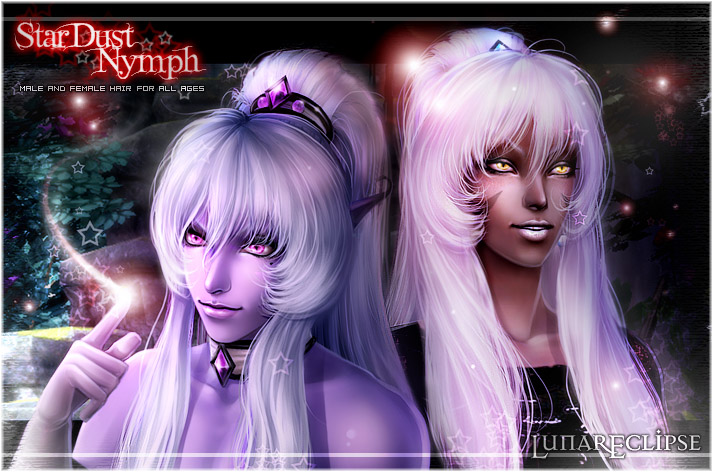


Eclipse-[StarDustNymph]Hair_Banner.jpg - width=713 height=472
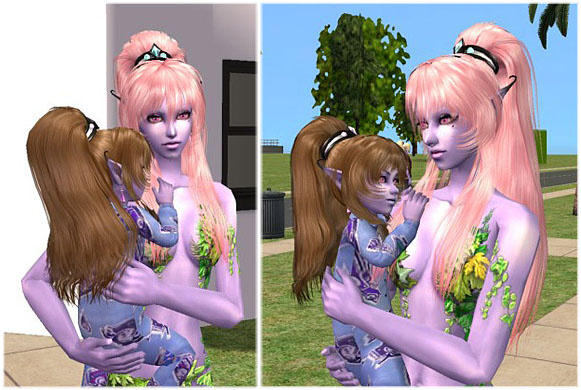
Eclipse-[StarDustNymph]Hair_Extra01.jpg - width=581 height=390
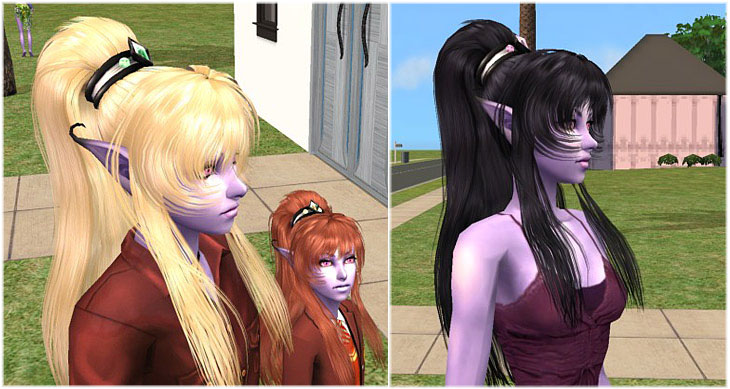
Eclipse-[StarDustNymph]Hair_Extra02.jpg - width=730 height=389
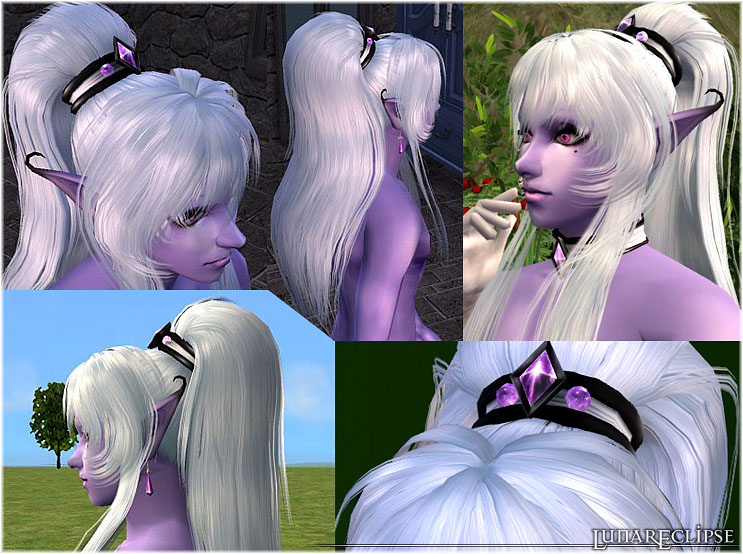
Eclipse-[StarDustNymph]Hair_main.jpg - width=743 height=554
Eclipse-[StarDustNymph]Hair_PrimaryShades.jpg - width=452 height=47
Eclipse-[StarDustNymph]Hair_SecondaryShades.jpg - width=452 height=47
Eclipse-[StarDustNymph]Hair_thmb.jpg - width=268 height=319
Picked Upload!
This is a picked upload! It showcases some of the best talent and creativity available on MTS and in the community.


Uploaded: 4th Aug 2008 at 9:24 AM
Updated: 1st Jun 2010 at 6:35 PM by CatOfEvilGenius
Updated: 1st Jun 2010 at 6:35 PM by CatOfEvilGenius
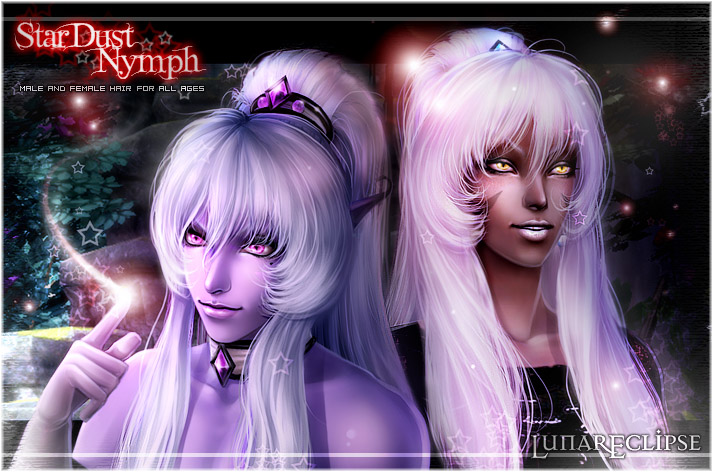
Banner is a photomanip, Not In-Game. (Needs MOAR Lenz Flare! :DDD)
*********************

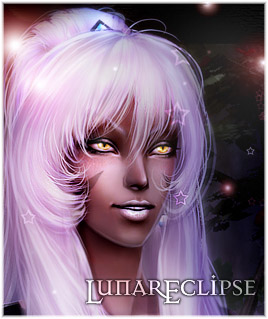
This is a puffy, high ponytail I made based on one of my original characters.
You can find him HERE.
The jemstones on the hair piece are refective.
This hair has the following properties:
-All Ages
-Both Genders
-Fully Animated
-Colour Binned
-Genetically Correct
-Family Linked
*********************
Available Colours
Primary Shades

Secondary Shades

*********************
Colour Binning
The secondary (odd shades) are colour binned as followed:
Silver will show as blond
Fallow will show as Brown
Pink will show as a red
Raven will show as Black.
The only shades that appear in the custom bin will be Diamond Dust and Amethyst.
*********************
Download Instructions (Please Read):
You must download Eclipse-MFHairStarDustNymph_MESH.rar to get the meshfile.
It is not added to the recolour rars.
The family links are not the same for both recolour sets. This is because the game will only allow one family per colour bin or it gets confused.
The Primary shades are family linked together.
The Secondary shades are family linked together.
Primary and Secondary are separate families.
In this set, to make smaller files, only ONE colour in each family has a grey besides the custom shades. DO NOT delete the following colours or the elder hair will not be available for that family.
*If you download Primary shades, do not delete the BLOND hair for either gender!
*If you download the Secondary shades, do not delete the SILVER hair for either gender.
*If you download both, then you must keep both the blond and silver hair!
Deleting the blond or silver hair will remove the grey hair from that family!
If you wish to make recolours, recolour a custom shade (either Amethyst or Diamond Dust), OR use the blond or silver.
*********************
 High PolyCount
 Polygons = 11070 (Be CAREFUL with this!)
*********************
A Special Thank You to:
Phaenoh for her lovely genetics info located in her great tutorial HERE.
HystericalParoxysm for her easy to follow Tutorial on adding new parts to mesh files HERE
Polygon Counts:
Polygons = 11070
Additional Credits:
Creators who get Special Hugs for some of the content on my Models!
Nouk
Sherahbim
This is a new mesh, and means that it's a brand new self contained object that usually does not require a specific Pack (although this is possible depending on the type). It may have Recolours hosted on MTS - check below for more information.
| Filename | Size | Downloads | Date | |||||
|
EclipseHairStarDustNymph_FemaleSecondaryShades.rar
Size: 3.76 MB · Downloads: 35,796 · 4th Aug 2008 |
3.76 MB | 35,796 | 4th Aug 2008 | |||||
|
EclipseHairStarDustNymph_FemalePrimaryShades.rar
Size: 3.76 MB · Downloads: 38,651 · 4th Aug 2008 |
3.76 MB | 38,651 | 4th Aug 2008 | |||||
|
EclipseHairStarDustNymph_MaleSecondaryShades.rar
Size: 3.76 MB · Downloads: 29,829 · 4th Aug 2008 |
3.76 MB | 29,829 | 4th Aug 2008 | |||||
|
EclipseHairStarDustNymph_MalePrimaryShades.rar
Size: 3.76 MB · Downloads: 31,436 · 4th Aug 2008 |
3.76 MB | 31,436 | 4th Aug 2008 | |||||
|
EclipseMFHairStarDustNymph_MESH.rar
Size: 1.09 MB · Downloads: 40,883 · 4th Aug 2008 |
1.09 MB | 40,883 | 4th Aug 2008 | |||||
| For a detailed look at individual files, see the Information tab. | ||||||||
Key:
- - File was updated after upload was posted
Install Instructions
Basic Download and Install Instructions:
1. Download: Click the download link to save the .rar or .zip file(s) to your computer.
2. Extract the zip, rar, or 7z file.
3. Place in Downloads Folder: Cut and paste the .package file(s) into your Downloads folder:
1. Download: Click the download link to save the .rar or .zip file(s) to your computer.
2. Extract the zip, rar, or 7z file.
3. Place in Downloads Folder: Cut and paste the .package file(s) into your Downloads folder:
- Origin (Ultimate Collection): Users\(Current User Account)\Documents\EA Games\The Sims™ 2 Ultimate Collection\Downloads\
- Non-Origin, Windows Vista/7/8/10: Users\(Current User Account)\Documents\EA Games\The Sims 2\Downloads\
- Non-Origin, Windows XP: Documents and Settings\(Current User Account)\My Documents\EA Games\The Sims 2\Downloads\
- Mac: Users\(Current User Account)\Documents\EA Games\The Sims 2\Downloads
- Mac x64: /Library/Containers/com.aspyr.sims2.appstore/Data/Library/Application Support/Aspyr/The Sims 2/Downloads
- For a full, complete guide to downloading complete with pictures and more information, see: Game Help: Downloading for Fracking Idiots.
- Custom content not showing up in the game? See: Game Help: Getting Custom Content to Show Up.
- If you don't have a Downloads folder, just make one. See instructions at: Game Help: No Downloads Folder.
Also Thanked - Users who thanked this download also thanked:
Packs Needed
None, this is Sims 2 base game compatible!
Other Information
Hair Style:
– Shiny/Realistic
– Natural Colours
– Punk/Streaks/Crazy Colours
– Anime
Bin Type:
– Binned
Age:
– Toddler
– Child
– Teen
– Young Adult
– Adult
– Elder
Tags
Lunar Eclipse ~ D.Eclipse ~ Dark Lunaris ~ Dark/Dani Eclipse
I'm back, but not really online too much.
If you've messaged me here, my PMs are disabled. Please read the autoreply for an Email.*hugs*
If you've messaged me here, my PMs are disabled. Please read the autoreply for an Email.*hugs*