
 Sign in to Mod The Sims
 -Floor Overlays- Add Character to Your Lots! (Sidewalk Chalk!)
 -Floor Overlays- Add Character to Your Lots! (Sidewalk Chalk!)
MTS has all free content, all the time. Donate to help keep it running.
SCREENSHOTS




MainView.jpg - width=732 height=600
Skipping.jpg - width=597 height=600
TopDown.jpg - width=505 height=600
LeavesAnts.jpg - width=800 height=611
SeenFromSpace.jpg - width=472 height=577
Mesh.jpg - width=800 height=606
Picked Upload!
This is a picked upload! It showcases some of the best talent and creativity available on MTS and in the community.
For a couple of months now Lee has been wanting me to make her some transparent floor overlays so she can make her floors dirtier. Dirt isn't my specialty so I approached Pixelhate about doing this as a joint project with me. Happily Pix agreed. He has done some AMAZING recolors, (be sure to check out his thread) and I did the mesh. Yes, it's a rather simple mesh but it was not as easily made as it looks. We kept running into outdoor shadow issues, then clickability problems and odd repository remnants from the object we cloned from (thank you Echo for your wonderful rug!)
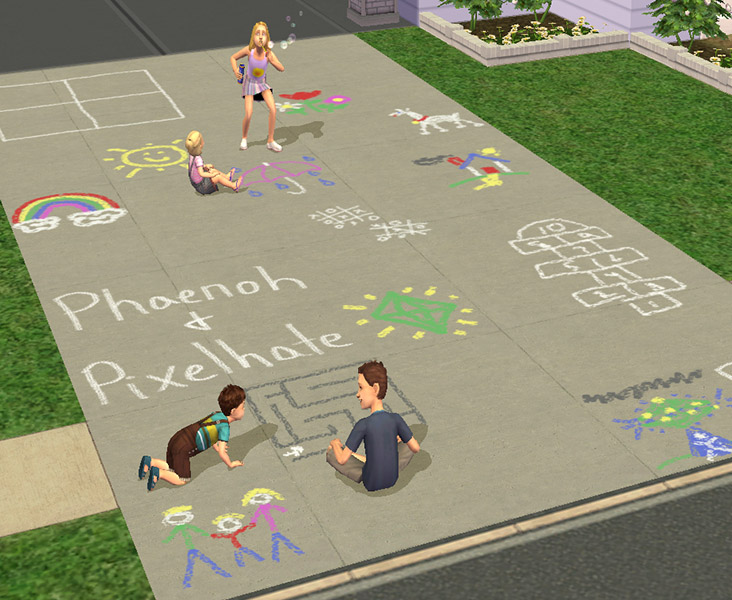
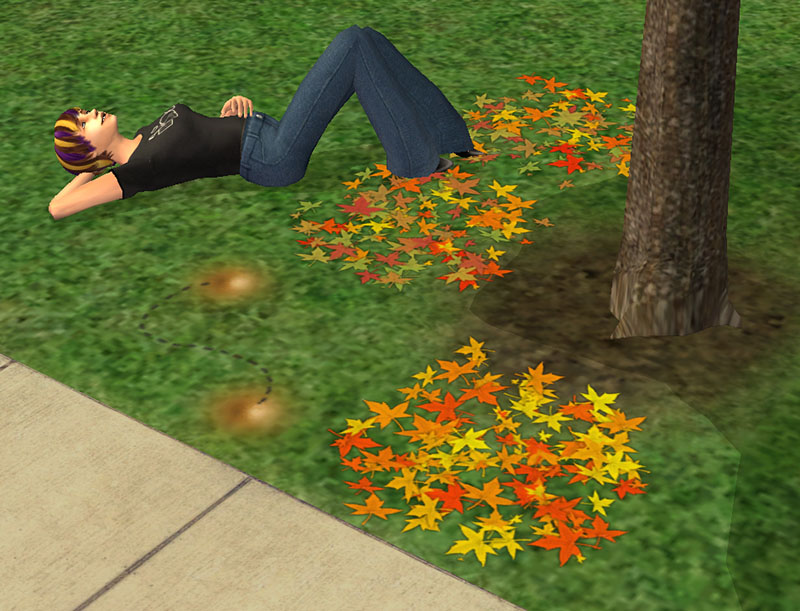
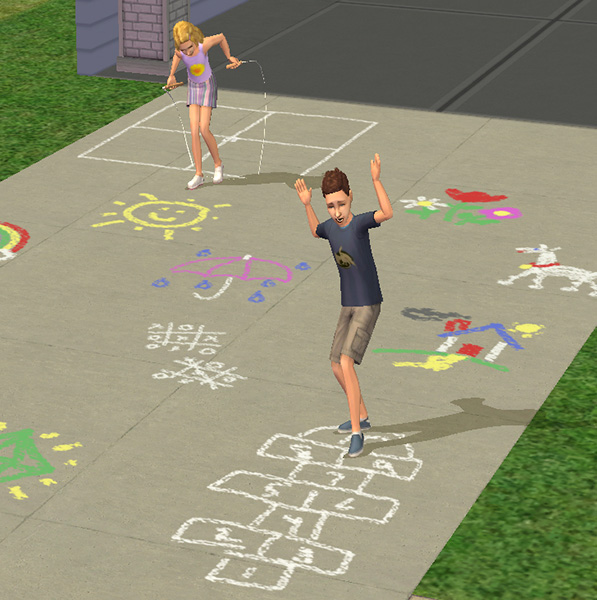
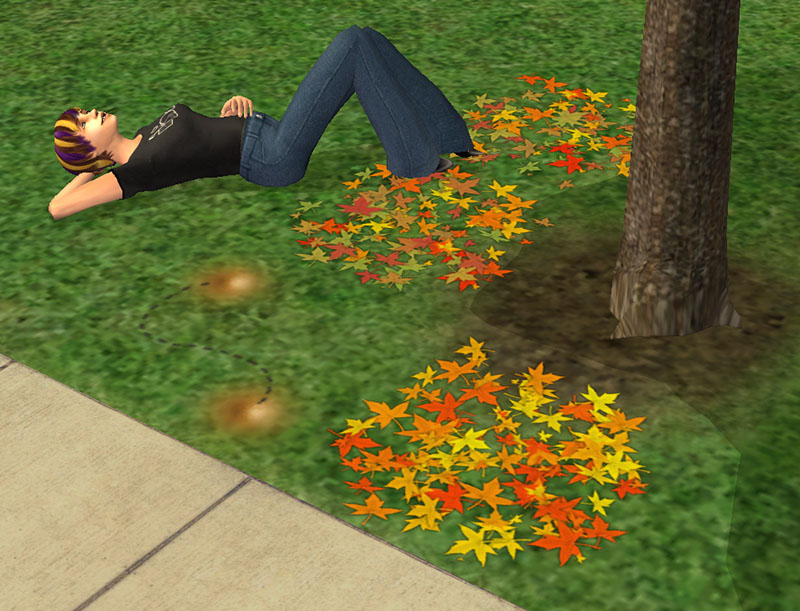
I've created some sidewalk drawings for your sim kids to claim as their own as well as some leaves and some animated marching ants!
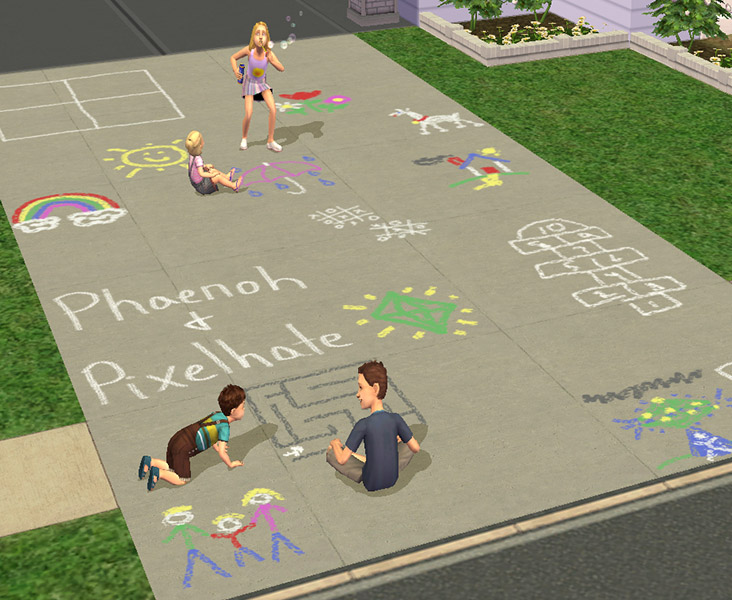
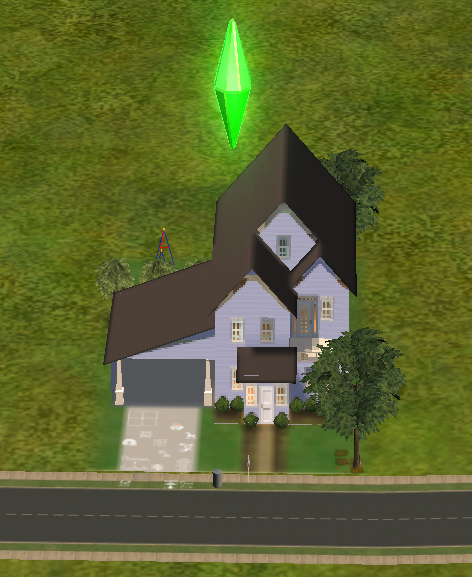
These wonderful little overlays are even visible from the neighborhood!
Now, you might have some slight difficulties at first figuring out how to pick these overlays back up or use the recolor tool on them. They are ONLY clickable in the center. See the mesh picture included at the bottom. This was done so you can still direct sims to 'Walk To' over the texture in case you completely cover your room with them. This isn't too likely with my recolors, but it is with Pixelhates'. The clickable space is large enough that once you know where it is, it's not that finicky. I didn't have any trouble with them and hopefully you won't either, now that you know about this silly little caveat.
The meshes have the textures with our names on them. DO NOT DELETE the mesh! It won't work without that one! All other packages can be deleted as you like with no consequence.
Change in policy for these meshes only: YES you may include the mesh in your lot upload! I usually do not allow this in case I want to update the mesh, but I'm pretty sure that this one is good and done. Have at it! Recolor to your heart's content, but still do not include the mesh with your recolor upload.
Thanks!
-Phae
P.S. I love reading your comments and make sure you check out Pixelhate's recolors, they are wicked sweet!
Polygon Counts:
Both meshes:
Vertices: 8, Facecount: 4
Additional Credits:
Leesester, Q, and the rest of #create who kept me going on this project.
Echo and Lethe who made the predecessors of these floor overlays.
I've created some sidewalk drawings for your sim kids to claim as their own as well as some leaves and some animated marching ants!
These wonderful little overlays are even visible from the neighborhood!
Now, you might have some slight difficulties at first figuring out how to pick these overlays back up or use the recolor tool on them. They are ONLY clickable in the center. See the mesh picture included at the bottom. This was done so you can still direct sims to 'Walk To' over the texture in case you completely cover your room with them. This isn't too likely with my recolors, but it is with Pixelhates'. The clickable space is large enough that once you know where it is, it's not that finicky. I didn't have any trouble with them and hopefully you won't either, now that you know about this silly little caveat.
The meshes have the textures with our names on them. DO NOT DELETE the mesh! It won't work without that one! All other packages can be deleted as you like with no consequence.
Change in policy for these meshes only: YES you may include the mesh in your lot upload! I usually do not allow this in case I want to update the mesh, but I'm pretty sure that this one is good and done.
 Have at it! Recolor to your heart's content, but still do not include the mesh with your recolor upload.
Thanks!
-Phae
P.S. I love reading your comments and make sure you check out Pixelhate's recolors, they are wicked sweet!
Polygon Counts:
Both meshes:
Vertices: 8, Facecount: 4
Additional Credits:
Leesester, Q, and the rest of #create who kept me going on this project.
Echo and Lethe who made the predecessors of these floor overlays.
This is a new mesh, and means that it's a brand new self contained object that usually does not require a specific Pack (although this is possible depending on the type). It may have Recolours hosted on MTS - check below for more information.
| Filename | Size | Downloads | Date | |||||
|
Phaenoh_NatureRecolors.rar
| Leaves and Marching Ants
Size: 156.7 KB · Downloads: 34,792 · 13th Aug 2009 |
156.7 KB | 34,792 | 13th Aug 2009 | |||||
|
Phaenoh_ChalkRecolors.rar
| Chalk recolors for both meshes
Size: 307.8 KB · Downloads: 41,510 · 13th Aug 2009 |
307.8 KB | 41,510 | 13th Aug 2009 | |||||
|
Phaenoh_FloorOverlay2x2MESH.rar
Size: 40.6 KB · Downloads: 46,895 · 13th Aug 2009 |
40.6 KB | 46,895 | 13th Aug 2009 | |||||
|
Phaenoh_FloorOverlay1x1MESH.rar
Size: 38.2 KB · Downloads: 50,271 · 13th Aug 2009 |
38.2 KB | 50,271 | 13th Aug 2009 | |||||
| For a detailed look at individual files, see the Information tab. | ||||||||
Key:
- - File was updated after upload was posted
Install Instructions
Basic Download and Install Instructions:
1. Download: Click the download link to save the .rar or .zip file(s) to your computer.
2. Extract the zip, rar, or 7z file.
3. Place in Downloads Folder: Cut and paste the .package file(s) into your Downloads folder:
1. Download: Click the download link to save the .rar or .zip file(s) to your computer.
2. Extract the zip, rar, or 7z file.
3. Place in Downloads Folder: Cut and paste the .package file(s) into your Downloads folder:
- Origin (Ultimate Collection): Users\(Current User Account)\Documents\EA Games\The Sims™ 2 Ultimate Collection\Downloads\
- Non-Origin, Windows Vista/7/8/10: Users\(Current User Account)\Documents\EA Games\The Sims 2\Downloads\
- Non-Origin, Windows XP: Documents and Settings\(Current User Account)\My Documents\EA Games\The Sims 2\Downloads\
- Mac: Users\(Current User Account)\Documents\EA Games\The Sims 2\Downloads
- Mac x64: /Library/Containers/com.aspyr.sims2.appstore/Data/Library/Application Support/Aspyr/The Sims 2/Downloads
- For a full, complete guide to downloading complete with pictures and more information, see: Game Help: Downloading for Fracking Idiots.
- Custom content not showing up in the game? See: Game Help: Getting Custom Content to Show Up.
- If you don't have a Downloads folder, just make one. See instructions at: Game Help: No Downloads Folder.
Recolours of this mesh
There are 6 recolours of this mesh on MTS:
Also Thanked - Users who thanked this download also thanked:
Packs Needed
None, this is Sims 2 base game compatible!
Other Information
Style:
– Childrens
: Childs furniture or objects
Room:
– Outdoor
Maxis Flags:
– Not Applicable
Tags
#floor overlay, #sidewalk chalk, #drawings, #kids, #leaves, #ants, #hopscotch, #plumbob, #rug
Blurb and Updatez:
- Please don't reupload my work anywhere else. Just point them back here, I'm not going anywhere! :)
- Please ask permission before using my work as a base for your project. I almost always say 'yes' and often times I will help you with your project! :bunny:
- If you make something (like a story or a video) and it has something of mine in it, send me the link, I love to see my stuff 'in action'!
- Sadly, but honestly, I can't take on requests. You can ask if it's something already related to one of my current projects, but I'm not likely to take on your project for you. MTS has lots of wonderful tutorials ;)
More Downloads BETA
Here are some more of my downloads: