
 Sign in to Mod The Sims
 Gravel & Grass – With Sandstone Pavers! Outdoors Flooring
 Gravel & Grass – With Sandstone Pavers! Outdoors Flooring
MTS has all free content, all the time. Donate to help keep it running.
SCREENSHOTS
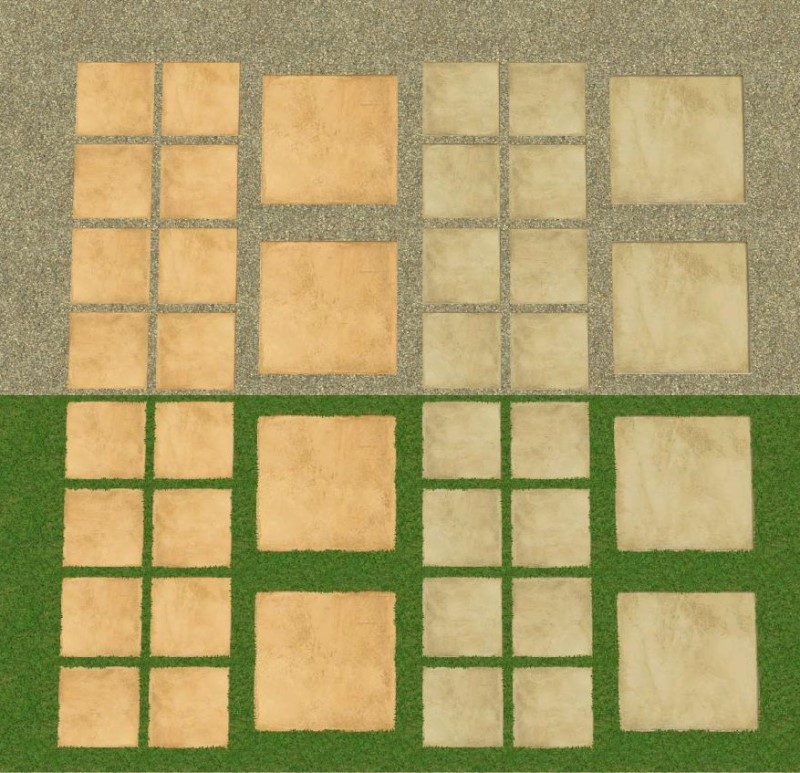
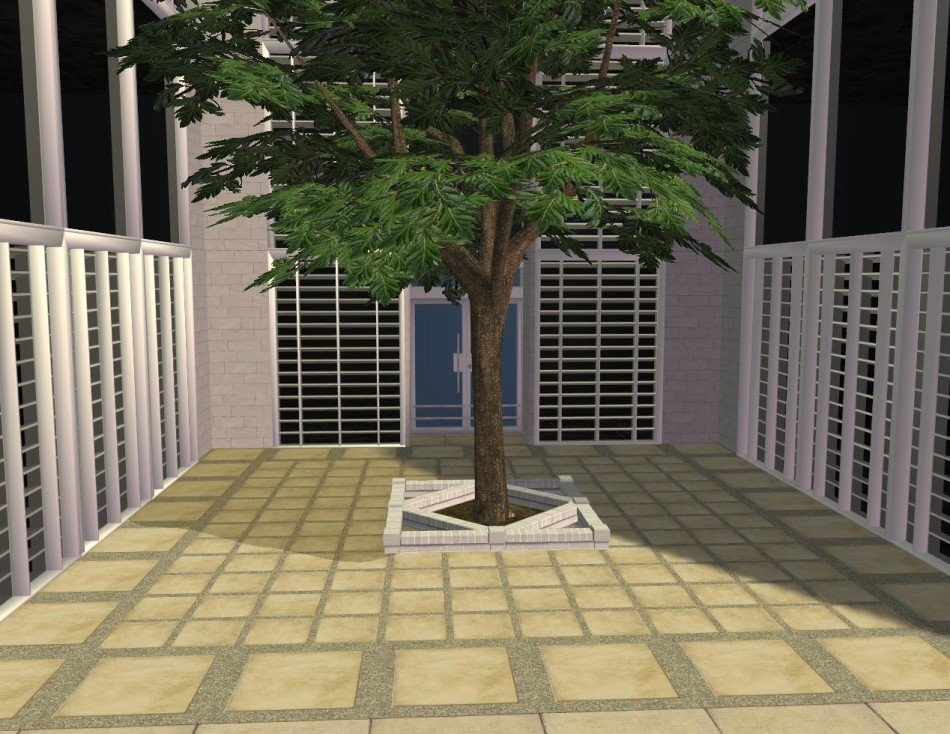


Grass&Gravel.jpg - width=800 height=773
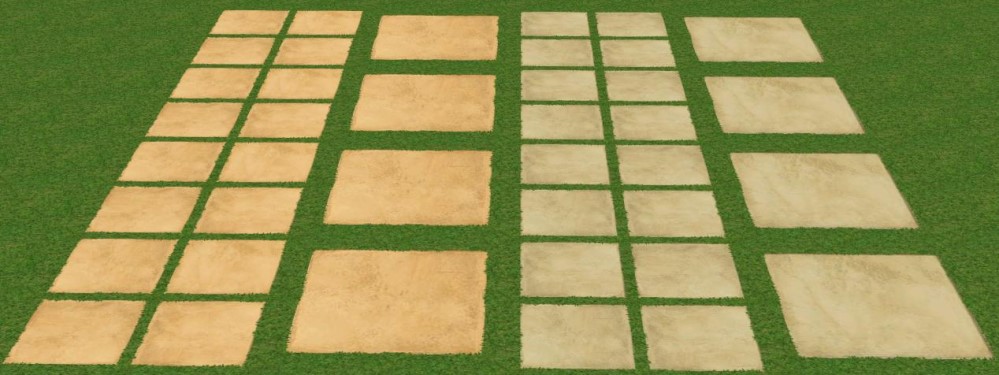
SandstoneGrassVarieties.jpg - width=999 height=375
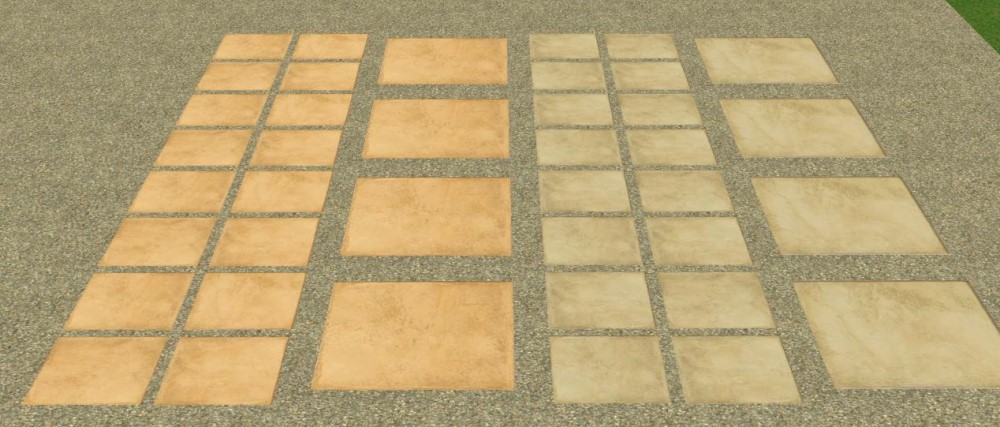
SandstoneGravelVarieties.jpg - width=1000 height=427
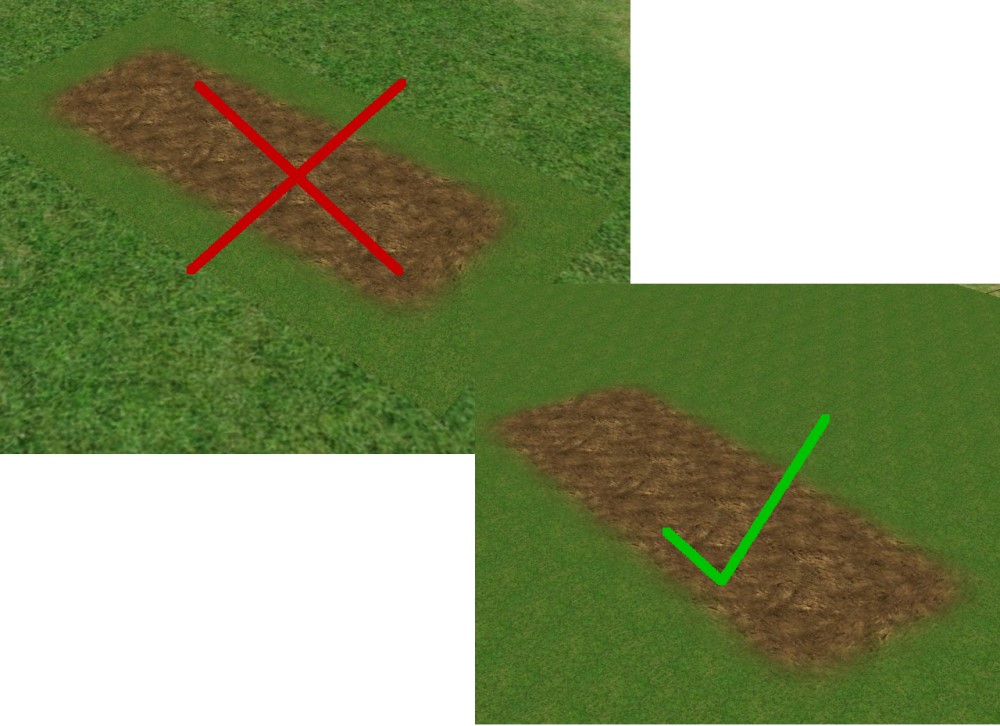
GardenGrass.jpg - width=1000 height=726
LightSandstoneGravel.jpg - width=950 height=734
SmallerLightSandstoneGrass.jpg - width=950 height=734
Sims2ep9 2009-09-29 22-07-29-96.jpg - width=999 height=479
Picked Upload!
This is a picked upload! It showcases some of the best talent and creativity available on MTS and in the community.

I really like pavers with things like gravel/pebbles or grass in between them, so I decided to make some. I used the original Maxis Sandstone Fantasy flooring, as well as my lighter recolor of that flooring here. I thought sandstone suited this application best, but if you like another Maxis flooring and think it would look good too, let me know and I might consider having a go at it. 
This set contains:
- Tinier version of Maxis’ Tiny Pebbles floor (gravel) – found in misc, cost 4 simoleons
- 4 varieties (2 sizes, 2 colours) of sandstone pavers with gravel – found in the stone category, cost 5 simoleons
- Grass – found in misc, cost 6 simoleons
- 4 varieties (2 sizes, 2 colours) of sandstone pavers with grass – found in the stone category, cost 5 simoleons.
I made the grass to match the grass Maxis made to border garden beds in Seasons. It always kind of annoyed me that there was no plain grass to put around it. Note: The original border pieces had no footstep “sound” to them but this grass has the “carpet” sound – simply because HomeCrafter wouldn’t let me leave the sound field empty. *Please note that this is a flooring, not a terrain paint.* Anyway, it will look funny covering an entire lot so it would be best in a fenced-in area. Hopefully it will be of some use.
Hope you enjoy them!
Additional Credits:
Maxis, MTS

This set contains:
- Tinier version of Maxis’ Tiny Pebbles floor (gravel) – found in misc, cost 4 simoleons
- 4 varieties (2 sizes, 2 colours) of sandstone pavers with gravel – found in the stone category, cost 5 simoleons
- Grass – found in misc, cost 6 simoleons
- 4 varieties (2 sizes, 2 colours) of sandstone pavers with grass – found in the stone category, cost 5 simoleons.
I made the grass to match the grass Maxis made to border garden beds in Seasons. It always kind of annoyed me that there was no plain grass to put around it. Note: The original border pieces had no footstep “sound” to them but this grass has the “carpet” sound – simply because HomeCrafter wouldn’t let me leave the sound field empty.
 *Please note that this is a flooring, not a terrain paint.* Anyway, it will look funny covering an entire lot so it would be best in a fenced-in area. Hopefully it will be of some use.
Hope you enjoy them!
Additional Credits:
Maxis, MTS
| Filename | Size | Downloads | Date | |||||
|
Grass&Gravel.rar
Size: 296.6 KB · Downloads: 6,607 · 29th Sep 2009 |
296.6 KB | 6,607 | 29th Sep 2009 | |||||
| For a detailed look at individual files, see the Information tab. | ||||||||
Key:
- - File was updated after upload was posted
Install Instructions
Basic Download and Install Instructions:
1. Download: Click the download link to save the .rar or .zip file(s) to your computer.
2. Extract the zip, rar, or 7z file.
3. Place in Downloads Folder: Cut and paste the .package file(s) into your Downloads folder:
1. Download: Click the download link to save the .rar or .zip file(s) to your computer.
2. Extract the zip, rar, or 7z file.
3. Place in Downloads Folder: Cut and paste the .package file(s) into your Downloads folder:
- Origin (Ultimate Collection): Users\(Current User Account)\Documents\EA Games\The Sims™ 2 Ultimate Collection\Downloads\
- Non-Origin, Windows Vista/7/8/10: Users\(Current User Account)\Documents\EA Games\The Sims 2\Downloads\
- Non-Origin, Windows XP: Documents and Settings\(Current User Account)\My Documents\EA Games\The Sims 2\Downloads\
- Mac: Users\(Current User Account)\Documents\EA Games\The Sims 2\Downloads
- Mac x64: /Library/Containers/com.aspyr.sims2.appstore/Data/Library/Application Support/Aspyr/The Sims 2/Downloads
- For a full, complete guide to downloading complete with pictures and more information, see: Game Help: Downloading for Fracking Idiots.
- Custom content not showing up in the game? See: Game Help: Getting Custom Content to Show Up.
- If you don't have a Downloads folder, just make one. See instructions at: Game Help: No Downloads Folder.
Also Thanked - Users who thanked this download also thanked:
About Me
-My Policy-
Houses - Do what you like with them, just don't upload anywhere as your own! :o)
Walls, Floors and Recolours - Do what you like with them, too - just don't upload anywhere as your own. I'd love to see them used in your uploaded lots here on MTS. :D
Before you comment on any of my houses asking if the expansion packs are really required, please read MTS2:Creator Guidelines/Compatibility!
Houses - Do what you like with them, just don't upload anywhere as your own! :o)
Walls, Floors and Recolours - Do what you like with them, too - just don't upload anywhere as your own. I'd love to see them used in your uploaded lots here on MTS. :D
Before you comment on any of my houses asking if the expansion packs are really required, please read MTS2:Creator Guidelines/Compatibility!
More Downloads BETA
Here are some more of my downloads: