
 Sign in to Mod The Sims
 Geisha Beauty Tattoo Set
 Geisha Beauty Tattoo Set
MTS has all free content, all the time. Donate to help keep it running.
SCREENSHOTS


geisha1.jpg - width=1000 height=527
geisha2.jpg - width=851 height=716
geisha3.jpg - width=1000 height=591

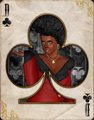
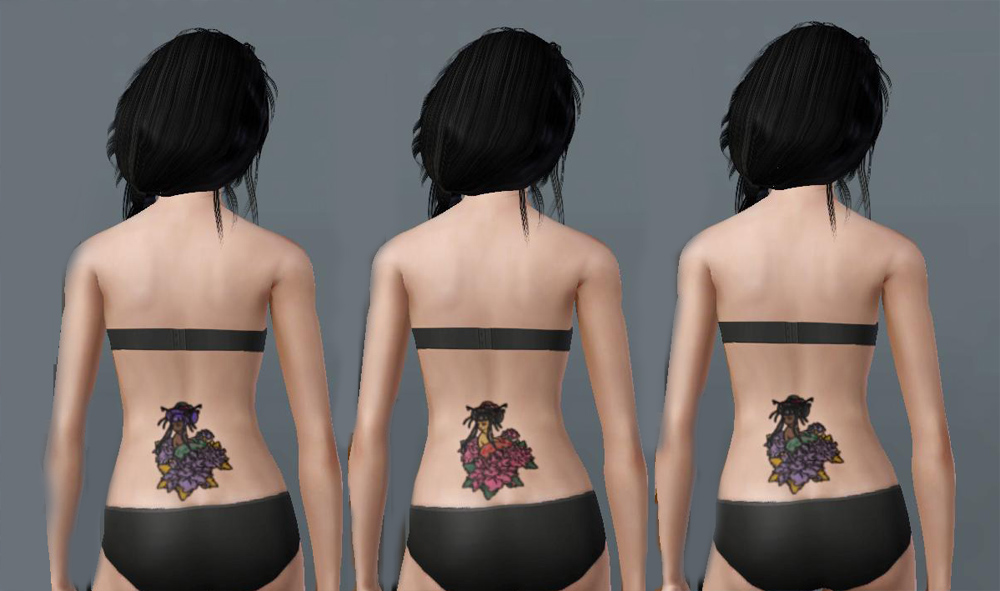
For the longest time I've had this beautiful Geisha image sitting on my hard drive. I've always wanted to convert it to a tattoo, but due to the four color channel limitations I was never able to quite get it how I wanted it. But, thanks to Ambition's new tattoo system, I was finally able to put that image to some use!
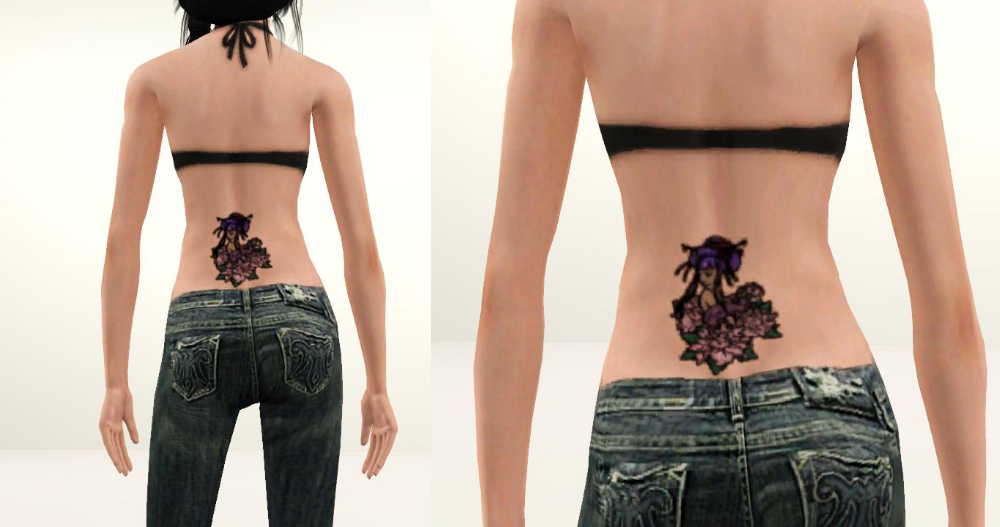
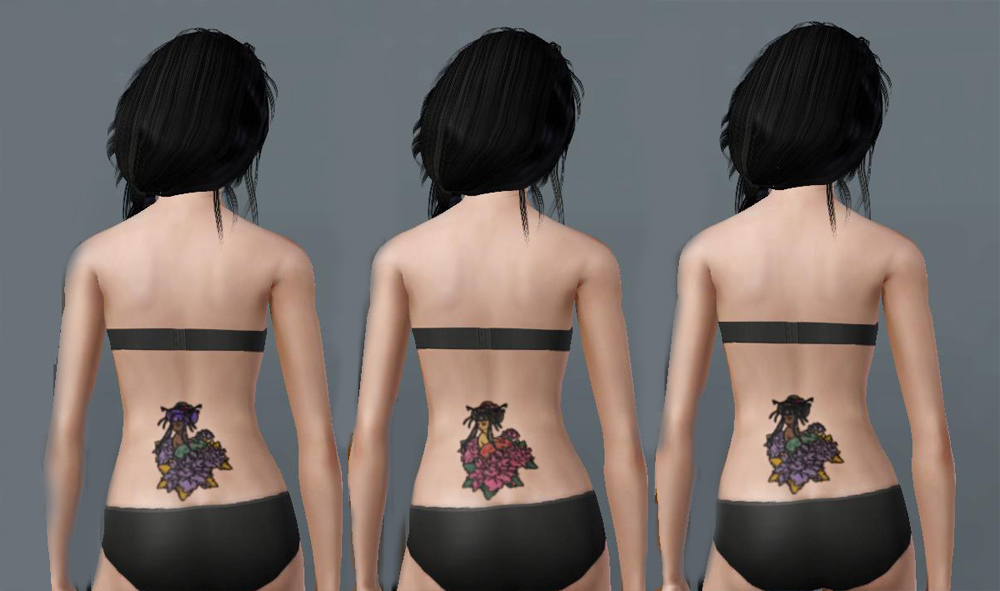
Note: The in-game pics are a tad crunchy due to the way my machine rendered the graphics. However, please see the CAS shots for better details.
This geisha tattoo is actually *four* tattoos layered together. This allowed me to give full customization to the tattoo and preserve the tiny details.
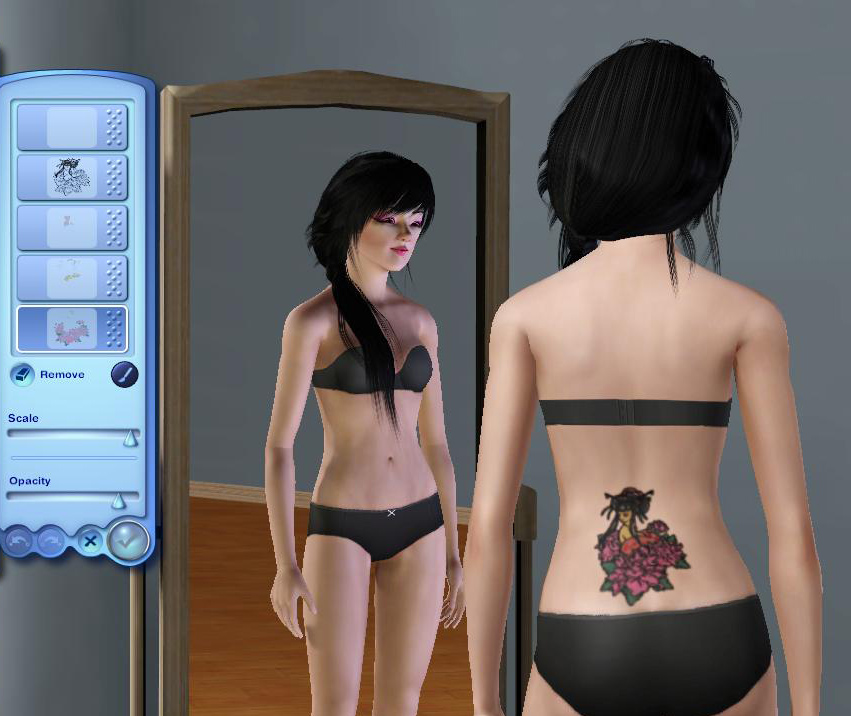
There are a total of 12 different recolorable areas. Some are so tiny that you can't see a difference in CAS, so I'll list the areas for you, from bottom to top layer.
Bottom Layer
-Flowers/Eye Shadow
-Leaves/Stem
-Flowers on Head Piece
Second Layer
-Wrap/Head Piece
-Beads
-Chop Sticks
Third Layer
-Skin
-Lipstick
-Eyes
Top Layer
-Hair
-Hair Shine
-Tattoo Outline
In order to use this custom tattoo you MUST have Ambitions installed! If you have just patch 1.12, but not Ambitions, the tattoo will not show up for you.
This tattoo will function just like the EA tattoos do, which means they are available for male/female teens - elder.
Additional Credits:
I found the Geisha image here. The original creator is not listed, but it's a free site and I saw no copy right.
Hair by XM Sims
Note: The in-game pics are a tad crunchy due to the way my machine rendered the graphics. However, please see the CAS shots for better details.
This geisha tattoo is actually *four* tattoos layered together. This allowed me to give full customization to the tattoo and preserve the tiny details.
There are a total of 12 different recolorable areas. Some are so tiny that you can't see a difference in CAS, so I'll list the areas for you, from bottom to top layer.
Bottom Layer
-Flowers/Eye Shadow
-Leaves/Stem
-Flowers on Head Piece
Second Layer
-Wrap/Head Piece
-Beads
-Chop Sticks
Third Layer
-Skin
-Lipstick
-Eyes
Top Layer
-Hair
-Hair Shine
-Tattoo Outline
In order to use this custom tattoo you MUST have Ambitions installed! If you have just patch 1.12, but not Ambitions, the tattoo will not show up for you.
This tattoo will function just like the EA tattoos do, which means they are available for male/female teens - elder.
Additional Credits:
I found the Geisha image here. The original creator is not listed, but it's a free site and I saw no copy right.
Hair by XM Sims
| Filename | Size | Downloads | Date | |||||
|
Geisha Tattoo Set.rar
Size: 523.3 KB · Downloads: 8,653 · 23rd Jun 2010 |
523.3 KB | 8,653 | 23rd Jun 2010 | |||||
| For a detailed look at individual files, see the Information tab. | ||||||||
Key:
- - File was updated after upload was posted
Install Instructions
Quick Guide:
1. Click the file listed on the Files tab to download the file to your computer.
2. Extract the zip, rar, or 7z file. Now you will have either a .package or a .sims3pack file.
For Package files:
1. Cut and paste the file into your Documents\Electronic Arts\The Sims 3\Mods\Packages folder. If you do not already have this folder, you should read the full guide to Package files first: Sims 3:Installing Package Fileswiki, so you can make sure your game is fully patched and you have the correct Resource.cfg file.
2. Run the game, and find your content where the creator said it would be (build mode, buy mode, Create-a-Sim, etc.).
For Sims3Pack files:
1. Cut and paste it into your Documents\Electronic Arts\The Sims 3\Downloads folder. If you do not have this folder yet, it is recommended that you open the game and then close it again so that this folder will be automatically created. Then you can place the .sims3pack into your Downloads folder.
2. Load the game's Launcher, and click on the Downloads tab. Find the item in the list and tick the box beside it. Then press the Install button below the list.
3. Wait for the installer to load, and it will install the content to the game. You will get a message letting you know when it's done.
4. Run the game, and find your content where the creator said it would be (build mode, buy mode, Create-a-Sim, etc.).
Extracting from RAR, ZIP, or 7z: You will need a special program for this. For Windows, we recommend 7-Zip and for Mac OSX, we recommend Keka. Both are free and safe to use.
Need more help?
If you need more info, see:
1. Click the file listed on the Files tab to download the file to your computer.
2. Extract the zip, rar, or 7z file. Now you will have either a .package or a .sims3pack file.
For Package files:
1. Cut and paste the file into your Documents\Electronic Arts\The Sims 3\Mods\Packages folder. If you do not already have this folder, you should read the full guide to Package files first: Sims 3:Installing Package Fileswiki, so you can make sure your game is fully patched and you have the correct Resource.cfg file.
2. Run the game, and find your content where the creator said it would be (build mode, buy mode, Create-a-Sim, etc.).
For Sims3Pack files:
1. Cut and paste it into your Documents\Electronic Arts\The Sims 3\Downloads folder. If you do not have this folder yet, it is recommended that you open the game and then close it again so that this folder will be automatically created. Then you can place the .sims3pack into your Downloads folder.
2. Load the game's Launcher, and click on the Downloads tab. Find the item in the list and tick the box beside it. Then press the Install button below the list.
3. Wait for the installer to load, and it will install the content to the game. You will get a message letting you know when it's done.
4. Run the game, and find your content where the creator said it would be (build mode, buy mode, Create-a-Sim, etc.).
Extracting from RAR, ZIP, or 7z: You will need a special program for this. For Windows, we recommend 7-Zip and for Mac OSX, we recommend Keka. Both are free and safe to use.
Need more help?
If you need more info, see:
- For package files: Sims 3:Installing Package Fileswiki
- For Sims3pack files: Game Help:Installing TS3 Packswiki
Also Thanked - Users who thanked this download also thanked:
Packs Needed
Other Information
Maxis Flags:
– AmbTattoo
: Ambitions Tattoos
Tags
Packs Needed
| Base Game | |
|---|---|
 | Sims 3 |
| Expansion Pack | |
|---|---|
 | Ambitions |
Awesome to the tenth power...squared.
Want to convert one of my TS3 creations to TS4? Go right ahead! Just please credit me for the original texture/mesh.
MY INBOX IS DISABLED. I WILL NOT RECEIVE ANY PMS.
Because my policy is really inconsistent on my uploads, I've decided to make an official policy! So whatever you see here on my profile is my current policy. You may disregard any ''policy'' information you see on the actual upload itself.
-You may use my creations with sims
-You may use my objects with lots.
-You may retexture my meshes.
-You may include my meshes with retextures.
-You may NOT upload my creations with sims
-You may NOT upload my objects with lots.
-You may NOT upload my creations to paysites.
-You may NOT upload my creations to the exchange.
-Always credit me with a link
-I do NOT take requests!
More Downloads BETA
Here are some more of my downloads: