
 Sign in to Mod The Sims
 Wall/Floor Hider
 Wall/Floor Hider
MTS has all free content, all the time. Donate to help keep it running.
SCREENSHOTS
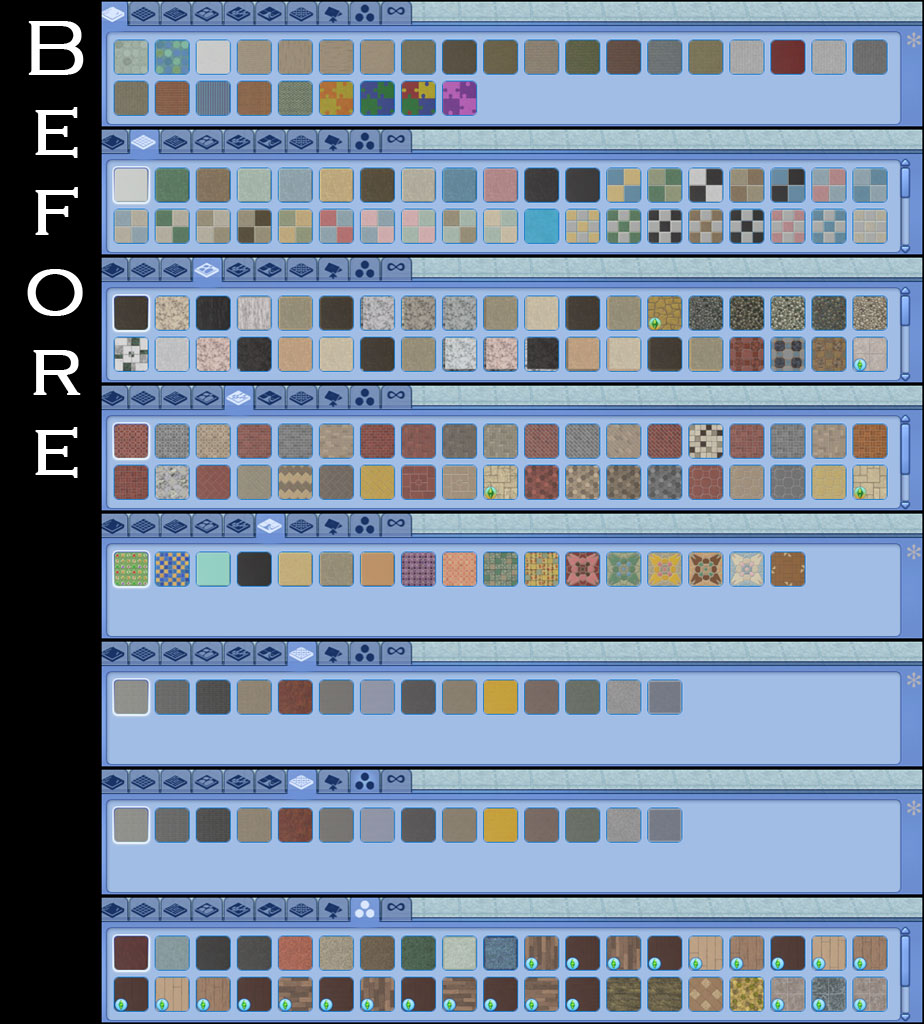
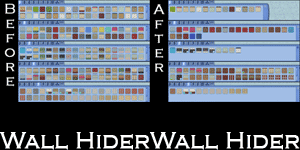
floorsBefore.jpg - width=924 height=1024
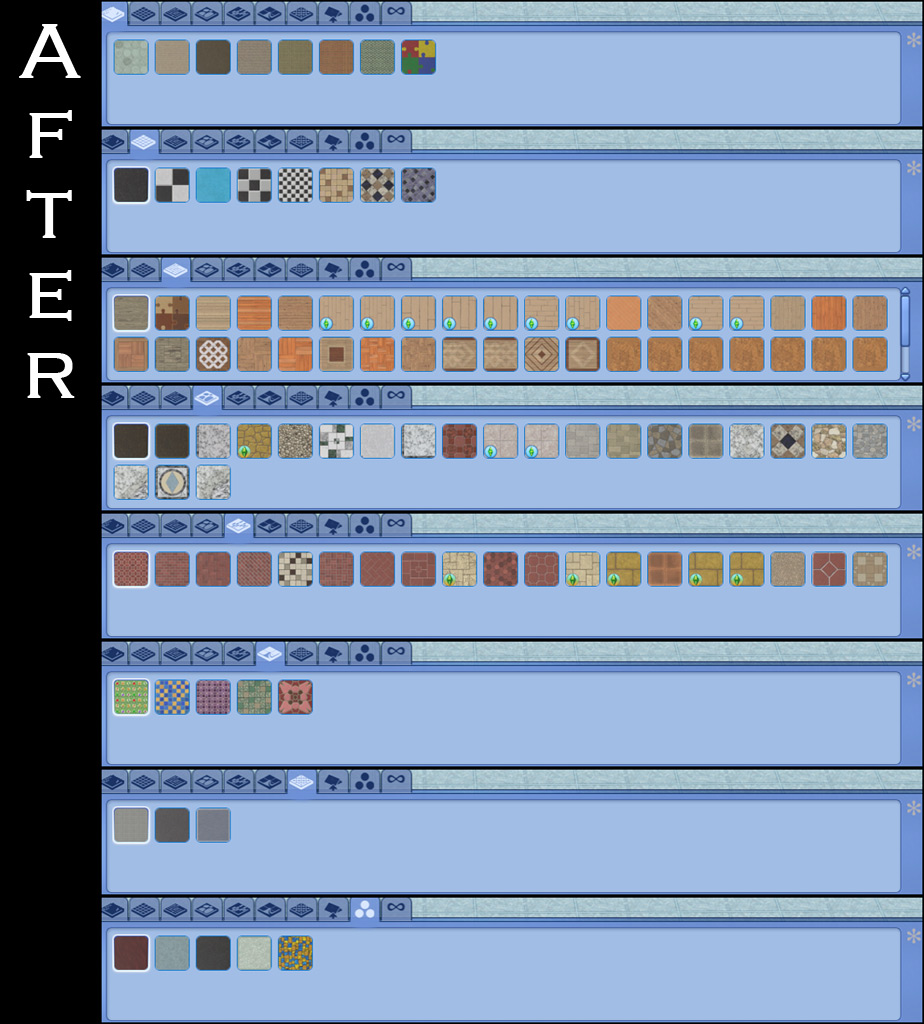
floorsAfter.jpg - width=924 height=1024
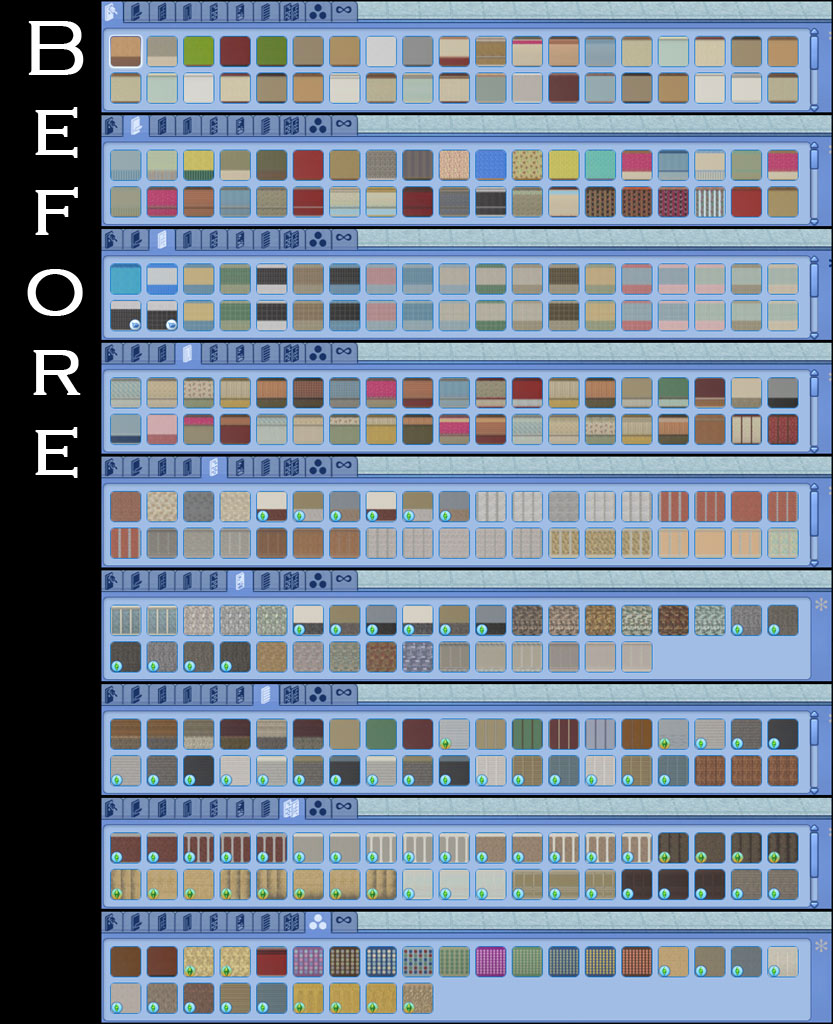
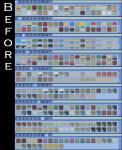
wallsBefore.jpg - width=833 height=1024
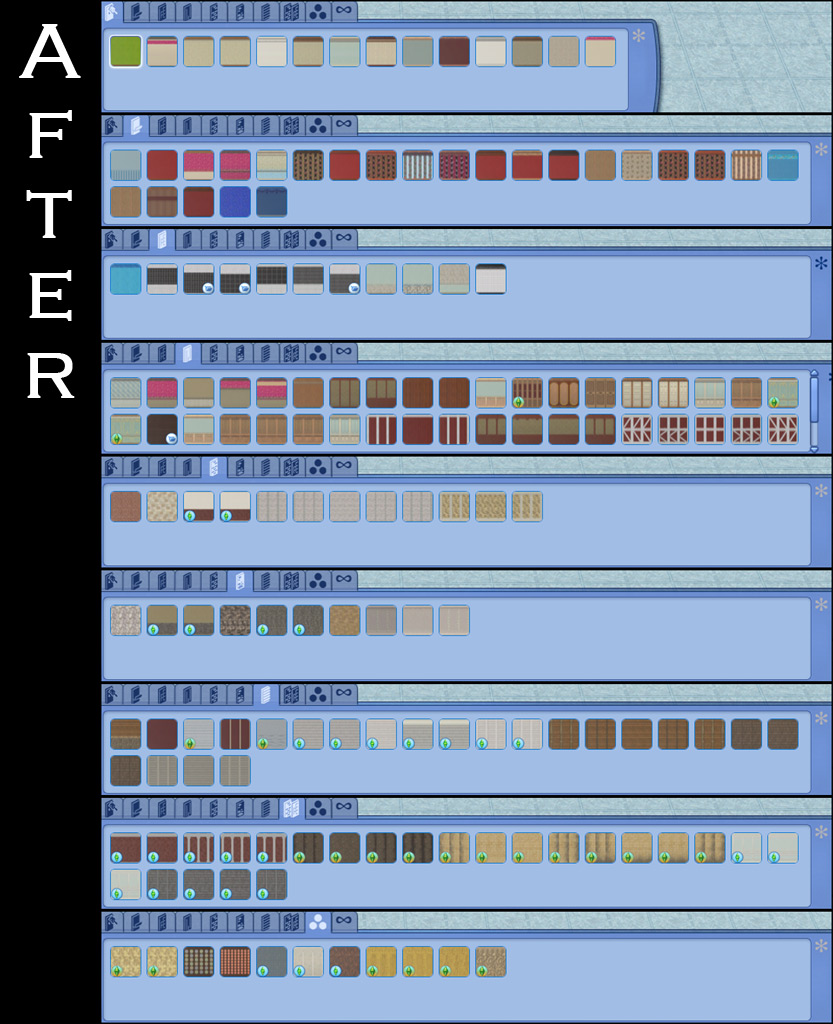
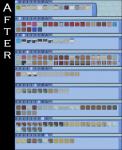
wallsAfter.jpg - width=833 height=1024


Uploaded: 21st Sep 2010 at 1:39 AM
Updated: 26th Jun 2012 at 3:20 PM
Updated: 26th Jun 2012 at 3:20 PM
Basically EA gave us recolors of each wall template and filled up the catalog to make it look like we have more than what we really do. Why?! This is rather redundant when we have the ability to CAST everything. I got very tired of scrolling through recolors to get a different wall style. So after much experimentation I found I could not simply disable all presets for walls/floors from showing in the catalog and still be available when using CAST to recolor. So the next best thing was to simply remove all but one preset from each wall/floor.
Each wall/floor now has just one preset. For most of them it is simply the first preset that was saved, but some I was a bit more discerning. For example, I used the black/white tile preset (3rd one) for wall tiles since it was a neutral color and common to all the tile walls as well as the floor. For all the wood floors I chose natural woods and made each style have the same colors. I avoided anything really dark or worn, as you can easily CAST these. In some cases the colors were chosen based on matching presets for other floors/walls. You can still recolor and save your own presets.
-Reorganizing-
EP2 also had some wood floors that were listed as Other when they should have been wood, these have been recategorized. There was also a siding categorized as Other and has been recategorized as Siding to go with the other two matching sidings.
-Compatibility-
There are two separate files, one for base game and one for Ambitions. There isn't one for World Adventures because the walls that came with that EP didn't have recolors. If you don't have EP2 then don't download the file, it won't make the walls show up for you. =) You MUST have the one for Base game. Each hider is/will be packaged for EACH EP/SP and are not combined.
This edits the CWAL resource so any other mod that edits these will interfere.
NOTE: There is one wall in wallpaper/paint that still has all the presets. This is because of an issue with the resource and none of the tools can read it.
Each wall/floor now has just one preset. For most of them it is simply the first preset that was saved, but some I was a bit more discerning. For example, I used the black/white tile preset (3rd one) for wall tiles since it was a neutral color and common to all the tile walls as well as the floor. For all the wood floors I chose natural woods and made each style have the same colors. I avoided anything really dark or worn, as you can easily CAST these. In some cases the colors were chosen based on matching presets for other floors/walls. You can still recolor and save your own presets.


-Reorganizing-
EP2 also had some wood floors that were listed as Other when they should have been wood, these have been recategorized. There was also a siding categorized as Other and has been recategorized as Siding to go with the other two matching sidings.
-Compatibility-
There are two separate files, one for base game and one for Ambitions. There isn't one for World Adventures because the walls that came with that EP didn't have recolors. If you don't have EP2 then don't download the file, it won't make the walls show up for you. =) You MUST have the one for Base game. Each hider is/will be packaged for EACH EP/SP and are not combined.
This edits the CWAL resource so any other mod that edits these will interfere.
NOTE: There is one wall in wallpaper/paint that still has all the presets. This is because of an issue with the resource and none of the tools can read it.
| Filename | Size | Downloads | Date | |||||
|
HL_WallFloorHiderEP2.rar
Size: 11.7 KB · Downloads: 8,947 · 21st Sep 2010 |
11.7 KB | 8,947 | 21st Sep 2010 | |||||
|
HL_WallFloorHiderBASE.rar
Size: 73.0 KB · Downloads: 9,894 · 21st Sep 2010 |
73.0 KB | 9,894 | 21st Sep 2010 | |||||
| For a detailed look at individual files, see the Information tab. | ||||||||
Key:
- - File was updated after upload was posted
Install Instructions
Also Thanked - Users who thanked this download also thanked:
Packs Needed
None, this is Sims 3 base game compatible!
Other Information
Type:
– Maxis Content Hiders
– Maxis Content Recategorizers
Tags
About Me
Playing these games here.
More Downloads BETA
Here are some more of my downloads: