
 Sign in to Mod The Sims
 Black infanthair on Louis Skins
 Black infanthair on Louis Skins
MTS has all free content, all the time. Donate to help keep it running.
SCREENSHOTS
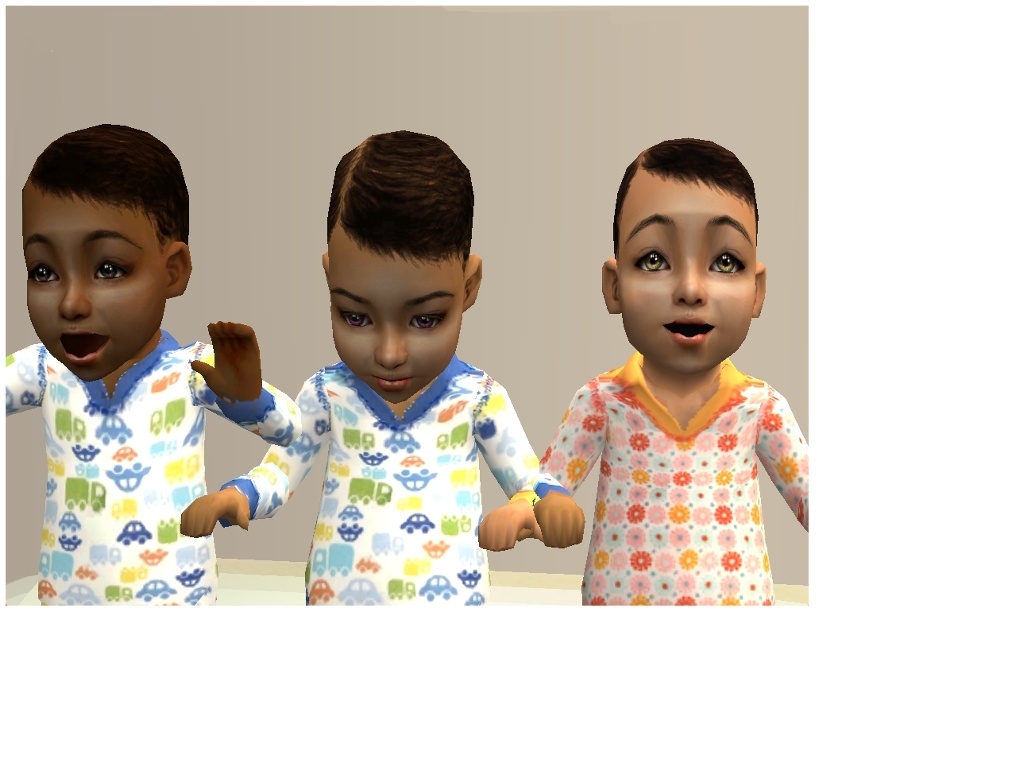
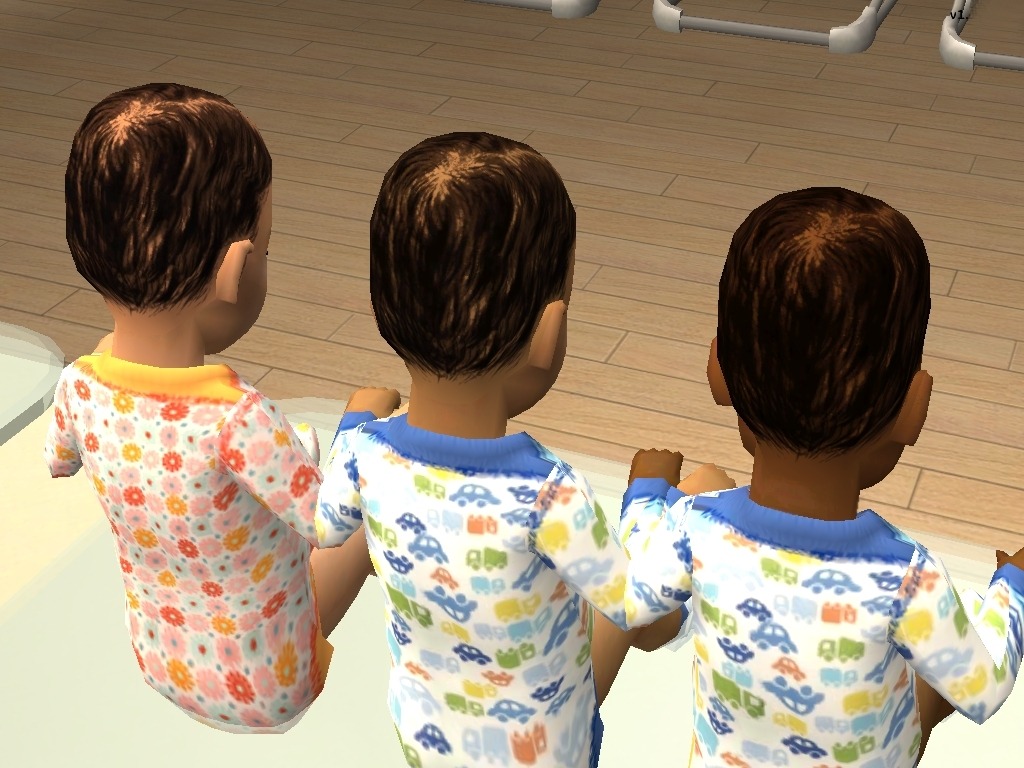
frontos.jpg - width=1024 height=768
Dark-DarkTan-Tan
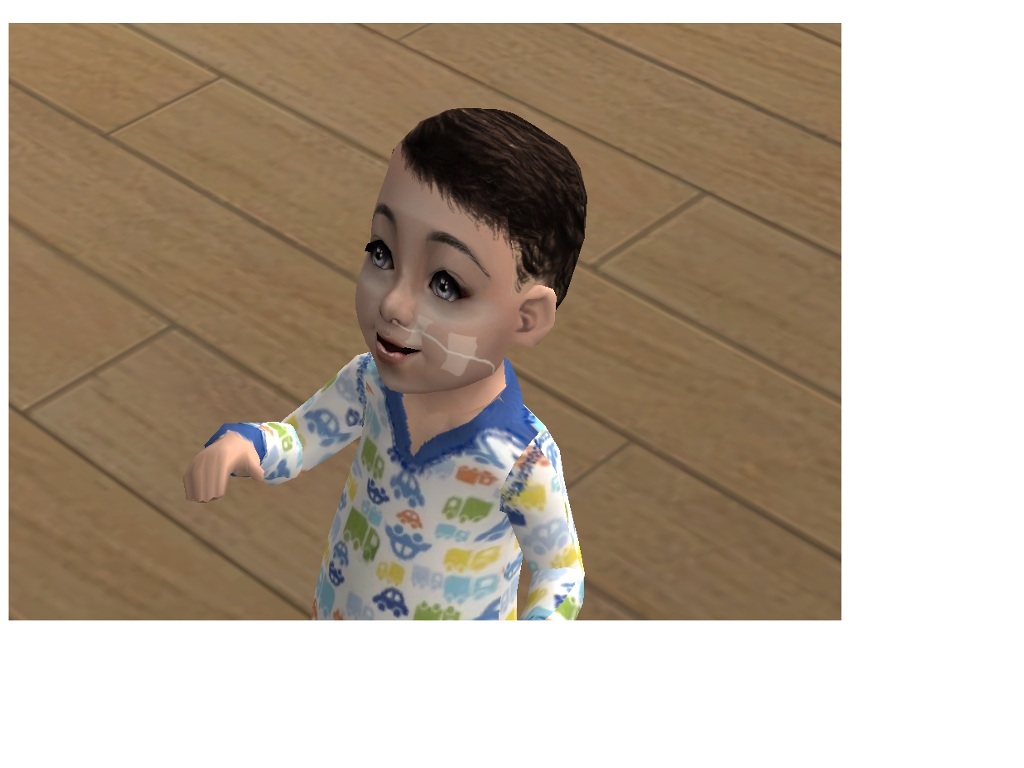
Naamloosboy wires oxygen.jpg - width=1024 height=768
Pale (with oxygentube)
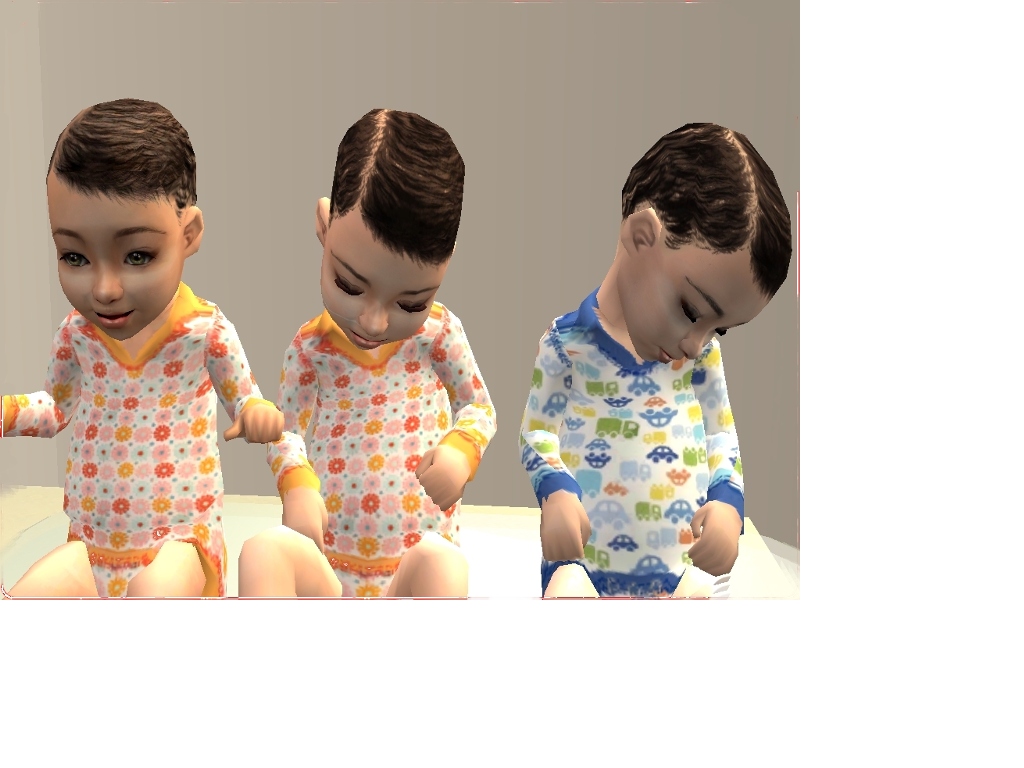
Screen07.JPG - width=1024 height=768
Medium-Light-Pale
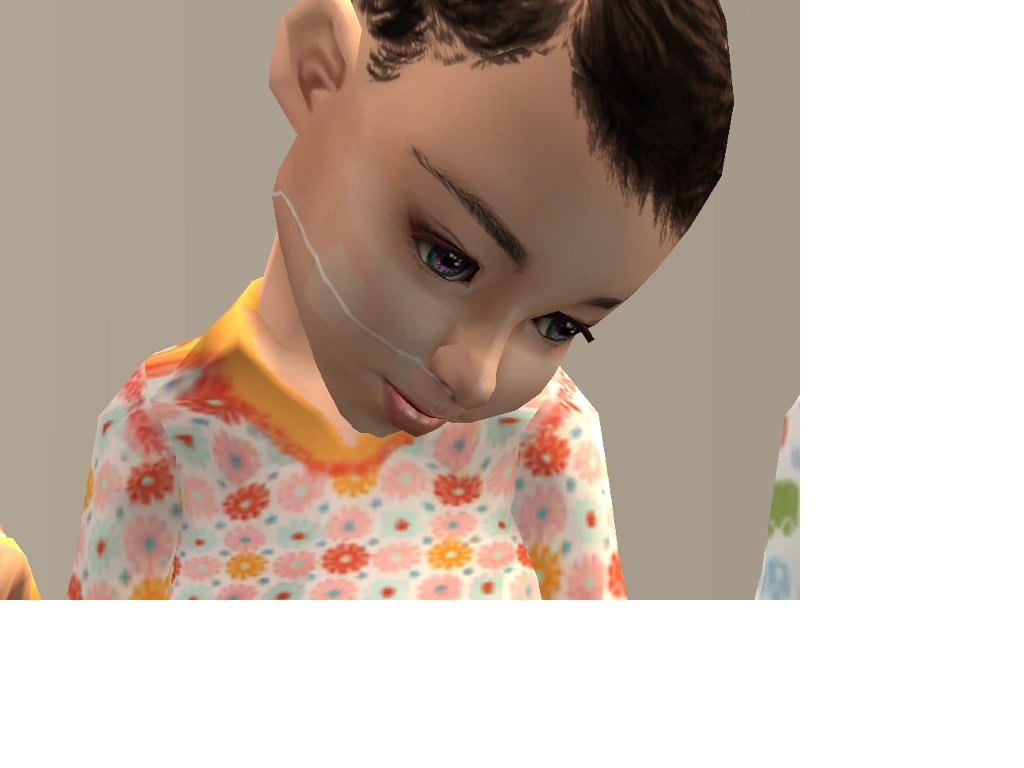
Screen10.JPG - width=1024 height=768
Light (with oxygentube)
Screen13.JPG - width=1024 height=768
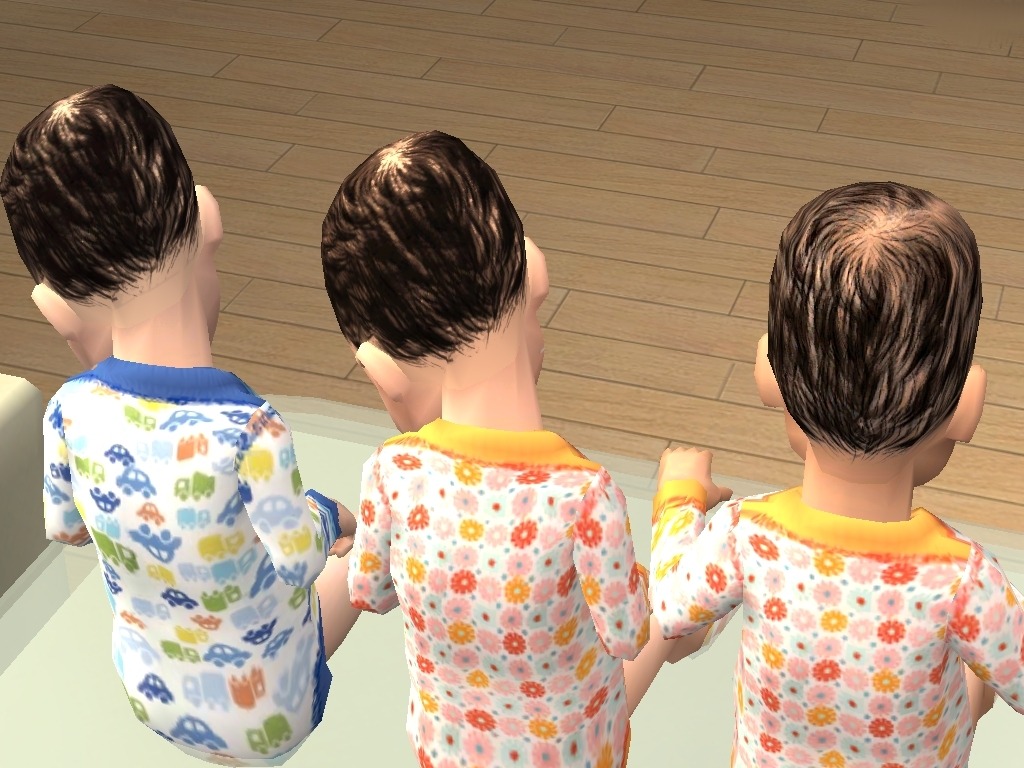
Tan-DarkTan-Dark
Screen15.JPG - width=1024 height=768
Pale-Light-Medium
Screen28.JPG - width=1024 height=768
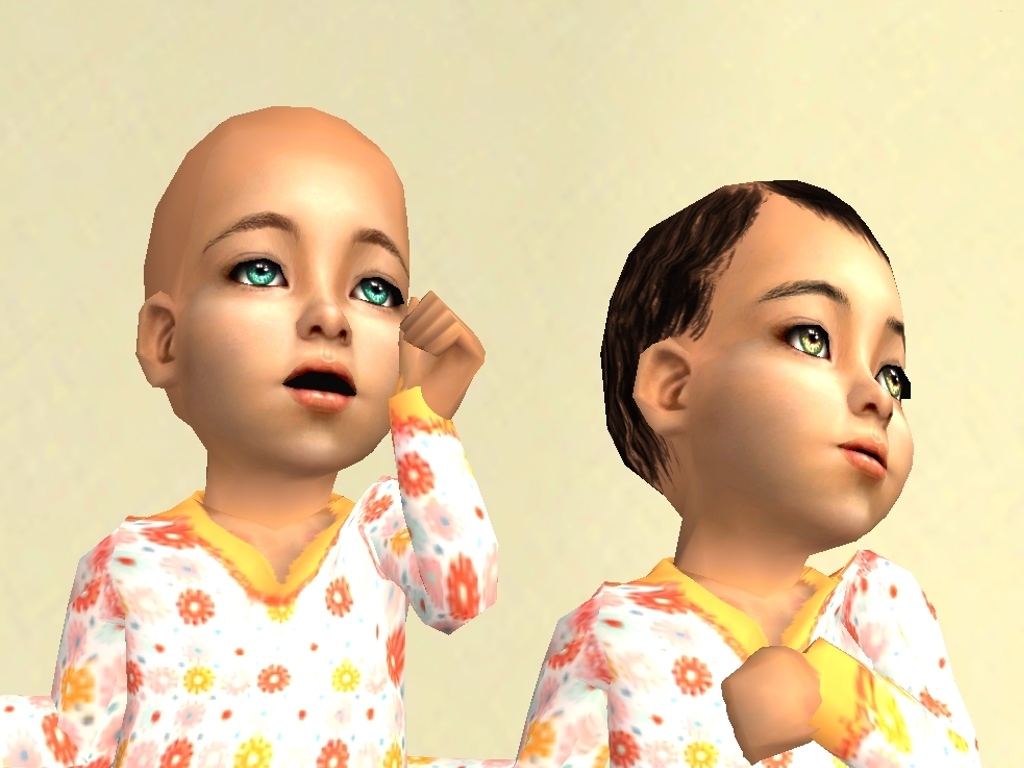
Left: Normal Louis skin, Right: Louis skin WITH infanthair.

I made a recolour of Louis skins after I saw Tenshii~Akari did such an awesome recolour of the Louis Medium skin. On the Insimenator forum Tenshii~Akari says she was also busy doing the others, but since I were not able to find them I did it myself. I only added infanthair, i didn't change anything else. I added infanthair on the following skins:
-Dark
-DarkTan
-Tan
-Light*
-Pale*
* On the Light and Pale skin I added oxygentubes as well as the black hair.

^As you can see here, the left one is one of the normal Louis' skins and the one on the right side is the one with infanthair.
(&) I added Tenshii~Akari Medium skin, but you can also download it here: http://www.insimenator.org/index.php/topic,75570.0.html
The oxygentubes and infantonesies are by TheRaven theyre from here:
Oxygentubes:http://www.insimenator.org/index.php/topic,87651.0.html
Onesies:http://moonlightdragon.freeforums.org/
And the normal un-edited Louis' skins here: http://nene.modthesims.info/download.php?t=206740
The Eyes I used for the baby's in the photo's are Yumedust's:http://nene.modthesims.info/download.php?t=265555
Additional Credits:
- tnx to Tenshii~Akari for the hair (and the idea)
- tnx to TheRaven for the infant oxygentubes and those lovely infantonesies .
.
- tnx to Ren for the skins
- tnx to Yumedust for the eyes
-Dark
-DarkTan
-Tan
-Light*
-Pale*
* On the Light and Pale skin I added oxygentubes as well as the black hair.
^As you can see here, the left one is one of the normal Louis' skins and the one on the right side is the one with infanthair.
(&) I added Tenshii~Akari Medium skin, but you can also download it here: http://www.insimenator.org/index.php/topic,75570.0.html
The oxygentubes and infantonesies are by TheRaven theyre from here:
Oxygentubes:http://www.insimenator.org/index.php/topic,87651.0.html
Onesies:http://moonlightdragon.freeforums.org/
And the normal un-edited Louis' skins here: http://nene.modthesims.info/download.php?t=206740
The Eyes I used for the baby's in the photo's are Yumedust's:http://nene.modthesims.info/download.php?t=265555
Additional Credits:
- tnx to Tenshii~Akari for the hair (and the idea)
- tnx to TheRaven for the infant oxygentubes and those lovely infantonesies
 .
.- tnx to Ren for the skins
- tnx to Yumedust for the eyes
This is a new mesh recolour, and means that you will need to download the particular mesh itself in order for this to show up in your game. See the Meshes Needed section or read the text for more information.
| Filename | Size | Downloads | Date | |||||
|
Pale.zip
Size: 6.81 MB · Downloads: 4,542 · 1st Dec 2010 |
6.81 MB | 4,542 | 1st Dec 2010 | |||||
|
Light.zip
Size: 6.46 MB · Downloads: 5,426 · 1st Dec 2010 |
6.46 MB | 5,426 | 1st Dec 2010 | |||||
|
Medium (by Tenshii~Akari).zip
Size: 6.82 MB · Downloads: 5,654 · 1st Dec 2010 |
6.82 MB | 5,654 | 1st Dec 2010 | |||||
|
Tan.zip
Size: 6.85 MB · Downloads: 5,096 · 1st Dec 2010 |
6.85 MB | 5,096 | 1st Dec 2010 | |||||
|
DarkTan.zip
Size: 6.74 MB · Downloads: 4,339 · 1st Dec 2010 |
6.74 MB | 4,339 | 1st Dec 2010 | |||||
|
Dark.zip
Size: 5.75 MB · Downloads: 4,625 · 1st Dec 2010 |
5.75 MB | 4,625 | 1st Dec 2010 | |||||
| For a detailed look at individual files, see the Information tab. | ||||||||
Key:
- - File was updated after upload was posted
Install Instructions
Basic Download and Install Instructions:
1. Download: Click the download link to save the .rar or .zip file(s) to your computer.
2. Extract the zip, rar, or 7z file.
3. Place in Downloads Folder: Cut and paste the .package file(s) into your Downloads folder:
1. Download: Click the download link to save the .rar or .zip file(s) to your computer.
2. Extract the zip, rar, or 7z file.
3. Place in Downloads Folder: Cut and paste the .package file(s) into your Downloads folder:
- Origin (Ultimate Collection): Users\(Current User Account)\Documents\EA Games\The Sims™ 2 Ultimate Collection\Downloads\
- Non-Origin, Windows Vista/7/8/10: Users\(Current User Account)\Documents\EA Games\The Sims 2\Downloads\
- Non-Origin, Windows XP: Documents and Settings\(Current User Account)\My Documents\EA Games\The Sims 2\Downloads\
- Mac: Users\(Current User Account)\Documents\EA Games\The Sims 2\Downloads
- Mac x64: /Library/Containers/com.aspyr.sims2.appstore/Data/Library/Application Support/Aspyr/The Sims 2/Downloads
- For a full, complete guide to downloading complete with pictures and more information, see: Game Help: Downloading for Fracking Idiots.
- Custom content not showing up in the game? See: Game Help: Getting Custom Content to Show Up.
- If you don't have a Downloads folder, just make one. See instructions at: Game Help: No Downloads Folder.
Also Thanked - Users who thanked this download also thanked:
Packs Needed
None, this is Sims 2 base game compatible!
Other Information
Skin Type:
– Human
– Realistic
Skin Flags:
– None
Tags
About Me
Pfff... I don't think there's much interesting to say about me...
More Downloads BETA
Here are some more of my downloads: