
 Sign in to Mod The Sims
 Chester Bennington from Linkin Park
 Chester Bennington from Linkin Park
MTS has all free content, all the time. Donate to help keep it running.
SCREENSHOTS
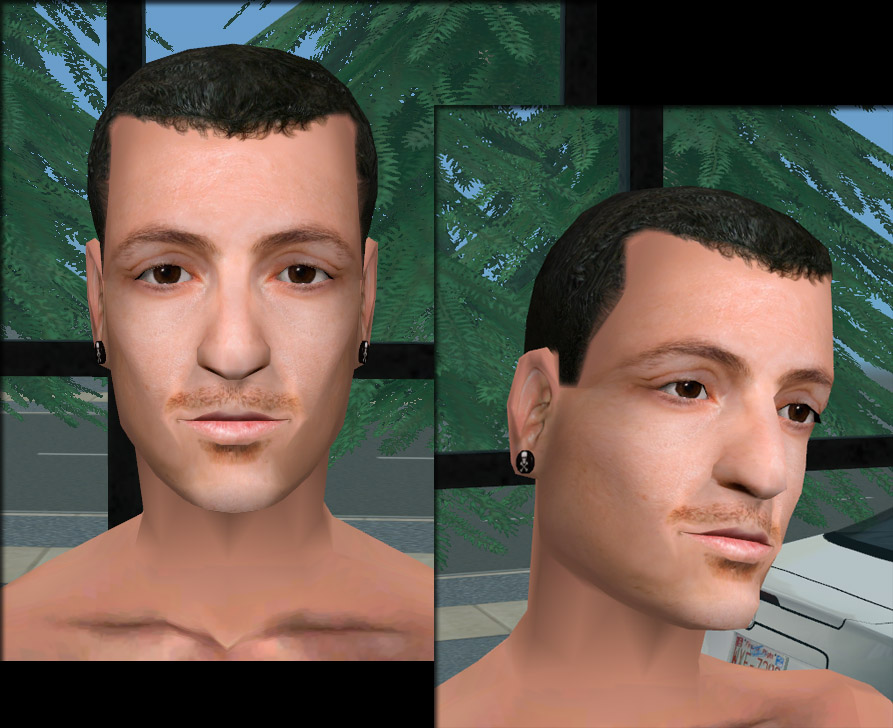
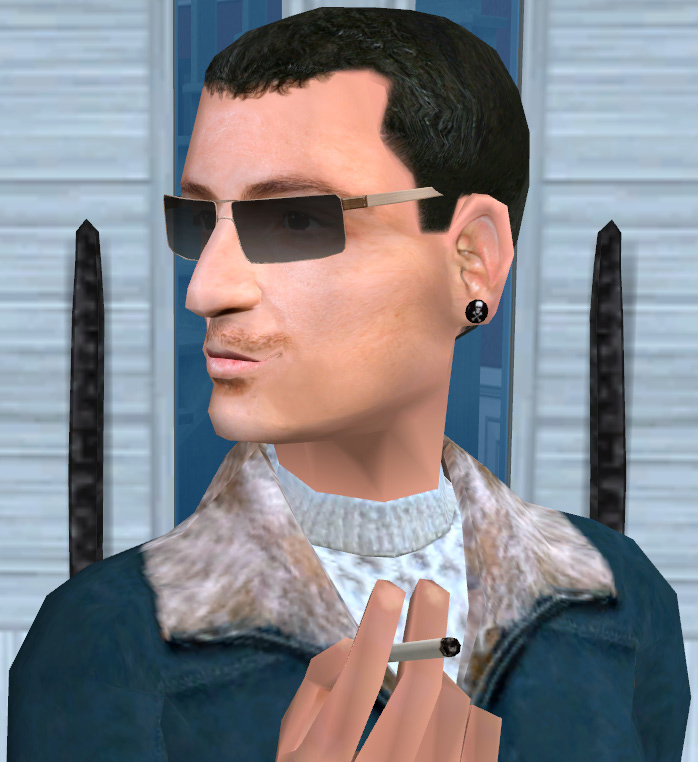
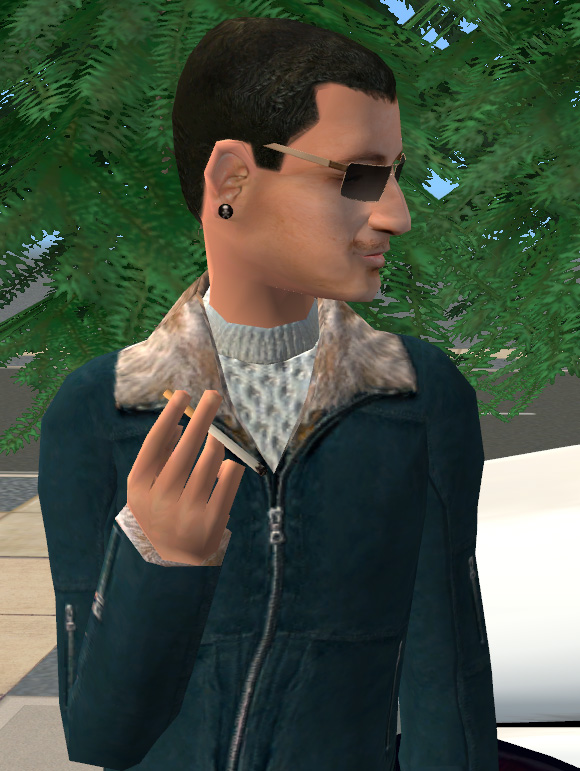
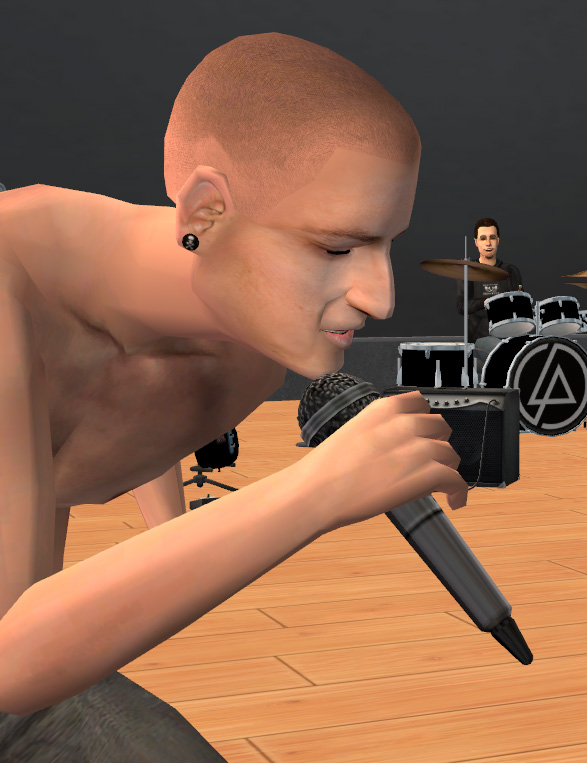
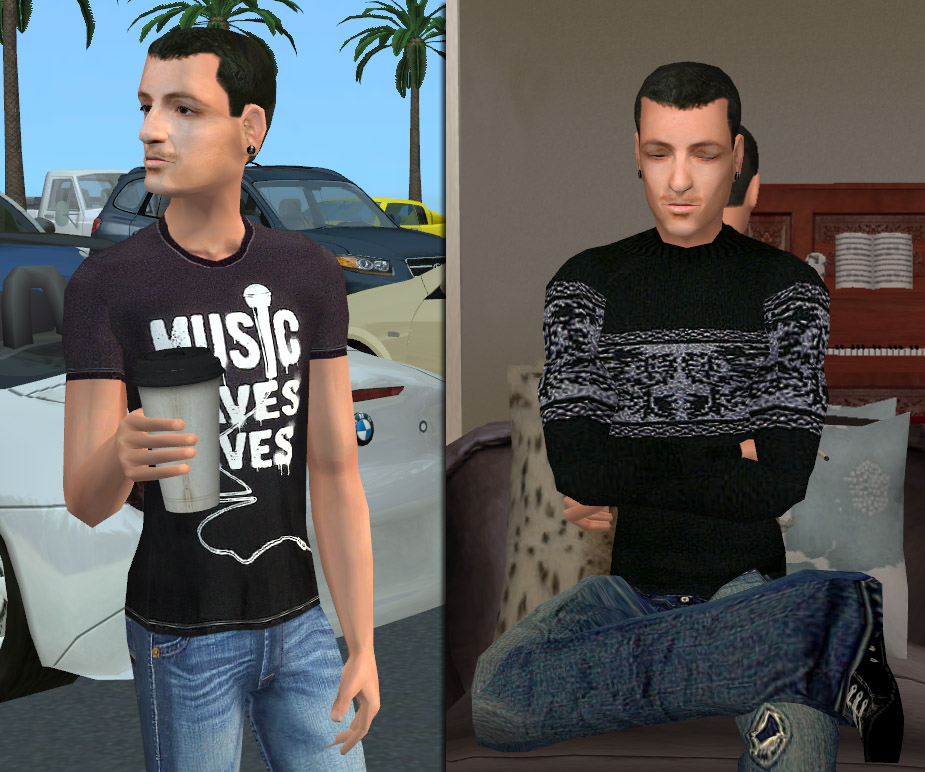
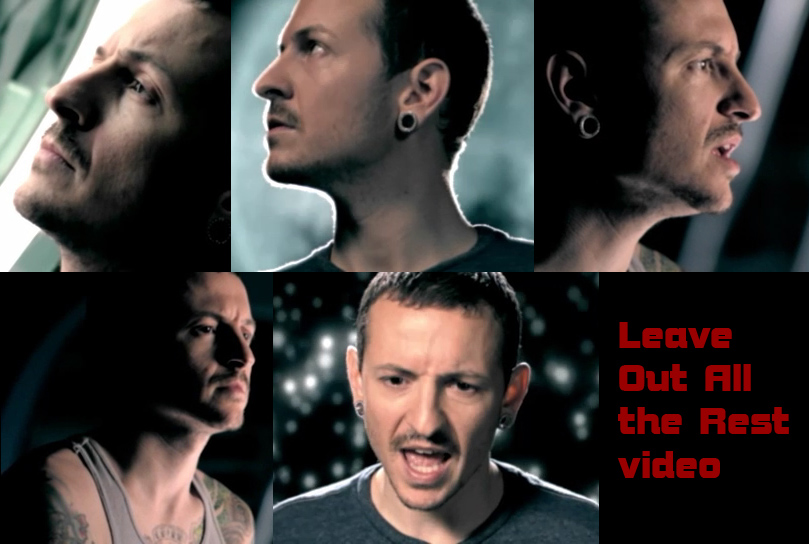
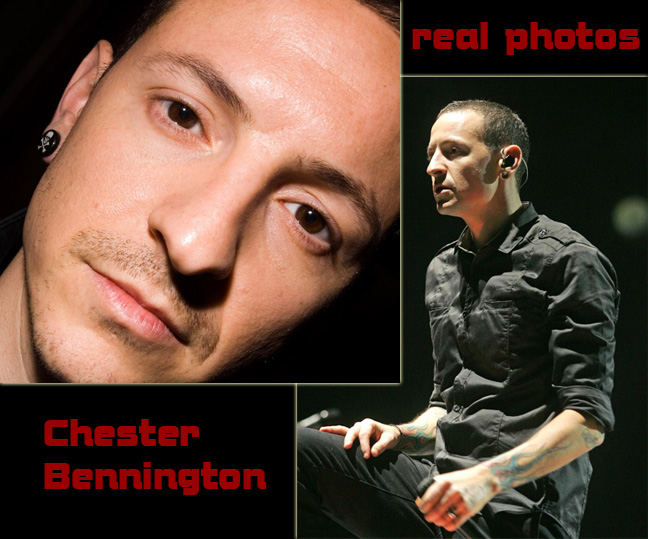
photo01.jpg - width=893 height=728
photo02.jpg - width=698 height=762
photo03.jpg - width=580 height=771
photo04.jpg - width=587 height=763
photo05.jpg - width=925 height=772
real01.jpg - width=809 height=544
real02.jpg - width=648 height=539
REUPLOAD 10-06-2011:
- ear accessory mesh for male teens is added
- recolor is redone, made multiwearable
- sim is packed without accessory
Pheeeewwwww, finally made it... Here comes one of my celebrity sims. This is Chester Bennington from Linkin Park. Being a big fan of this band (and especially Chester's) I have come up with the idea to make him just recently.
This particular look has been mostly inspired by "Leave Out All the Rest" video from their "Minutes to Midnight" album.
Well, it took me several days to make him: I have made hair recolor, eyes, hairline & facial hair, even his skull-and-bones ear accessory. The only thing I haven't done is his crazy tatoos! Well, he has so many of them that trying to copy them all is just impossible for me.
Anyway, I hope you'll like him.
Included content by Me:
- SKIN: facial texture by me (in all ages & both genders) based on the skin by oepu
- HAIR: recolor of Maxis mesh made by me (for males in all ages). Binned, in brown color.
- EYES: Chester's brown eyes
- HAIRLINE: layerable (costume makeup). Unfortunately no gray color for elders.
- FACIAL HAIR: layerable (beard & moustache), gray for elder males.
- EAR ACCESSORY: new mesh & texture, available for teen/young adult/adult/elder males, multiwearable.
On photos (not included):
photo02 - glasses by Maxis, winter outfit by me
photo04 - "bald" hair by sare_sare
photo05 - outfits by krehata and KateK
Cigarette and coffee cup prop hack by decorgal21572 and Adele
Get Linkin Park deco items & posters here
-
 ear accessory mesh for male teens is added
- recolor is redone, made multiwearable
- sim is packed without accessory
Pheeeewwwww, finally made it... Here comes one of my celebrity sims. This is Chester Bennington from Linkin Park. Being a big fan of this band (and especially Chester's) I have come up with the idea to make him just recently.
This particular look has been mostly inspired by "Leave Out All the Rest" video from their "Minutes to Midnight" album.
Well, it took me several days to make him: I have made hair recolor, eyes, hairline & facial hair, even his skull-and-bones ear accessory. The only thing I haven't done is his crazy tatoos!
 Well, he has so many of them that trying to copy them all is just impossible for me.
Anyway, I hope you'll like him.
Included content by Me:
- SKIN: facial texture by me (in all ages & both genders) based on the skin by oepu
- HAIR: recolor of Maxis mesh made by me (for males in all ages). Binned, in brown color.
- EYES: Chester's brown eyes

- HAIRLINE: layerable (costume makeup). Unfortunately no gray color for elders.
- FACIAL HAIR: layerable (beard & moustache), gray for elder males.
- EAR ACCESSORY: new mesh & texture, available for teen/young adult/adult/elder males, multiwearable.
On photos (not included):
photo02 - glasses by Maxis, winter outfit by me
photo04 - "bald" hair by sare_sare
photo05 - outfits by krehata and KateK
Cigarette and coffee cup prop hack by decorgal21572 and Adele
Get Linkin Park deco items & posters here
| Filename | Size | Downloads | Date | |||||
|
EarAccessory.rar
| Update 10-06-2011: tm/am meshes + RC
Size: 33.5 KB · Downloads: 1,724 · 6th Oct 2011 |
33.5 KB | 1,724 | 6th Oct 2011 | |||||
|
ChesterBennington.rar
Size: 2.18 MB · Downloads: 2,576 · 5th Oct 2011 |
2.18 MB | 2,576 | 5th Oct 2011 | |||||
| For a detailed look at individual files, see the Information tab. | ||||||||
Key:
- - File was updated after upload was posted
Install Instructions
Basic Download and Install Instructions:
1. Download: Click the download link to save the .rar or .zip file(s) to your computer.
2. Extract the zip, rar, or 7z file.
3. Install: Double-click on the .sims2pack file to install its contents to your game. The files will automatically be installed to the proper location(s).
1. Download: Click the download link to save the .rar or .zip file(s) to your computer.
2. Extract the zip, rar, or 7z file.
3. Install: Double-click on the .sims2pack file to install its contents to your game. The files will automatically be installed to the proper location(s).
- You may want to use the Sims2Pack Clean Installer instead of the game's installer, which will let you install sims and pets which may otherwise give errors about needing expansion packs. It also lets you choose what included content to install. Do NOT use Clean Installer to get around this error with lots and houses as that can cause your game to crash when attempting to use that lot. Get S2PCI here: Clean Installer Official Site.
- For a full, complete guide to downloading complete with pictures and more information, see: Game Help: Downloading for Fracking Idiots.
- Custom content not showing up in the game? See: Game Help: Getting Custom Content to Show Up.
- If you get an error that says "This content requires expansion pack data that is not installed", please use either Clean Installer to install this sim.
Also Thanked - Users who thanked this download also thanked:
My policy
You may:
- Include my items in your packages (but if you do, please, give CREDIT linking to my page).
- Make recolors of my meshes.
- Use my work in your game, photos and movies.
You may NOT:
- Claim my work as your own.
- Redistribute my work on PAY sites and upload it on Exchange.
- Modify my meshes (if you decide to do so and upload them, send me a PM me first).
- Recolor my textures (only for your personal use).
For my creations I use:
- 3d Studio Max 7
- MilkShape 3D 1.8.4
- Adobe Photoshop CS3
Visit my Home Page blogspot for clutter: deco makeup and more...
- Include my items in your packages (but if you do, please, give CREDIT linking to my page).
- Make recolors of my meshes.
- Use my work in your game, photos and movies.
You may NOT:
- Claim my work as your own.
- Redistribute my work on PAY sites and upload it on Exchange.
- Modify my meshes (if you decide to do so and upload them, send me a PM me first).
- Recolor my textures (only for your personal use).
For my creations I use:
- 3d Studio Max 7
- MilkShape 3D 1.8.4
- Adobe Photoshop CS3
Visit my Home Page blogspot for clutter: deco makeup and more...
More Downloads BETA
Here are some more of my downloads: