
 Sign in to Mod The Sims
 Testers Wanted: Porch Swing w/ Awning
 Testers Wanted: Porch Swing w/ Awning
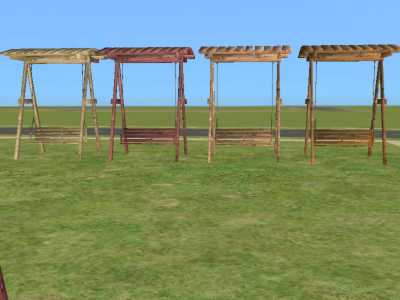
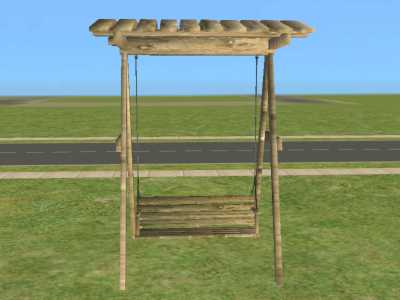
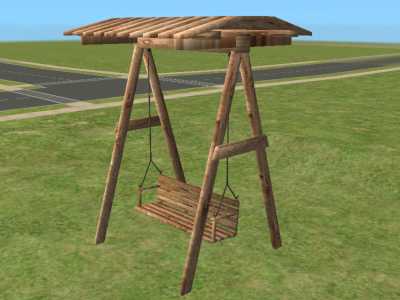
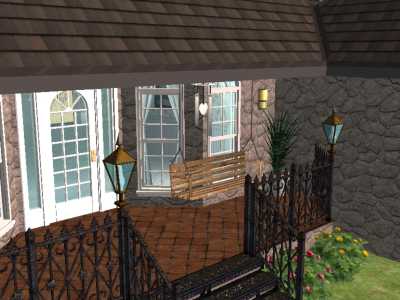
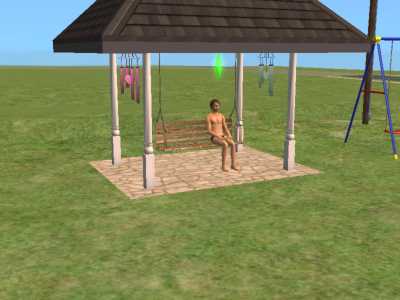
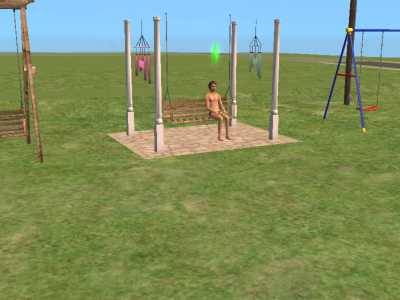

allcolors_snapshot.jpg - width=400 height=300
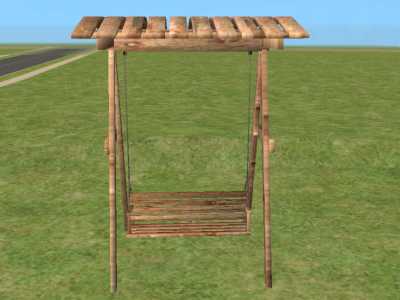
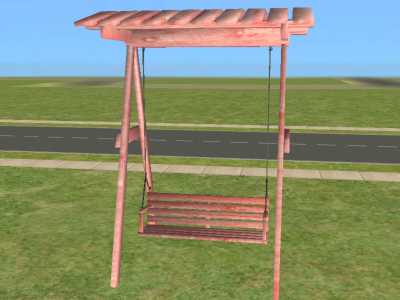
swing&frame_snapshot.jpg - width=400 height=300
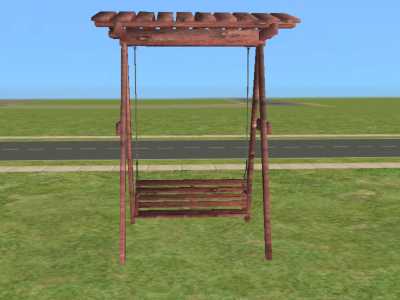
redwood_snapshot.jpg - width=400 height=300
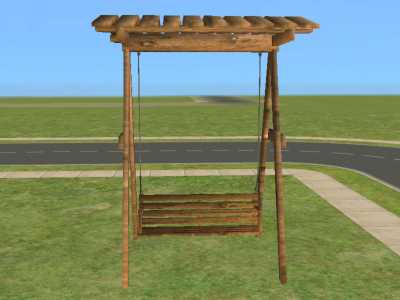
brown_snapshot.jpg - width=400 height=300
tan_snapshot.jpg - width=400 height=300
side_swing&frame_snapshot.jpg - width=400 height=300
porch_snapshot.jpg - width=400 height=300
sidepavil_snapshot.jpg - width=400 height=300
noroof_snapshot.jpg - width=400 height=300
sims-sitting_snapshot.jpg - width=400 height=300
pink_recolor_snapshot.jpg - width=400 height=300


Updated: 10th Apr 2009 at 6:15 PM by -Maylin-
I made 3 recolors of the swing that are exactly the same recolors I made for the frame. Both are colorenabled so if you would like to make your own recolors. If you post them here on MTS2, please give some credit to the creator. If you would like me to make a certain color, leave a message and I will be glad to make them for you.
I uploaded several pics of places I put the swing, the colors of them and showing my simmies sitting on it. The swing looks the best, in my opinion, on the frame or on the porch. As you can see from the pavilian pic., its not bad, but I think it looks funny with the roof down.
If you have any problems, please leave a message and I will try to fix it.
All feedback is welcome as I like to hear what others think about my work.
As with all my other creations, you can use for your own purpose, but please don't put on any paysites.
Have a very nice day and I hope you enjoy it!!!
Edit: I made another recolor from a request and uploaded another pic of what it looks like. I made it for both the swing and the frame. I hope the recolor is the color you wanted. Please let me know if this one is ok. I can fix it the way you want. Any more recolors, just leave me a message. Thank You.
This is a new mesh, and means that it's a brand new self contained object that usually does not require a specific Pack (although this is possible depending on the type). It may have Recolours hosted on MTS - check below for more information.
| Filename | Size | Downloads | Date | |||||
|
pink_recolor_porchswingframe.rar
Size: 22.4 KB · Downloads: 4,349 · 18th Jul 2005 |
22.4 KB | 4,349 | 18th Jul 2005 | |||||
|
pink_recolor_porchswing.rar
Size: 21.5 KB · Downloads: 4,458 · 18th Jul 2005 |
21.5 KB | 4,458 | 18th Jul 2005 | |||||
|
porchswingframe_recolors.rar
Size: 79.5 KB · Downloads: 5,861 · 18th Jul 2005 |
79.5 KB | 5,861 | 18th Jul 2005 | |||||
|
porchswing_recolors.rar
Size: 76.9 KB · Downloads: 6,437 · 18th Jul 2005 |
76.9 KB | 6,437 | 18th Jul 2005 | |||||
|
mjb_porchswing&frame071205.rar
Size: 162.0 KB · Downloads: 6,952 · 18th Jul 2005 |
162.0 KB | 6,952 | 18th Jul 2005 | |||||
| For a detailed look at individual files, see the Information tab. | ||||||||
Key:
- - File was updated after upload was posted
Install Instructions
1. Download: Click the download link to save the .rar or .zip file(s) to your computer.
2. Extract the zip, rar, or 7z file.
3. Place in Downloads Folder: Cut and paste the .package file(s) into your Downloads folder:
- Origin (Ultimate Collection): Users\(Current User Account)\Documents\EA Games\The Sims™ 2 Ultimate Collection\Downloads\
- Non-Origin, Windows Vista/7/8/10: Users\(Current User Account)\Documents\EA Games\The Sims 2\Downloads\
- Non-Origin, Windows XP: Documents and Settings\(Current User Account)\My Documents\EA Games\The Sims 2\Downloads\
- Mac: Users\(Current User Account)\Documents\EA Games\The Sims 2\Downloads
- Mac x64: /Library/Containers/com.aspyr.sims2.appstore/Data/Library/Application Support/Aspyr/The Sims 2/Downloads
- For a full, complete guide to downloading complete with pictures and more information, see: Game Help: Downloading for Fracking Idiots.
- Custom content not showing up in the game? See: Game Help: Getting Custom Content to Show Up.
- If you don't have a Downloads folder, just make one. See instructions at: Game Help: No Downloads Folder.
More Downloads BETA
Here are some more of my downloads: