
 Sign in to Mod The Sims
 Medieval Gown Conversion
 Medieval Gown Conversion


Screenshot-292.jpg - width=693 height=703
ScreenShot149.jpg - width=1024 height=768
Screenshot-257.jpg - width=374 height=604
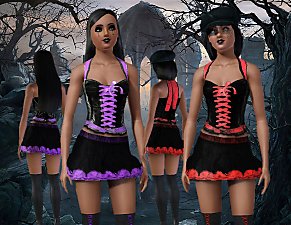
First asked permission to the creator and then used a mesh of the game and modified it, using only the textures of the original dress.
Is available for female adult and young adult in everyday and formal and have 3 channels.
I hope you enjoy!


Polygon Counts:
3866 polygons
Additional Credits:
A special thanks to the creator of the original dress (here)
Delphy and CTU Team for CTU Wes for the Milk Shape plugins
Skin replacement from Clud Crimsyn
Hair by Rosesim2
Thanks joninmobile for theEmptied Blue Screen CAS screen
This is a new mesh, and means that it's a brand new self contained object that usually does not require a specific Pack (although this is possible depending on the type). It may have Recolours hosted on MTS - check below for more information.
|
Medieval GownConversion.rar
Download
Uploaded: 17th May 2010, 822.1 KB.
27,360 downloads.
|
||||||||
| For a detailed look at individual files, see the Information tab. | ||||||||
Install Instructions
1. Click the download button, or the filename, to download the file to your computer.
2. Extract the zip, rar, or 7z file. Now you will have either a .package or a .sims3pack file.
For Package files:
1. Cut and paste the file into your Documents\Electronic Arts\The Sims 3\Mods\Packages folder. If you do not already have this folder, you should read the full guide to Package files first: Sims 3:Installing Package Fileswiki, so you can make sure your game is fully patched and you have the correct Resource.cfg file.
2. Run the game, and find your content where the creator said it would be (build mode, buy mode, Create-a-Sim, etc.).
For Sims3Pack files:
1. Cut and paste it into your Documents\Electronic Arts\The Sims 3\Downloads folder. If you do not have this folder yet, it is recommended that you open the game and then close it again so that this folder will be automatically created. Then you can place the .sims3pack into your Downloads folder.
2. Load the game's Launcher, and click on the Downloads tab. Find the item in the list and tick the box beside it. Then press the Install button below the list.
3. Wait for the installer to load, and it will install the content to the game. You will get a message letting you know when it's done.
4. Run the game, and find your content where the creator said it would be (build mode, buy mode, Create-a-Sim, etc.).
Extracting from RAR, ZIP, or 7z: You will need a special program for this. For Windows, we recommend 7-Zip and for Mac OSX, we recommend Keka. Both are free and safe to use.
Need more help?
If you need more info, see:
- For package files: Sims 3:Installing Package Fileswiki
- For Sims3pack files: Game Help:Installing TS3 Packswiki
Loading comments, please wait...

Uploaded: 17th May 2010 at 12:18 AM
#Medieval, #Dress, #Gown, #Sims2, #conversion
-
by Anubis360 13th Sep 2009 at 2:42pm
 49
196.5k
233
49
196.5k
233
-
-
-
-
-
-
by daluved1 15th Jan 2011 at 12:14pm
28
95.3k
202
Female » Mixed Sets » Adult
-
by Amylet 15th Apr 2013 at 1:28am
24
61.1k
180
-
by Lunararc 10th May 2013 at 10:33pm
60
106.4k
485
Female » Formal » Young Adult
-
by HystericalParoxysm 25th Jul 2014 at 11:13pm
32
60.5k
200

-
-

-
-
-
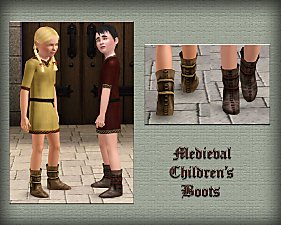
Medieval Shoes for Boys and Girls CAS - Ye Olde Kingdom of Pudding
by The Merrye Makers 14th Jul 2013 at 4:46am
This time, our shoemaker only bring boots for children. After all, our boys and girls can not walk barefoot through the kingdom. more...
-
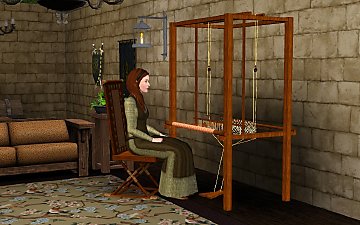
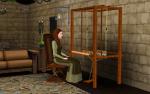
Medieval Weaving Loom (Dresser) - Ye Olde Kingdom of Pudding
by The Merrye Makers 15th Jan 2012 at 11:34am
A medieval Weaving Loom which functions as a working dresser. Made by Hekate999 for The Merrye Makers. more...
10
66.5k
141
-
-

-
-


About Me
Subscribe to my channel.